
Analysts often face an overwhelming number of threats daily, each demanding a detailed examination to understand its behavior and potential impact.
When alerts start piling up, manually analyzing each one becomes time-consuming and puts your team under pressure.
Fortunately, these threats can be handled faster and more efficiently with automated malware analysis. By automating various tasks, you can uncover threats quicker, minimize errors, and free up your team to focus on more critical work.
Analyzing Various Attack Scenarios
This enhancement makes sure that the attack analysis keeps moving, fully detecting malicious activities without manual intervention.

These stages may include:
-
Email attachments like archives and their contents
-
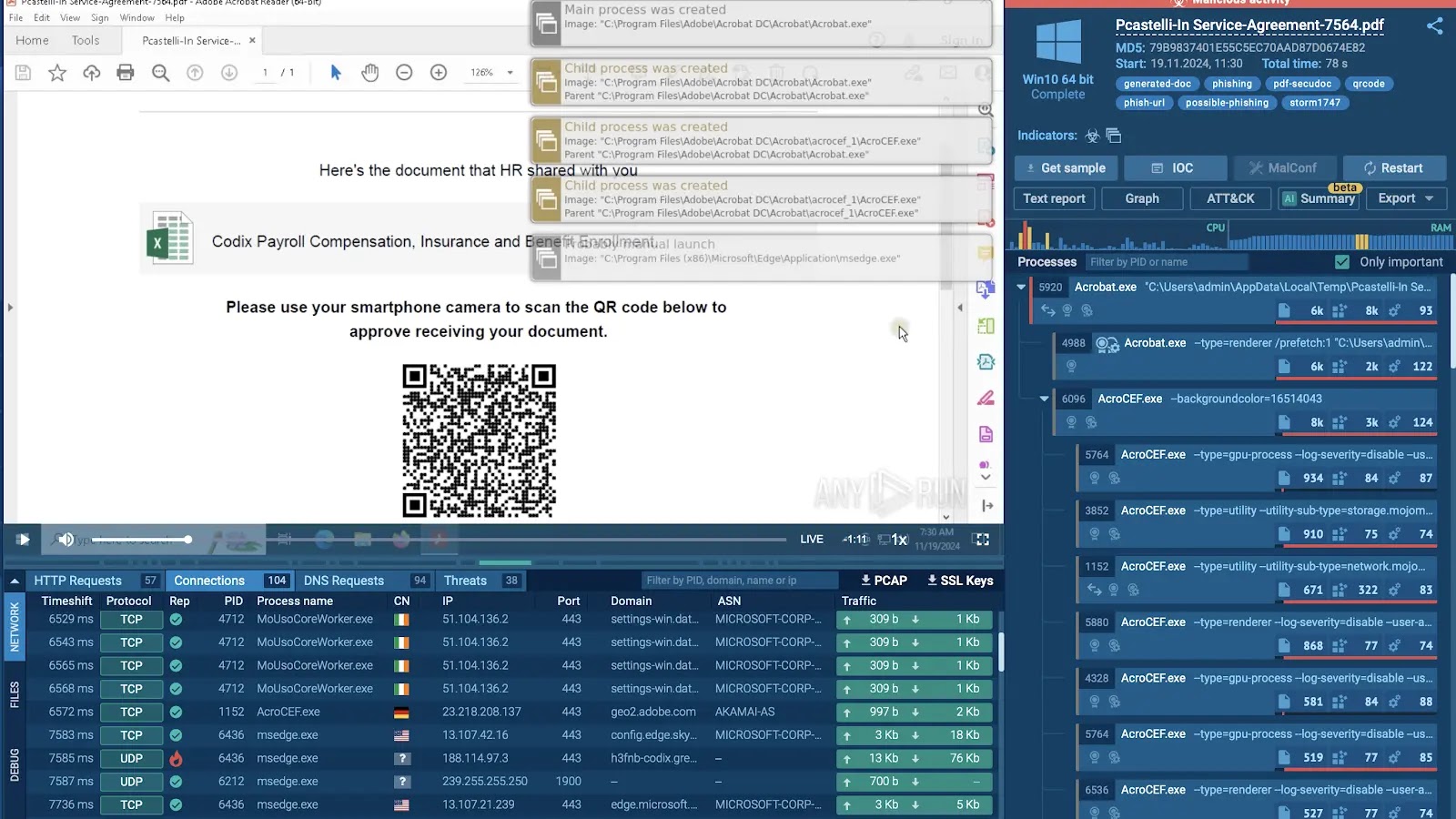
QR codes embedded in documents and CAPTCHAs
-
Rewritten links and multi-stage redirects
CAPTCHAs: Solving Challenges Automatically
CAPTCHAs are often used by attackers to add an additional layer of complexity to malicious activity, requiring user interaction to proceed.
These challenges can hinder manual analysis by slowing down the investigation process.
In automated analysis sessions, CAPTCHAs are solved automatically without requiring any manual input. The analysis process continues smoothly, and all stages of the attack are executed.
This approach simplifies the analysis and provides a complete view of the threat, saving analysts time and effort.
QR Codes: A New Gateway for Malware
QR codes have become popular in modern interactions, from payments to marketing. However, they are also a delivery mechanism for malware.
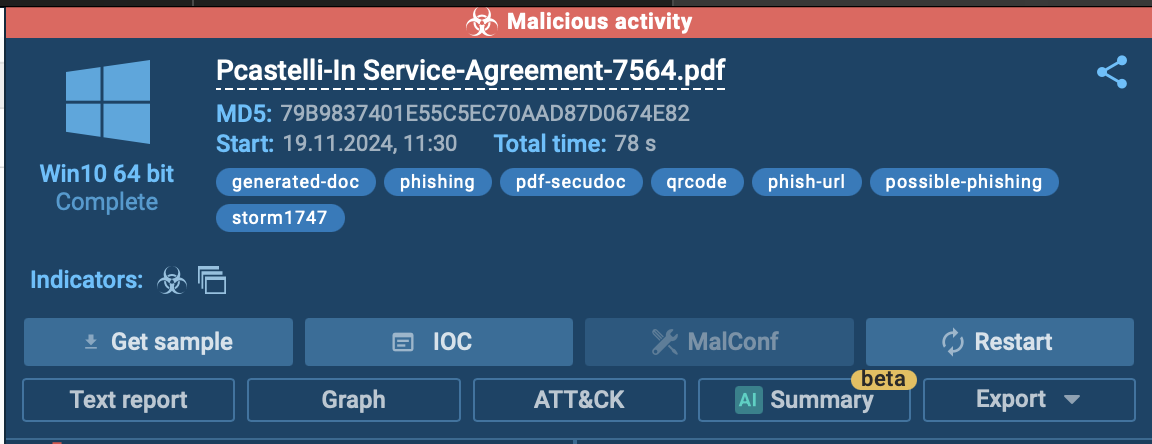
A malicious QR code can direct users to phishing sites or trick them into downloading malware onto their devices.
During the threat analysis, the sandbox also determines if the content is malicious and displays the verdict in the upper-right corner of the interface, saving both time and effort for analysts.
Email Attachments: The Classic Attack Vector
Email attachments continue to be a popular method for distributing malware. Threat actors often hide malicious payloads in files such as ZIP archives, requiring specific actions or multiple steps to execute the attack.
Automated analysis speeds up this process by extracting, opening, and observing the behavior of potential threats in a secure, isolated environment.
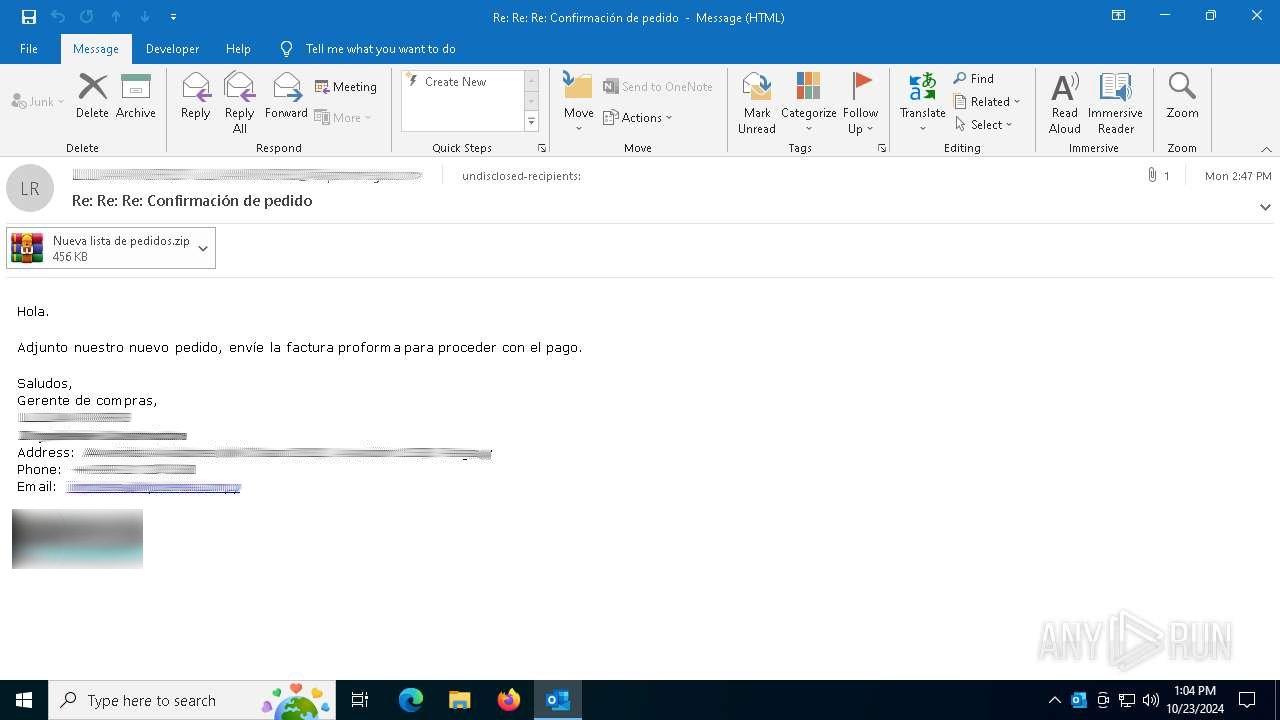
Automated analysis of email attachment
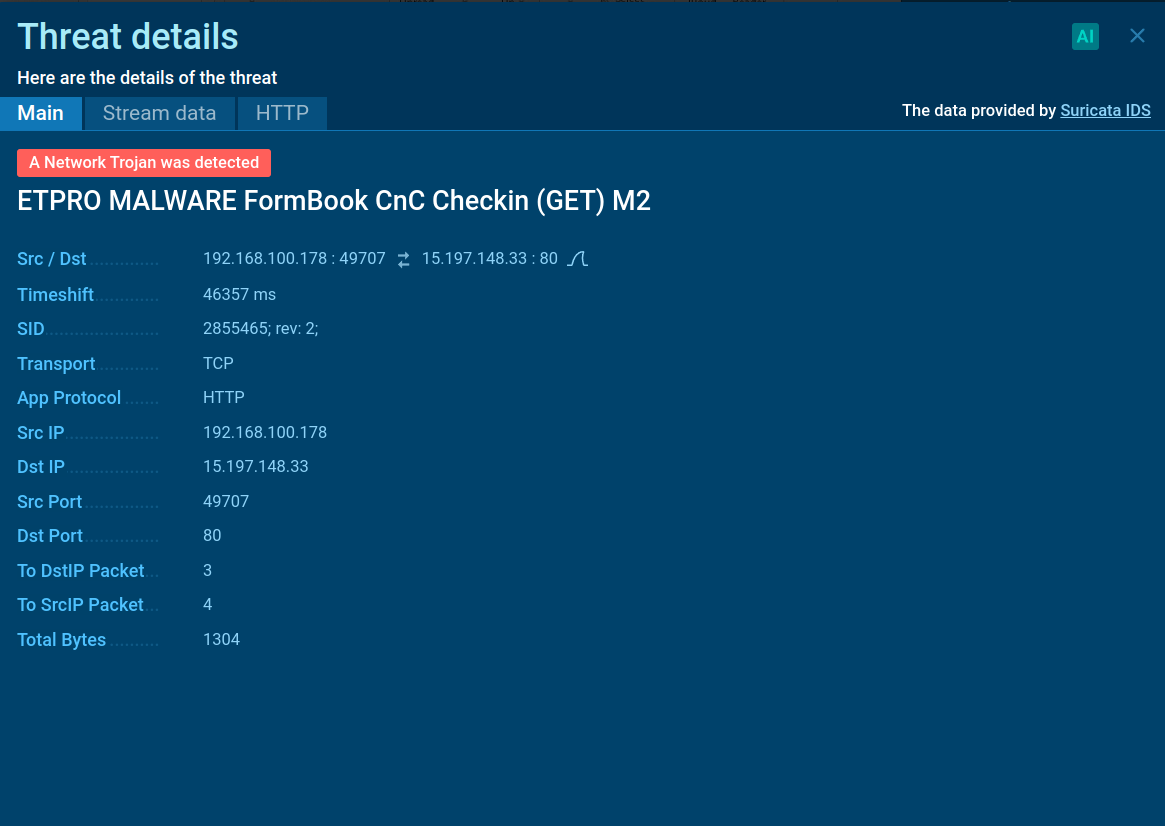
With automated analysis, the sandbox extracts the ZIP file attached to the email. Then, it finds the Formbook executable inside the archive and runs it automatically to observe its behavior.
The Suricata rule is used for detecting Formbook activity
Blocked Links: Extracting Hidden URLs
Blocked or rewritten links are commonly used by cybercriminals to bypass security filters. These links appear harmless but redirect to malicious destinations once clicked, making them a dangerous tool for phishing and malware delivery.
Automated analysis in a sandbox environment is ideal for handling such scenarios.
However, this block prevented further insight into the threat.
Attack analysis stopped at Microsoft’s scam filtering page
By enabling Automated Interactivity and rerunning the analysis, the sandbox bypassed the rewritten URL, allowing all stages of the attack to execute, including those requiring CAPTCHA-solving.
This revealed that the attack was conducted by the Storm-1575 threat actor using the DadSec phishing platform , as indicated by the associated tags.
Get Your Exclusive Black Friday Deals from ANY.RUN
With automated analysis, the sandbox takes care of every step, saving you time and delivering accurate insights without the need for manual input.

Black Friday Offers from ANY.RUN
Take advantage of special Black Friday deals, available until December 8:
-
For individual users: Get 2 licenses for the price of 1.