
A $12 domain, 72 hours of patience, and your finance team’s credentials — why authentication tells you who sent the email, never where the link goes, and how detection at the click closes the gap your gateway can’t see.
A domain is registered on Monday. By Tuesday it serves a pixel-perfect Microsoft 365 login clone. By Wednesday, emails carrying that link have landed in inboxes across multiple organisations.
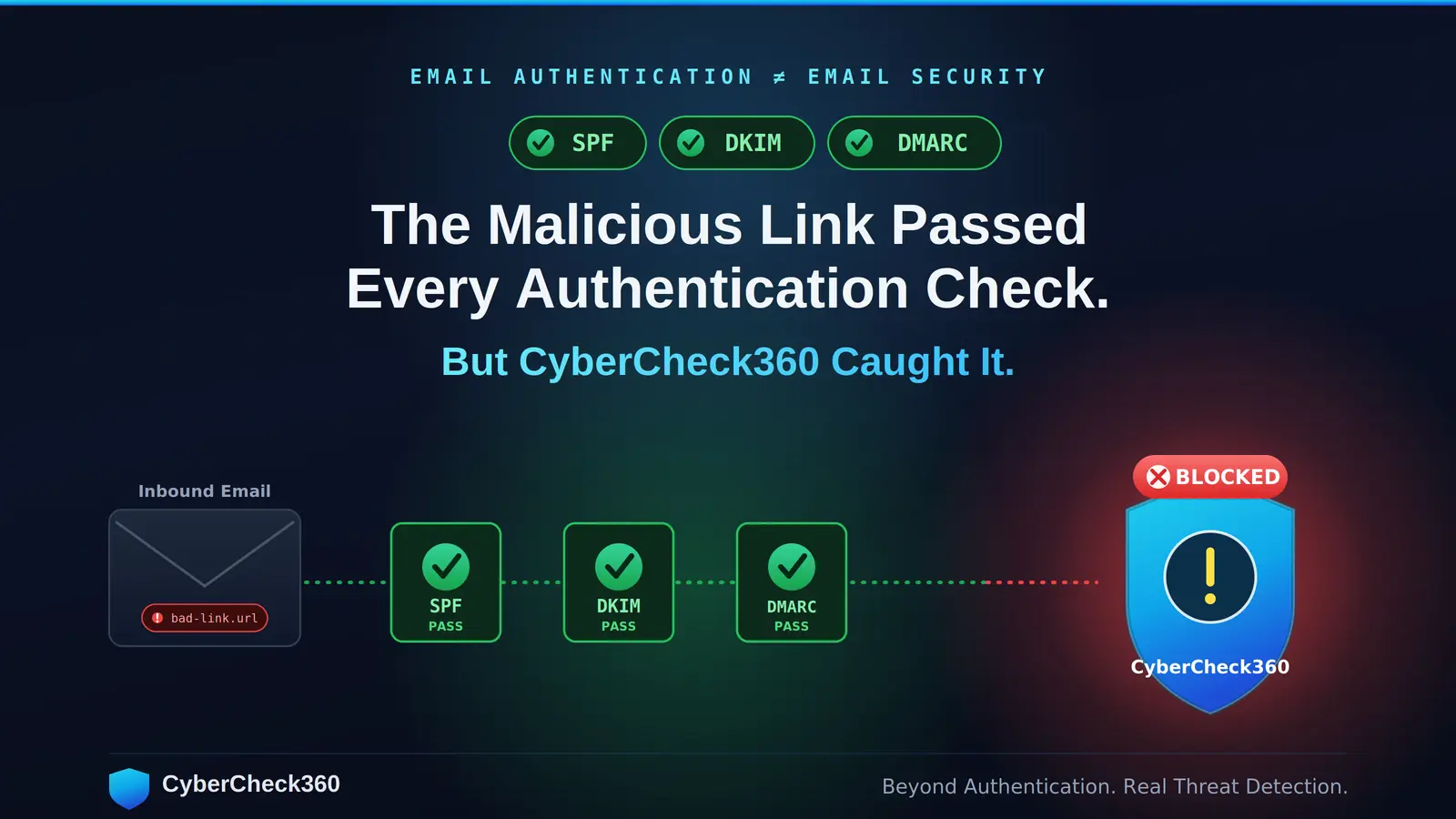
SPF: valid. DKIM: pass. DMARC: aligned, no policy violation. Gateway URL-reputation score: neutral. Verdict: delivered.
This is not an edge case. It is a repeatable, documented attack pattern, and it works because of a structural gap that no amount of email-gateway tuning will ever close.
Why the Filter Waves It Through
Here is the part most security awareness training gets wrong: SPF, DKIM, and DMARC were never designed to inspect the link inside the email. They authenticate the sender, not the destination. Worth understanding exactly what each one actually verifies:
- SPF (Sender Policy Framework) checks whether the sending IP is authorised to send for the envelope-from domain, by querying that domain’s DNS TXT record. It validates infrastructure, not intent.
- DKIM (DomainKeys Identified Mail) attaches a cryptographic signature to the message header, verified against a public key published in the sender’s DNS. It proves the message wasn’t tampered with in transit. It says nothing about the message’s content being honest.
- DMARC ties the two together by enforcing alignment between the visible From: domain and the SPF/DKIM-authenticated domain, then tells receivers what to do on failure.
An attacker who controls a legitimately configured domain — or who simply rents reputable, correctly-authenticated sending infrastructure — passes all three checks cleanly while pointing the payload link at a malicious page hosted somewhere else entirely.

That is the system working as designed. The authentication layer verified precisely what it was built to verify, and the destination was never in scope.
Secure email gateways try to compensate with URL-reputation lookups and heuristic link scoring. But reputation-based detection has one unavoidable dependency:
A domain must have been reported before it can carry a negative score.
Palo Alto Networks’ Unit 42 research puts the average window between a newly registered domain going live and surfacing on threat-intelligence blocklists at 21 to 30 days.
An attacker who registers a domain, runs a credential-harvesting campaign for 48 to 72 hours, then abandons it, is never caught by reputation at all. The domain retires clean — its negative reputation arrives weeks after the campaign is over.
The Attack in Practice
Day 1. The attacker registers sharepoint-invoice-view[.]com for roughly $12. It resolves to a SharePoint Online clone fronting a Microsoft credential prompt. A TLS certificate is issued in seconds from a free CA, so the padlock is green and the connection is “secure.” The WHOIS/RDAP creation date is today — but nothing at the gateway looks at that field.
Day 2. Phishing emails go out to finance teams referencing an unpaid invoice, with a link to “view the document.” The sending infrastructure uses a separate, aged, well-configured domain so the message sails through SPF, DKIM and DMARC. The payload link is the Day-1 domain.
- At the gateway: everything passes. Domain age is never checked. The email is delivered to the inbox.
- At the click: credentials are entered. Session tokens are harvested and exfiltrated in real time.
- Within 72 hours: the domain is abandoned, before a single blocklist update ever touches it.
No zero-day. No gateway compromise. A $12 registration and 48 hours of patience.
What Detection at the Click Actually Requires
Stopping this means evaluating the link at the moment of access, using signals that do not depend on a prior threat report existing. Three independent layers do the work:
1. Real-time reputation lookup. Every link checked against a live threat-intelligence database that aggregates multiple open-source and commercial feeds. This catches known-bad infrastructure recycled from earlier campaigns, the cheapest attacks to stop, and still common.
2. Domain-age interrogation. The registration age of the destination domain is queried at click time via WHOIS/RDAP and cross-checked against signals like TLS certificate issuance date.
A six-day-old domain serving a login form is not confirmed malicious — but it is a high-signal anomaly that sits entirely outside what any blocklist can see.
This is the layer engineered specifically for the 21-to-30-day blind spot. A configurable threshold lets each team decide how young is too young.
3. Page-content analysis. When the destination is a login page, the page itself is read, not just its URL. Visual branding and identity signals, logos, layout, favicon, DOM structure, declared brand — are cross-referenced against the actual hosting domain.
A Microsoft-branded login page served from xz-cdn-44871[.]web[.]app is a detectable mismatch at the content level, where it can be caught, rather than the URL level, where a never-before-seen domain offers nothing to match against. No prior threat report required.
How CyberCheck360 Implements This
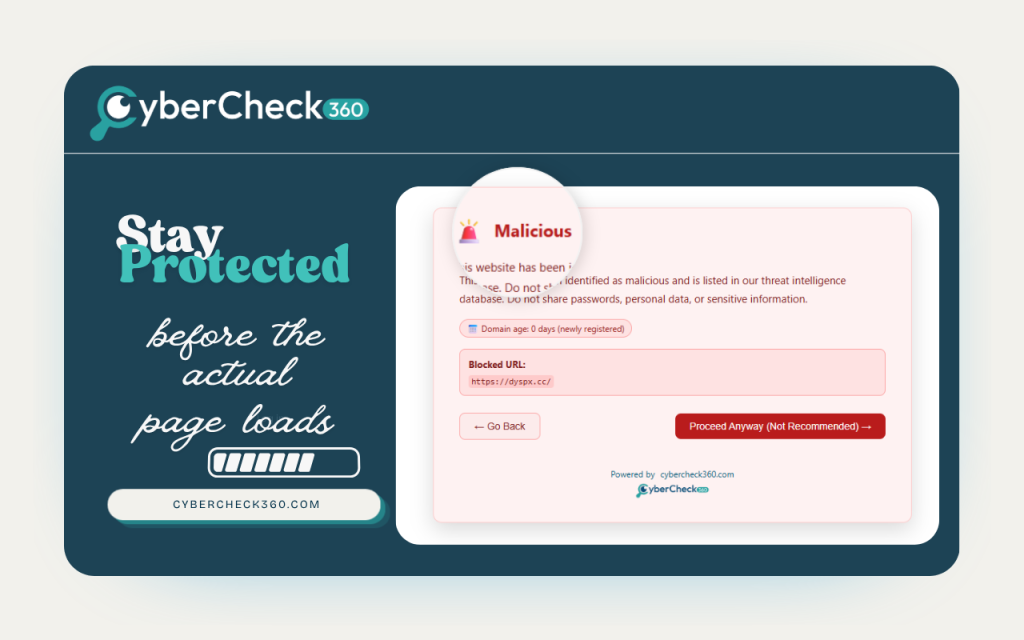
The browser extension for Chrome, Firefox and Edge runs all three layers passively at every click, no user decision, no prompt, no judgment call handed to the employee. Key behaviours:
- Domain-age threshold defaults to 365 days and is configurable down to any value per team policy, so a SOC can tune sensitivity without code changes.
- AI brand-impersonation analysis activates specifically on login pages, firing on content signals — rendered branding versus hosting identity — rather than URL reputation alone. This is what catches the Day-1 clone that no feed has ever heard of.
For the email-triage workflow, the Outlook and Gmail add-ons let analysts submit a link for the same intelligence checks before clicking.
The operationally decisive capability here is sandboxed detonation: the add-on opens the suspect link or file inside a cloud-based, isolated container running a full browser. JavaScript executes. Redirect chains resolve hop by hop.
Download triggers fire. The complete behaviour is observable — including intermediate redirect hops and conditional payloads that a static scanner never sees, with zero activity touching the local endpoint or credential store. The container is destroyed at the end of the session.
| Attack stage | What the attacker does | What CyberCheck360 fires |
| Email delivery | Aged sending domain passes SPF / DKIM / DMARC | Gateway passes. Add-on available for pre-click triage. |
| Link click | Day-2 link to a domain with no threat history | Reputation check (clean) → domain-age check (flagged) → login page detected |
| Page load | Microsoft 365 clone served | AI brand-vs-domain mismatch fires before any credential is entered |
| Uncertain link | User wants to verify safely | Sandbox detonation: full behaviour visible, zero endpoint exposure |
The AiTM Caveat, Stated Honestly
Adversary-in-the-middle frameworks like Evilginx don’t clone a page; they proxy the genuine authentication page in real time, relaying it to the victim. That makes the page content itself authentic, which can blunt visual brand analysis.
It does not blunt the whole stack. The proxy still has to live somewhere, and that somewhere is a domain with no established relationship to the organisation it impersonates, almost always newly registered.
Domain-age detection catches the AiTM proxy at the very same layer it catches a static clone. Brand analysis still contributes signal because the proxy host’s identity never matches the brand it serves.
This is not a complete AiTM countermeasure, and CyberCheck360 doesn’t pretend it is. It is an additional friction layer that flags the hosting infrastructure before the session token is submitted — which, in a token-theft attack, is the only window that matters.
“Everything before the click is a probabilistic filter,” said Vinodh Kumar Balaraman, Founder of CyberCheck360. “We built detection that runs at the deterministic layer — on the actual content being served, at the moment of access.”
Tools referenced

Browser extension — Chrome / Firefox / Edge The always-on layer. It runs all three checks — reputation, domain age, and AI brand analysis — passively as soon as any link is clicked, with no prompt and no decision pushed onto the user. This is the tool that catches the Day-1 clone in real time, before the login page can collect a credential. →
Outlook add-on Built for the inbox triage workflow. An analyst (or any user) can submit a suspicious link or attachment for the full intelligence checks before clicking and detonate it in a cloud sandbox to watch the real behaviour unfold without touching the endpoint. →
Gmail add-on The same pre-click triage and sandboxed detonation, native to Gmail and Google Workspace. Submit, inspect, detonate, and get a verdict without ever opening the link on your own machine. →
Manual link checker — no installation required A zero-friction way to verify a single URL on the spot. Paste a link, run it through the same reputation, domain-age and content checks, and get an answer — useful for one-off verifications or for teams evaluating the engine before rolling out the extension. →
Close the gap your gateway can’t see.
Your email filter clears newly registered phishing domains every single day — by design. CyberCheck360 catches them at the click, on the content, in real time.
Add the browser extension free → | Test a suspicious link now →
No credit card to start. See it catch a domain your gateway just delivered.