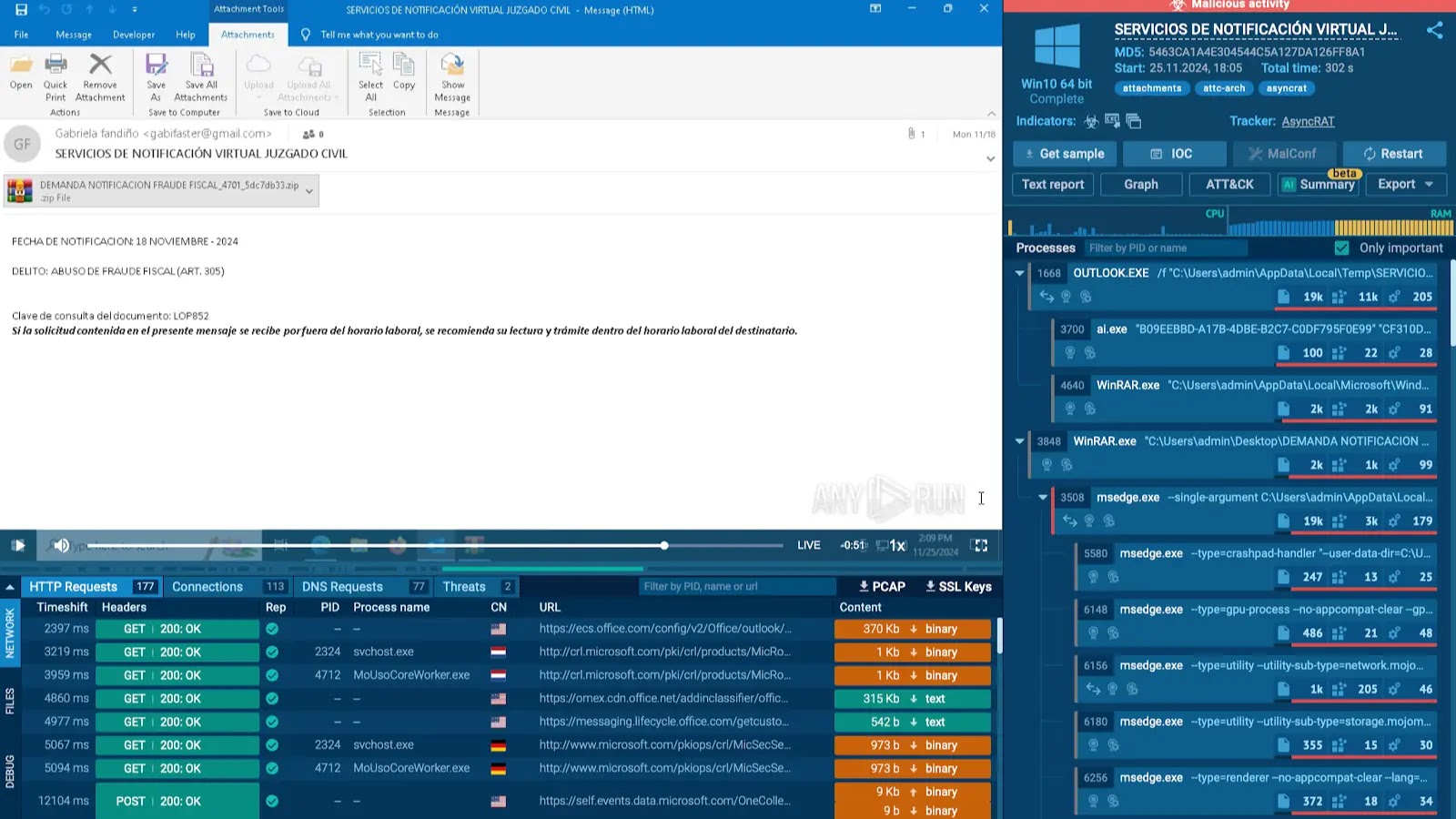

Analyzing phishing attacks have become challenging as these threats continue to evolve in complexity, employing more sophisticated techniques to bypass traditional defenses.
The tools used to analyze such attacks must also adapt, requiring constant improvement to keep up with the attackers’ ingenuity.
Finding Fresh Phishing Samples Using MITRE Matrix in TI Lookup
The matrix links each tactic and technique to real-world malware analysis sessions. Simply navigate to the Phishing technique and click on it to explore related sub-techniques.
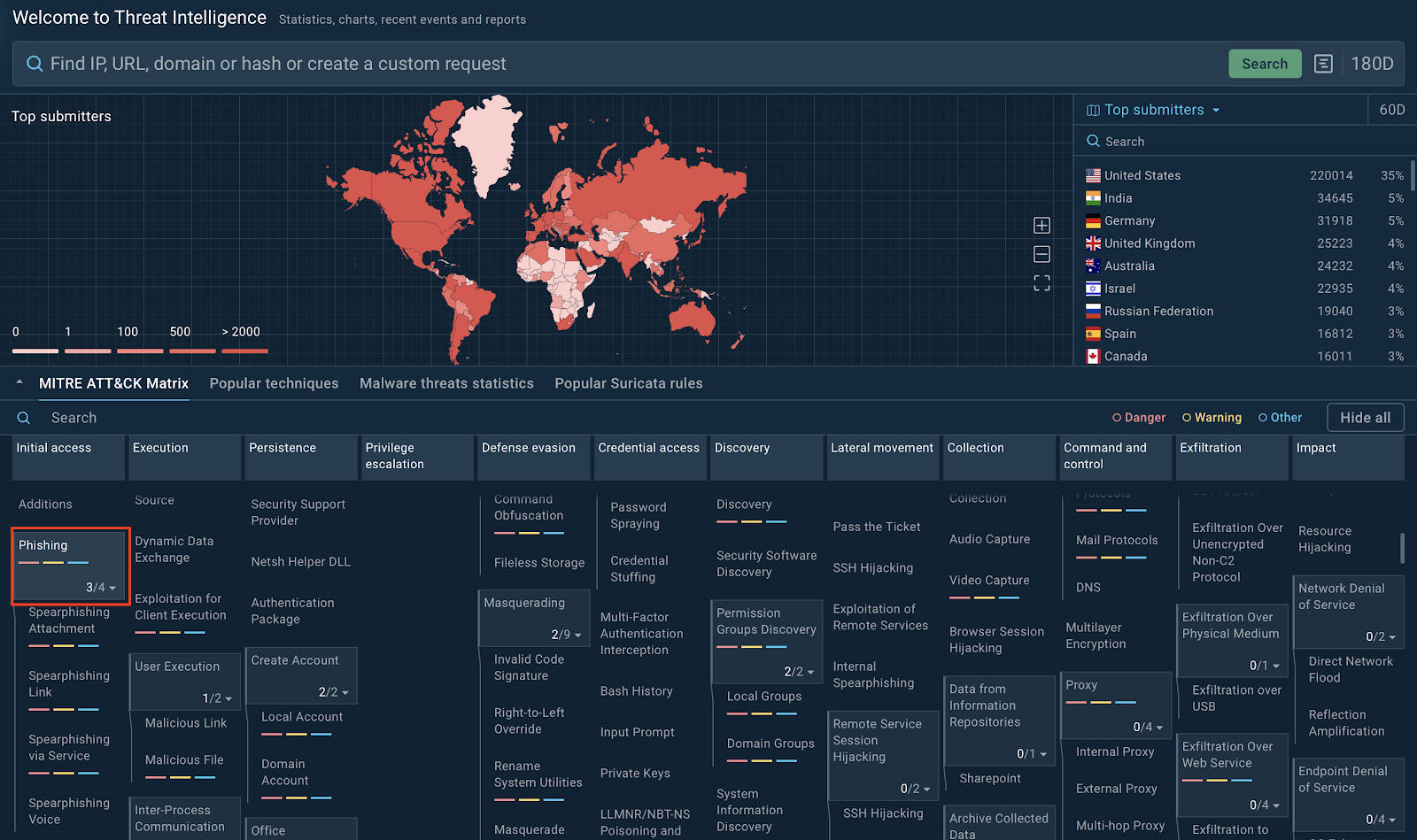
MITRE ATT&CK Matrix techniques inside TI Lookup
Each sub-technique provides access to corresponding analysis sessions, helping you understand how phishing attacks manifest and operate in different scenarios.

As a result, you will not only locate fresh phishing samples but also can get actionable insights into their behavior.
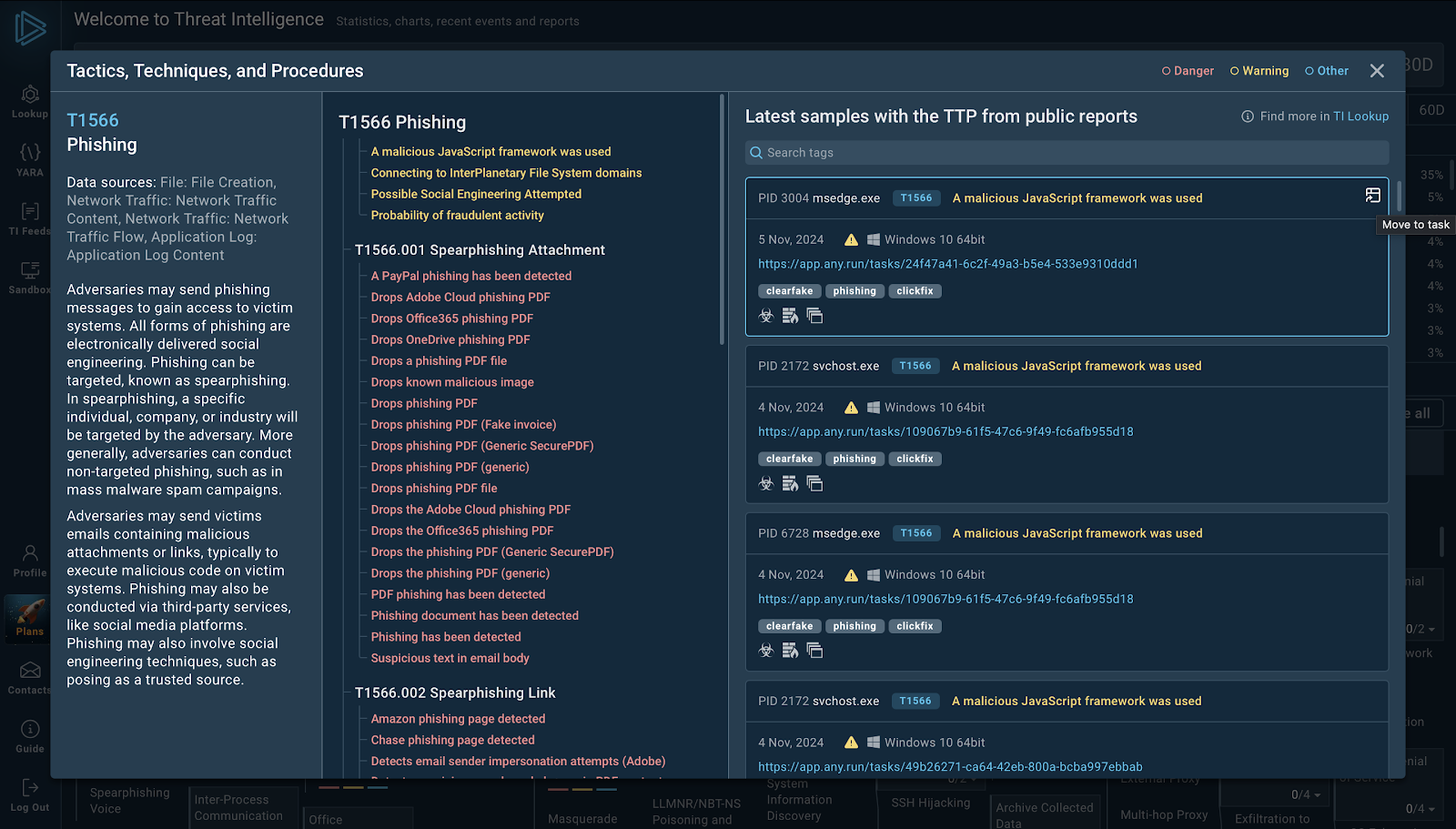
Phishing technique with its sub-techniques and corresponding analysis sample
Examples of Phishing Attacks and Ways to Analyze Them
Now that we know how we can find examples of real-world phishing attacks, it’s time to discover different types of attacks and how we can analyze them easily.
Phishing email with an Excel attachment and a link inside
This type of phishing attack leverages an Excel file containing embedded links designed to redirect users to malicious websites or deliver malware.
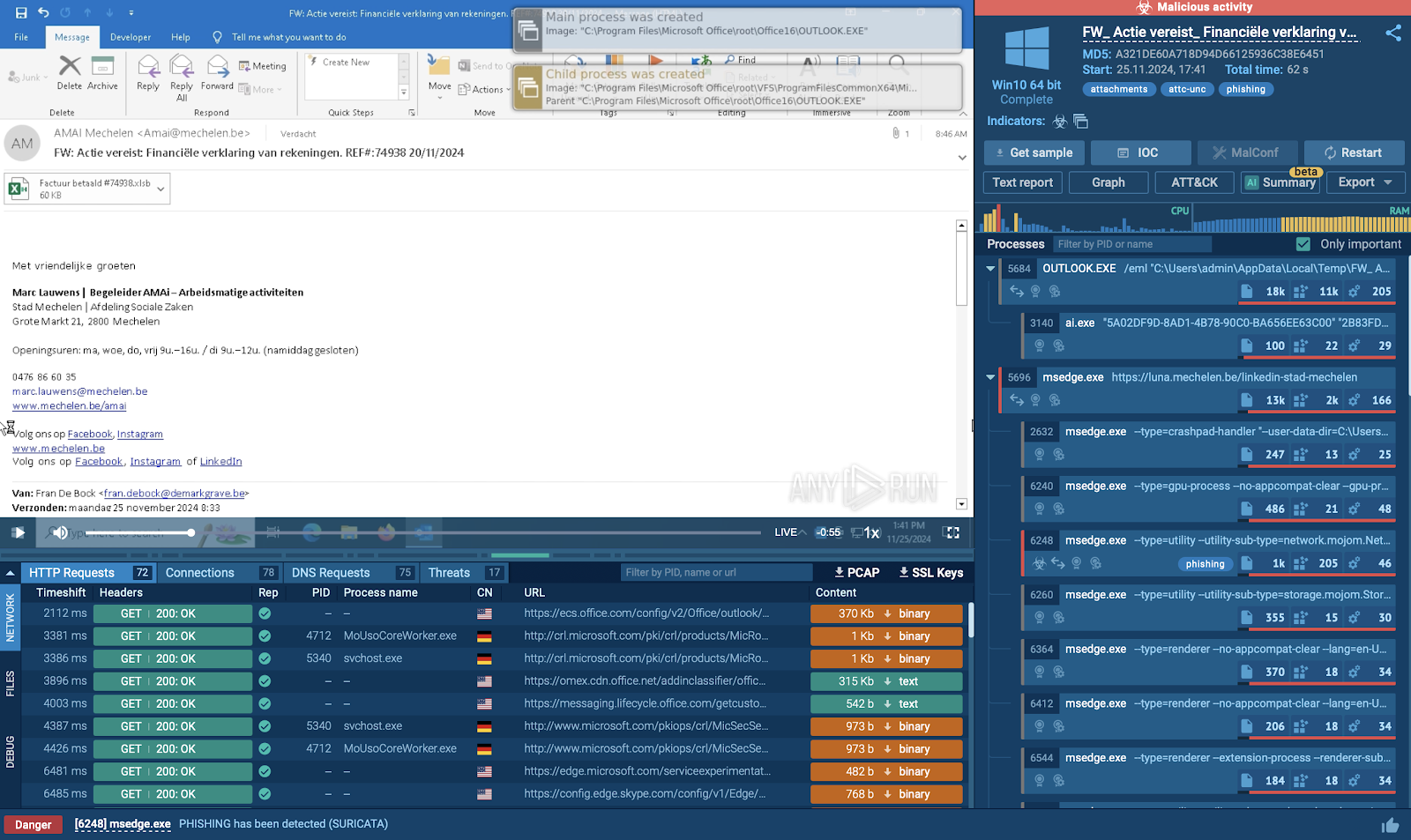
Initial observations
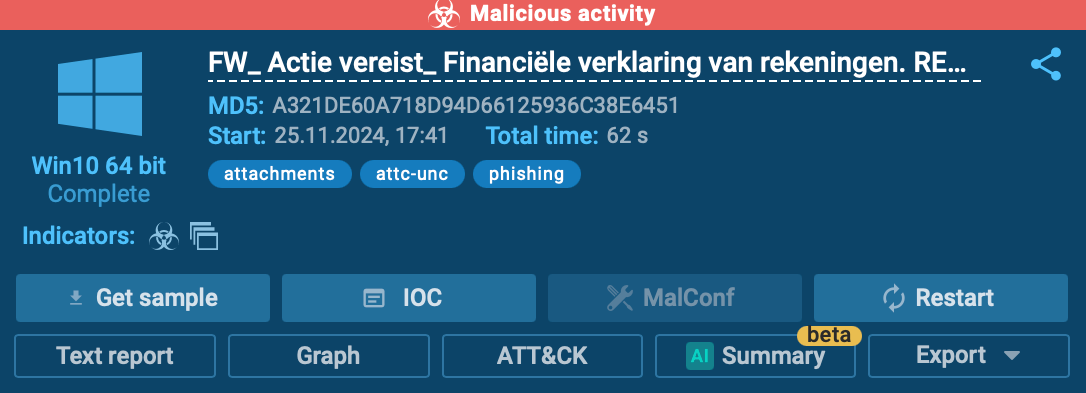
After running the session, the easiest way to identify the nature of the attack is by checking the upper-right corner of the sandbox interface.
Here, you’ll see a malicious activity label, accompanied by tags such as attachments and phishing, confirming that this email contains a malicious file.
Examining the Excel file
Opening the Excel file reveals an attempt to make it appear legitimate, with the attacker embedding a Dropbox logo for credibility. However, clicking the link inside the document redirects you to a website hosting a malicious payload.
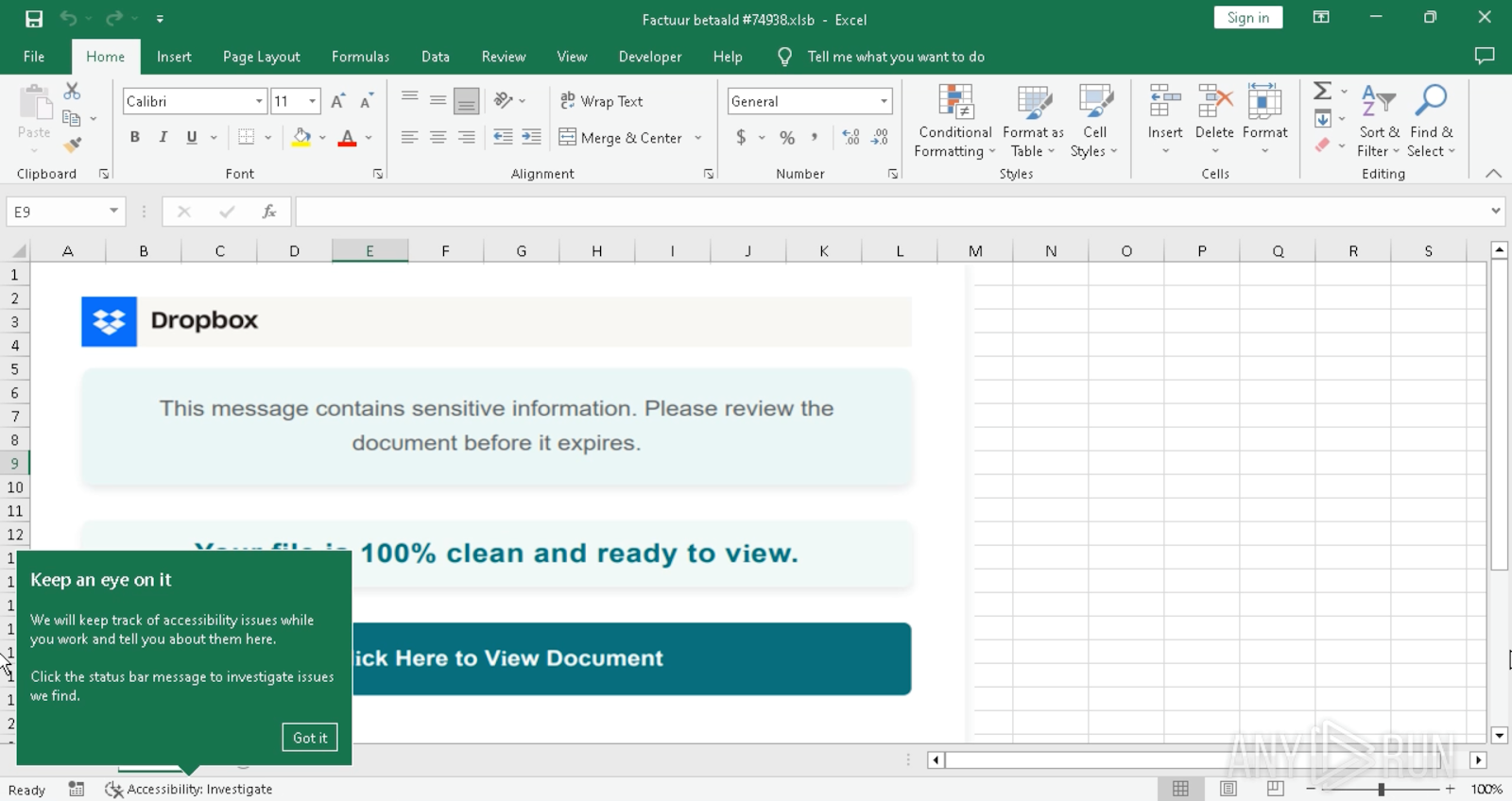
Excel file containing malicious link
Payload delivery
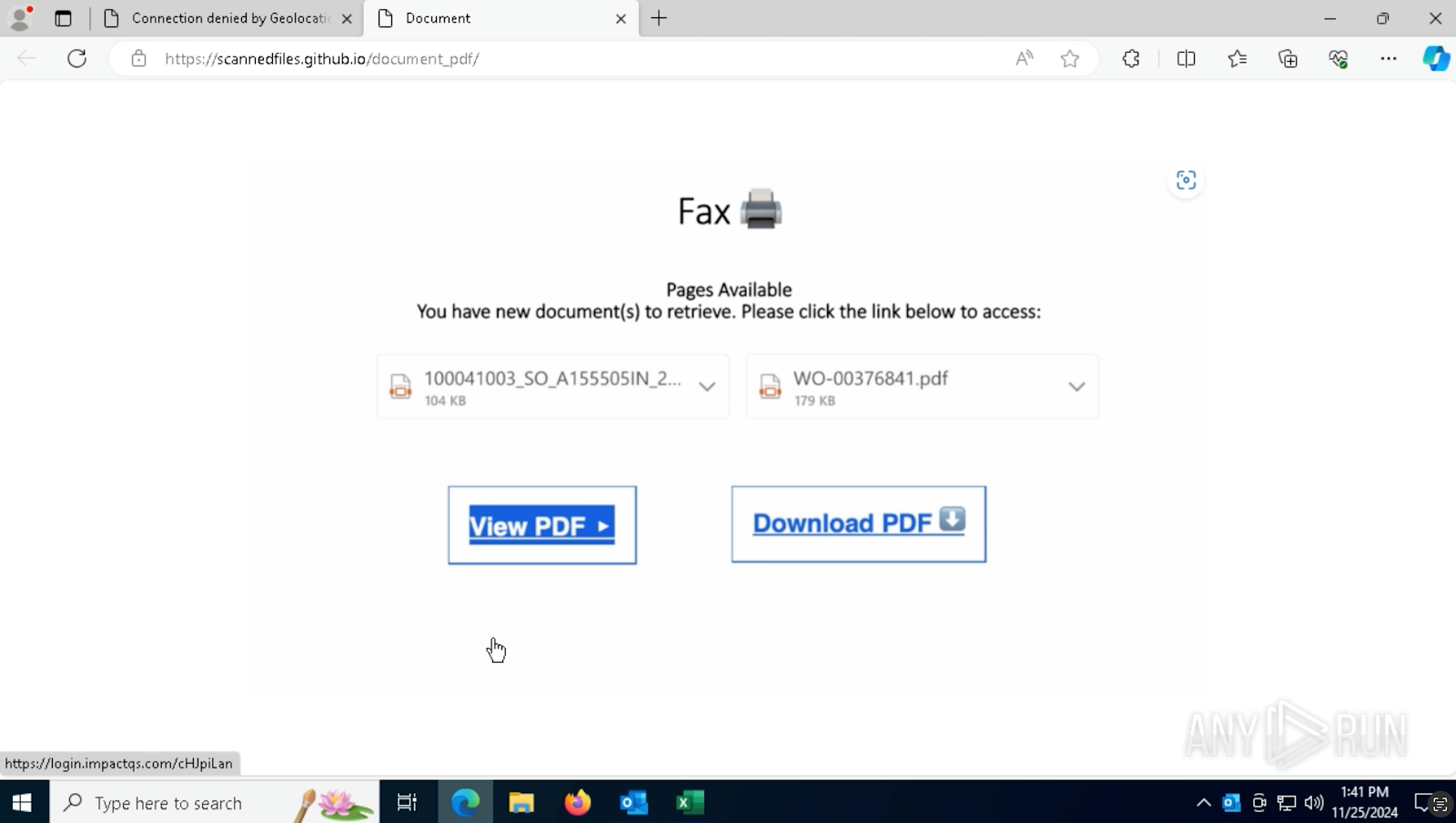
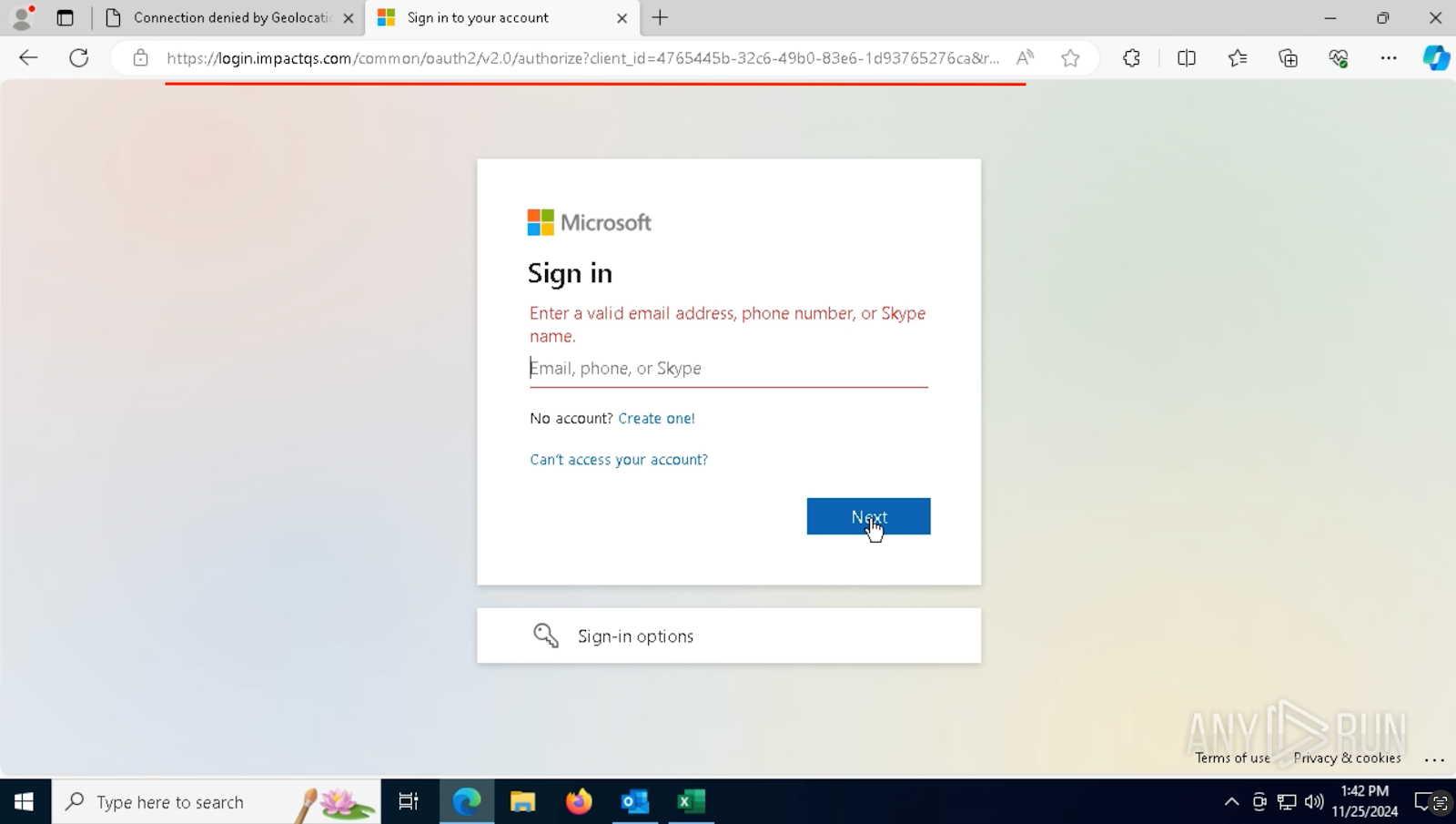
On the website, two options are presented: View the PDF or Download it. Selecting the download option redirects to another site that requests your Microsoft account credentials.
A key red flag here is the suspicious URL—long, overly complex, and filled with random characters. This is a telltale sign of phishing.
Network indicators and threat triggers
By reviewing the Threats section in the Network Connections tab, you’ll notice a Suricata rule triggered for phishing. This provides further evidence of malicious activity, reinforcing the analysis findings.
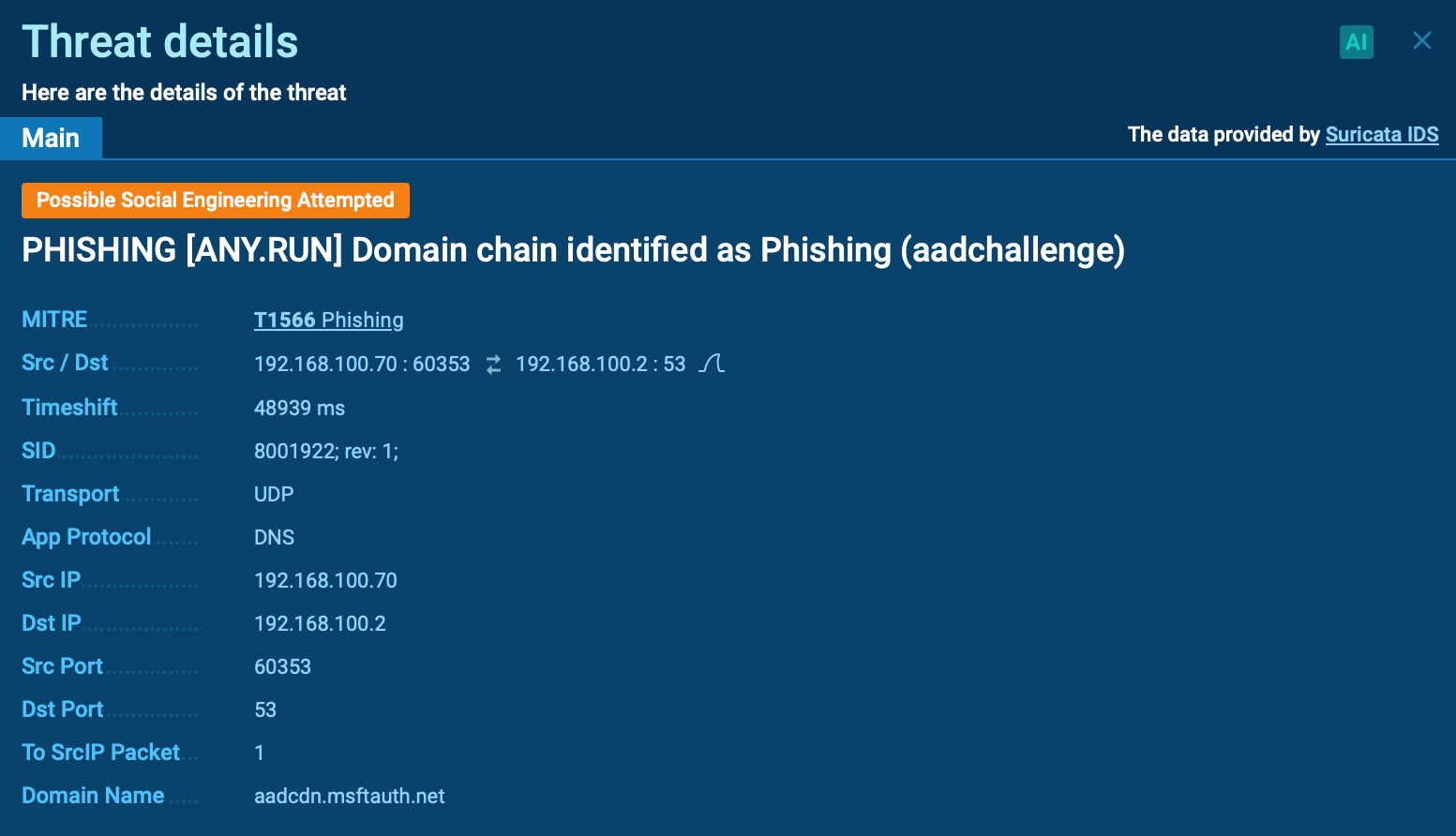
Suricata rule triggered by phishing attack
Phishing email with an archive containing SVG file
This phishing attack begins with an email containing an archive attachment. The archive includes an SVG file, which serves as a gateway to download an encrypted archive containing the AsyncRAT payload.
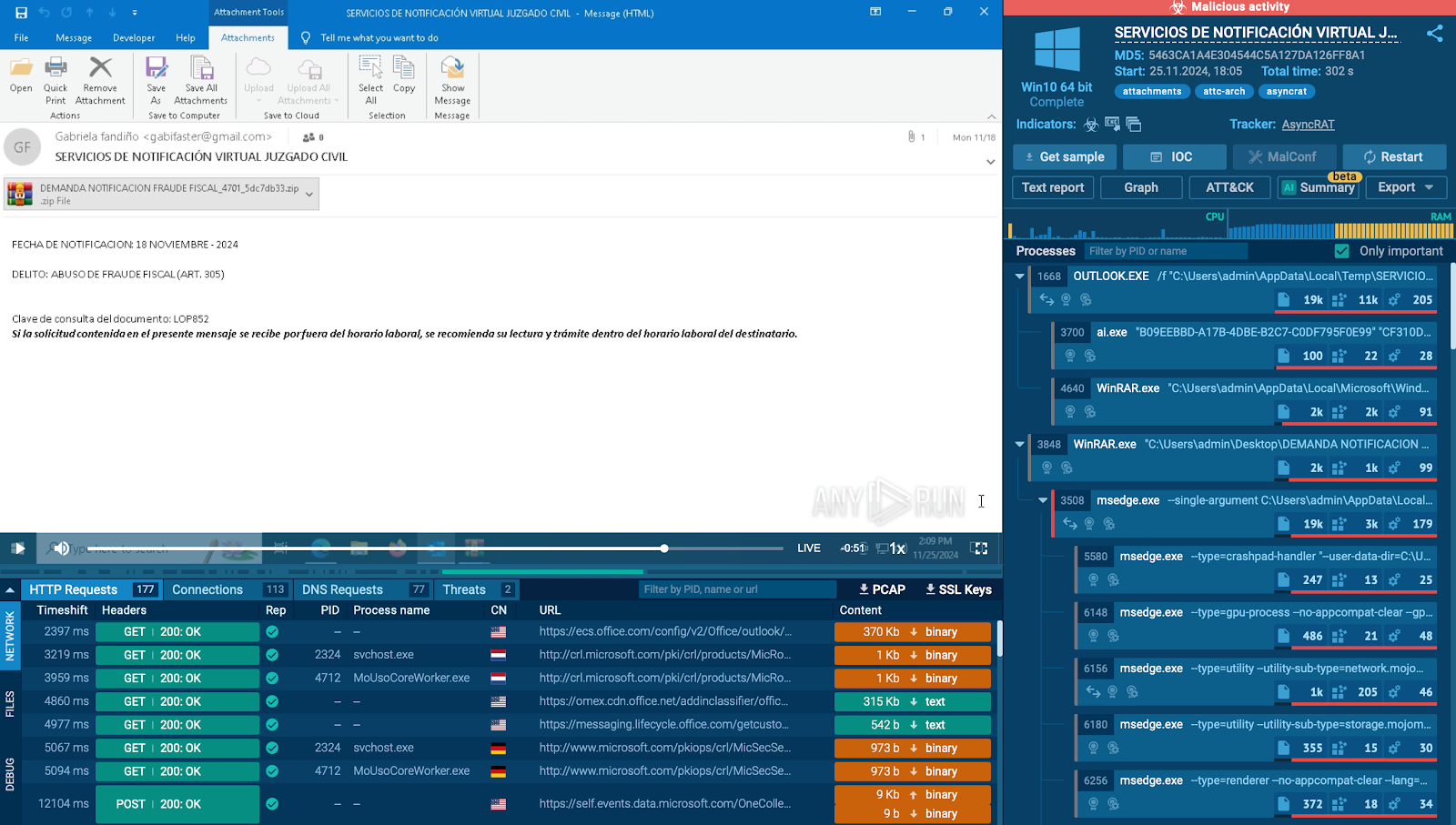
Initial email and archive
The phishing email includes an attached ZIP file, which, when extracted, reveals an SVG file. SVG files are often used to mask malicious activities due to their seemingly innocuous nature.
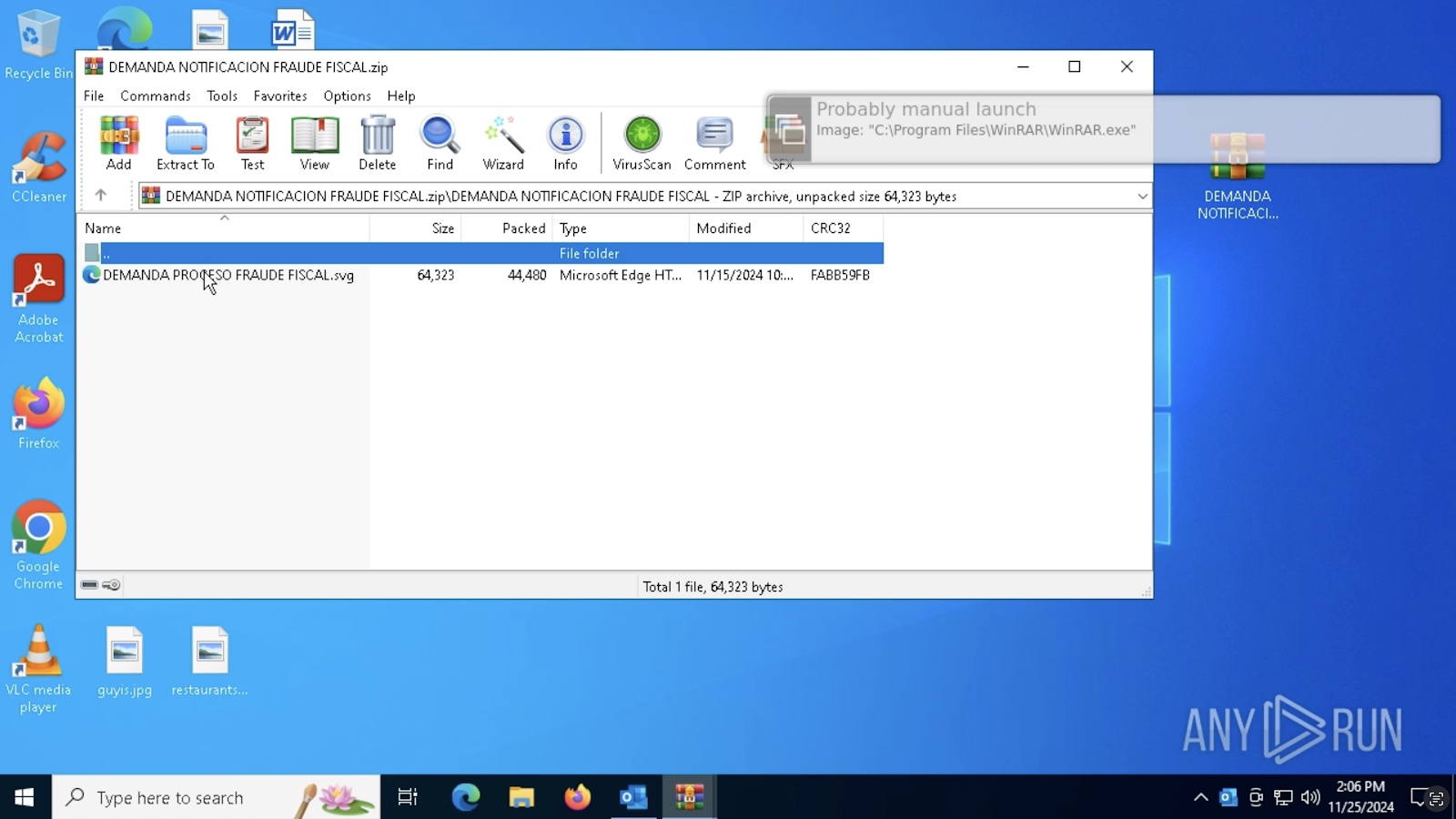
Interacting with the SVG file
Upon opening the SVG file, a button prompts the user to click to continue. Clicking this button redirects to a malicious website, initiating the download of another encrypted ZIP file containing the actual payload.
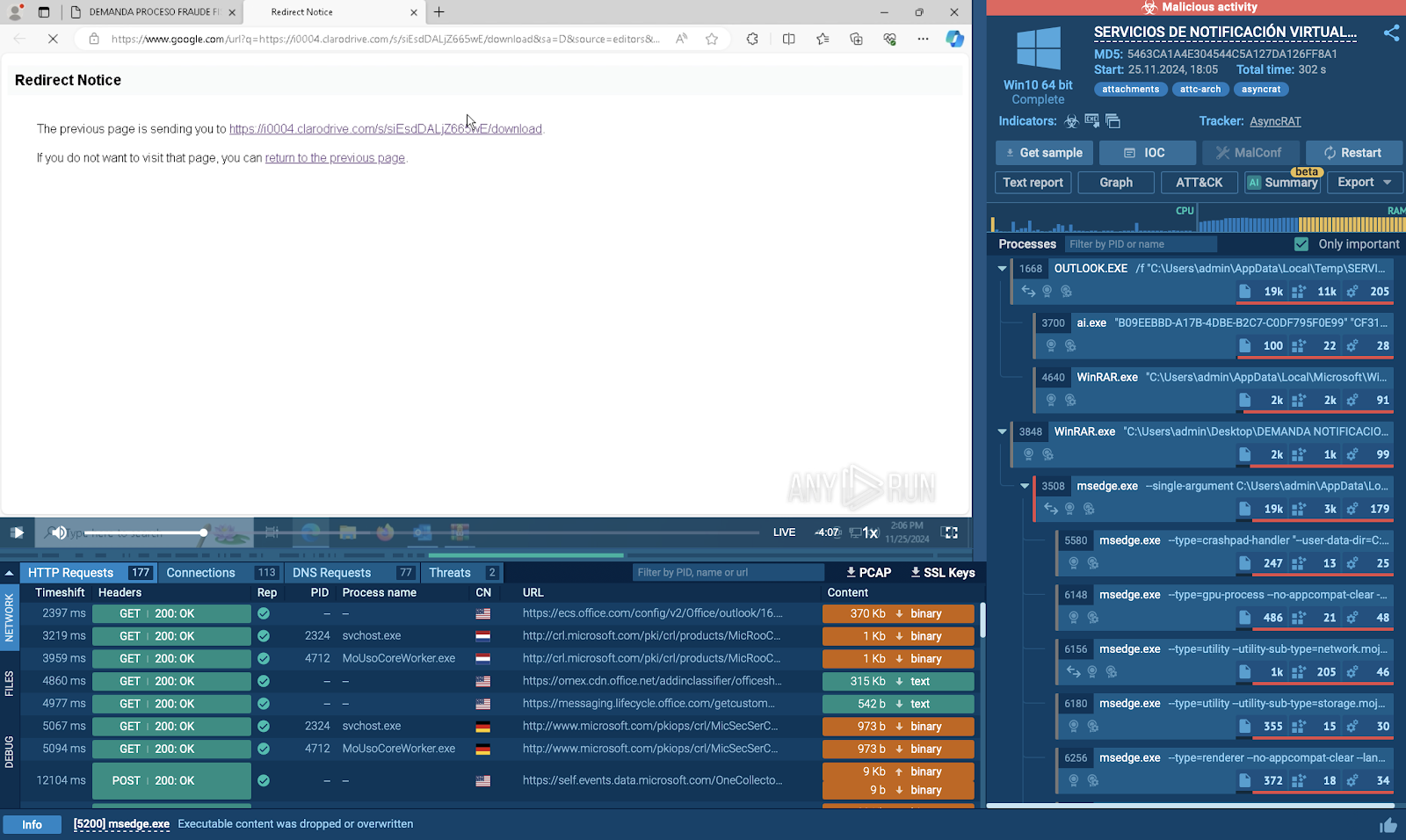
Malicious payload download inside secure environment
Dealing with the encrypted file
The downloaded ZIP file requires a password to extract its contents. Cleverly, the attackers embed the password in the initial phishing email, encouraging the victim to retrieve and use it.
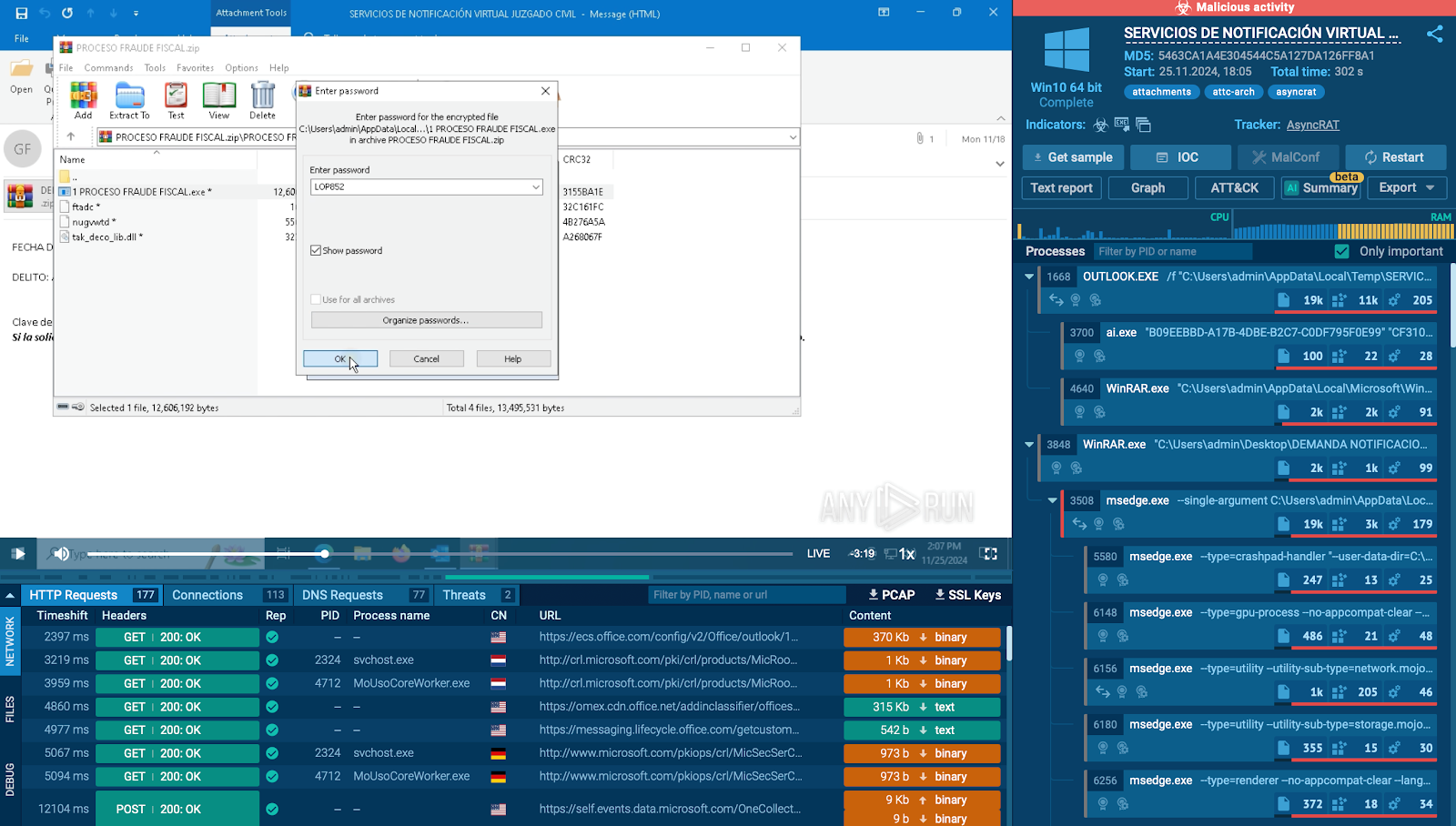
Password entered for the download of malicious payload
Payload extraction and infection
Once the password is entered, the archive reveals the AsyncRAT malware, which installs itself on the victim’s system, enabling attackers to remotely control the machine and steal sensitive information.
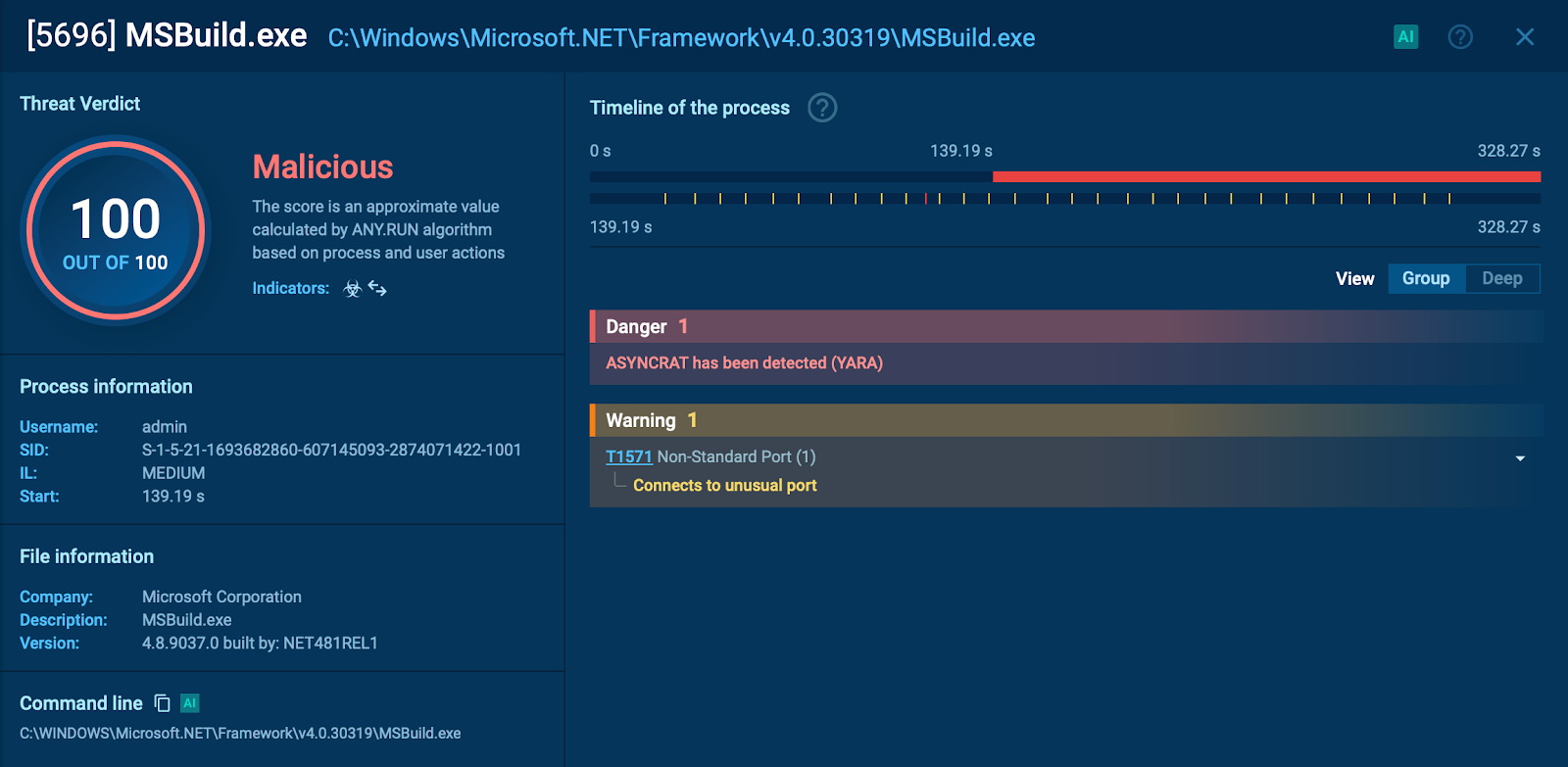
Phishing attack containing PDF file
This phishing attack leverages a seemingly harmless PDF file to initiate a multi-step process that ultimately attempts to steal sensitive credentials.
Initial observation in ANY.RUN’s sandbox
When the PDF file is opened in the sandbox, it presents a button prompting the user to download another PDF. Clicking this button initiates a series of redirects.
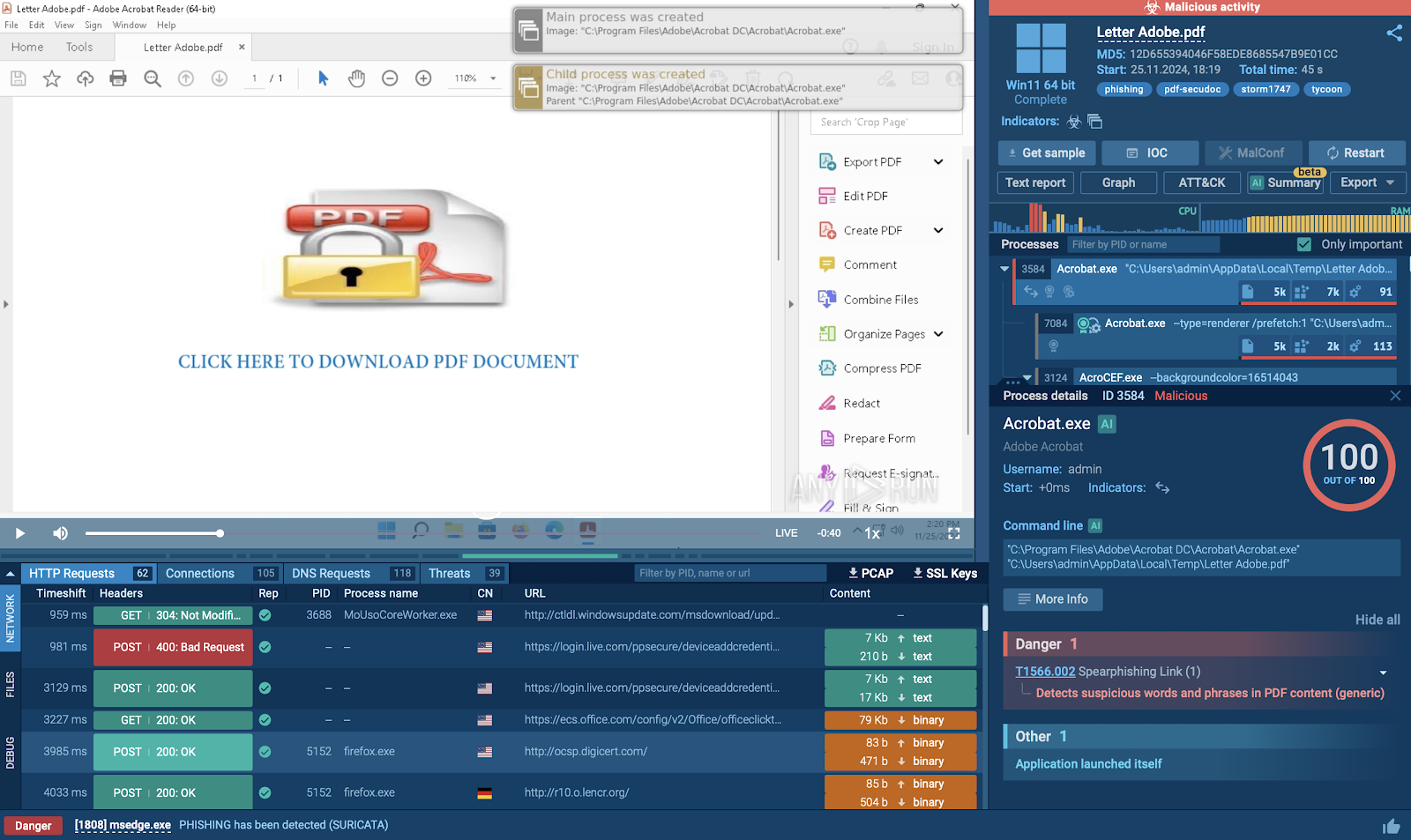
Redirect chain and Cloudflare exploitation
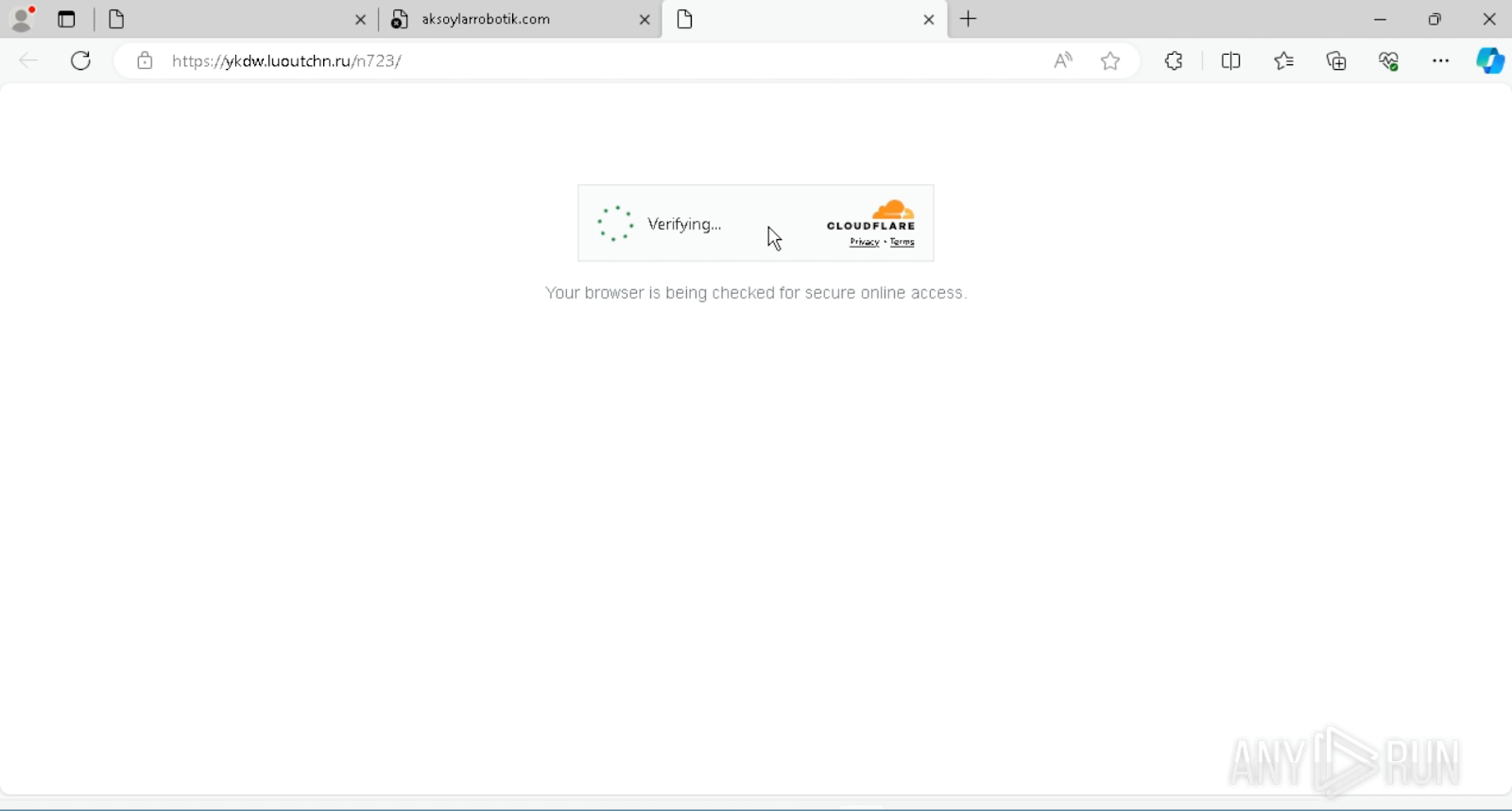
Cloudflare exploitation during the phishing attack
Malicious website and credential harvesting
After completing the verification process, a website that mimics Microsoft’s login page requests the user’s Microsoft account credentials.
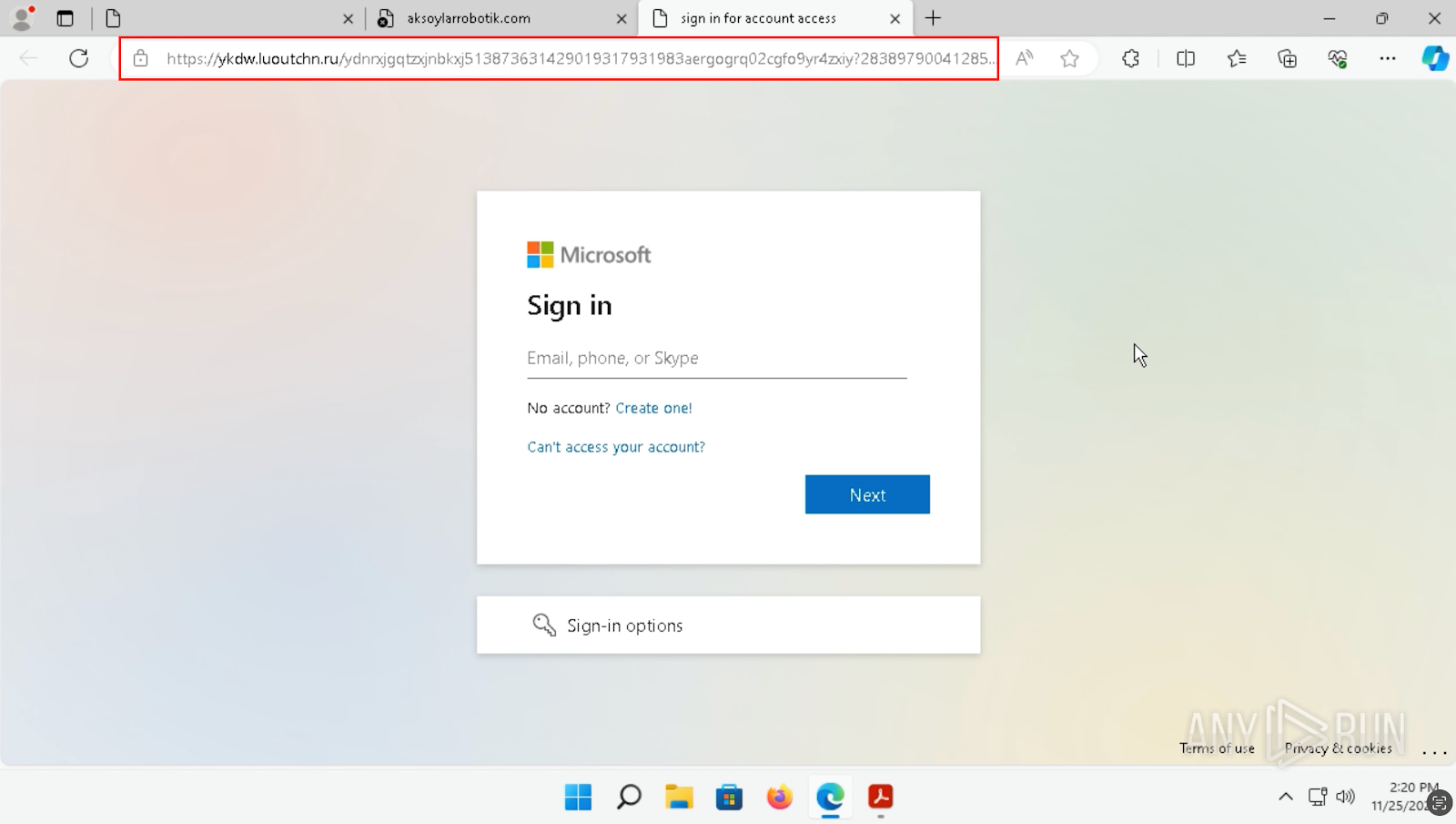
Website mimicking Microsoft login page
A quick glance at the URL reveals that it is unrelated to any official Microsoft domain. The link is overly complex, filled with unnecessary characters—a clear red flag indicating a phishing attempt.
Malware Indicators
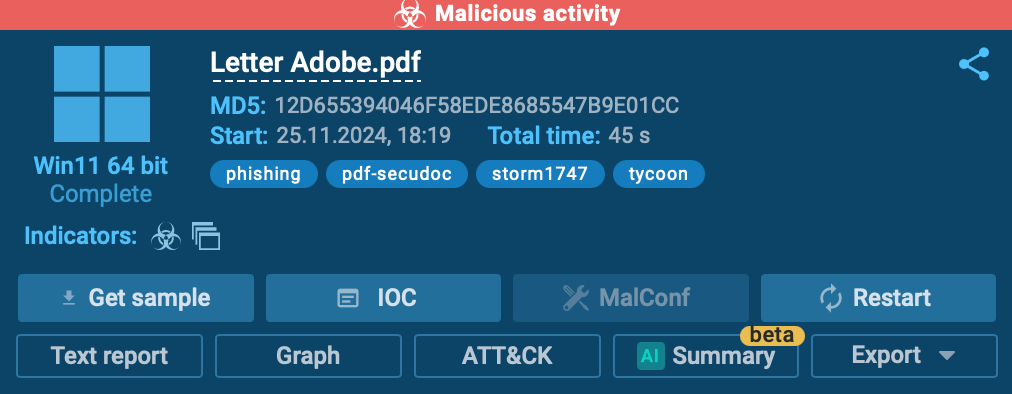
The sandbox captures and highlights the malicious behavior, showing evidence of Storm1747 and Tycoon malware activity, further confirming the attack’s intent.
Key Indicators of Phishing Attacks
Based on the analyzed examples, we can identify some common key indicators of phishing attacks:
-
Suspicious attachments: Files like Excel documents, archives, or PDFs containing unexpected links or prompts.
-
Misleading URLs: Links with overly complex, long, or random characters, often unrelated to legitimate domains.
-
Credential requests: Fake login pages designed to mimic trusted platforms, such as Microsoft.
-
Redirect chains: Use of multiple redirects or verification steps, often exploiting services like Cloudflare, to obscure malicious intent.
-
Brand imitation: Incorporating logos or designs from trusted companies to appear legitimate.
Get Your Black Friday Deals from ANY.RUN

Exclusive Black Friday Offer
-
For individual users: Get 2 licenses for the price of 1 —perfect for solo researchers or analysts.
-
For teams: Enjoy up to 3 free licenses and an annual Basic Plan for Threat Intelligence Lookup, providing access to the latest threat intelligence data.