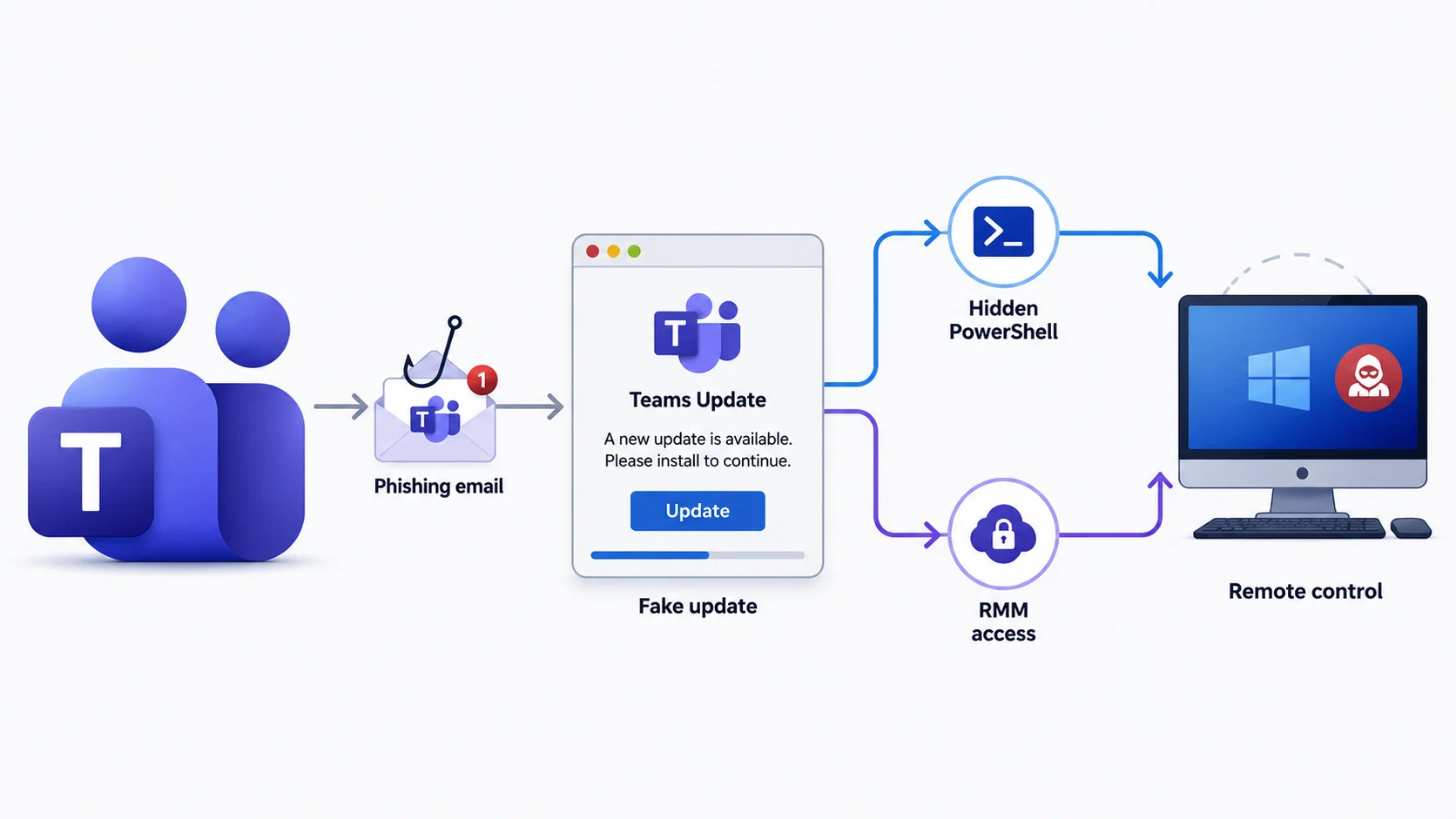
A new phishing operation, tracked as Operation BlueDash, is tricking users into installing a fake Microsoft Teams update that silently hands attackers not one but two independent ways to remotely control infected computers.
The infection starts with an email claiming a document was “too large” to send directly and was instead shared securely through Microsoft Teams.
ZeroBEC Team observed that when victims click the embedded link, they are routed through compromised websites to a convincing fake Microsoft Store page, complete with Teams branding, screenshots, and a spoofed Windows taskbar, all designed to look like a legitimate software update prompt.
This social-engineering approach mirrors a growing trend of Teams-themed lures. Google’s Mandiant team recently documented a related campaign, UNC6692, where attackers impersonated IT helpdesk staff on Teams to deploy credential-stealing malware and backdoors.
Similarly, security researchers uncovered SEO-poisoned fake Teams installers spreading the Oyster backdoor to corporate networks.
Fake Teams Update to Gain PC Control
Once a victim clicks “Update,” a file named supportdev.exe downloads and runs. This isn’t a real Teams installer; it’s an Inno Setup package that launches a hidden PowerShell window in the background. From there, it quietly performs two actions simultaneously:
- Downloads and installs the legitimate Level RMM remote-monitoring tool, enrolling the device into the attacker’s environment using a hardcoded API key, no user approval needed.
- Attempts to install ScreenConnect, a second, redundant remote-access client, ensuring the attacker retains control even if one channel is blocked or shut down.
This dual-channel strategy makes the attack unusually resilient. Using real, signed administrative software instead of custom malware also helps the activity blend in with normal IT operations, a tactic Microsoft flagged in its own March 2026 research into similar campaigns abusing ScreenConnect, Tactical RMM, and MeshAgent.
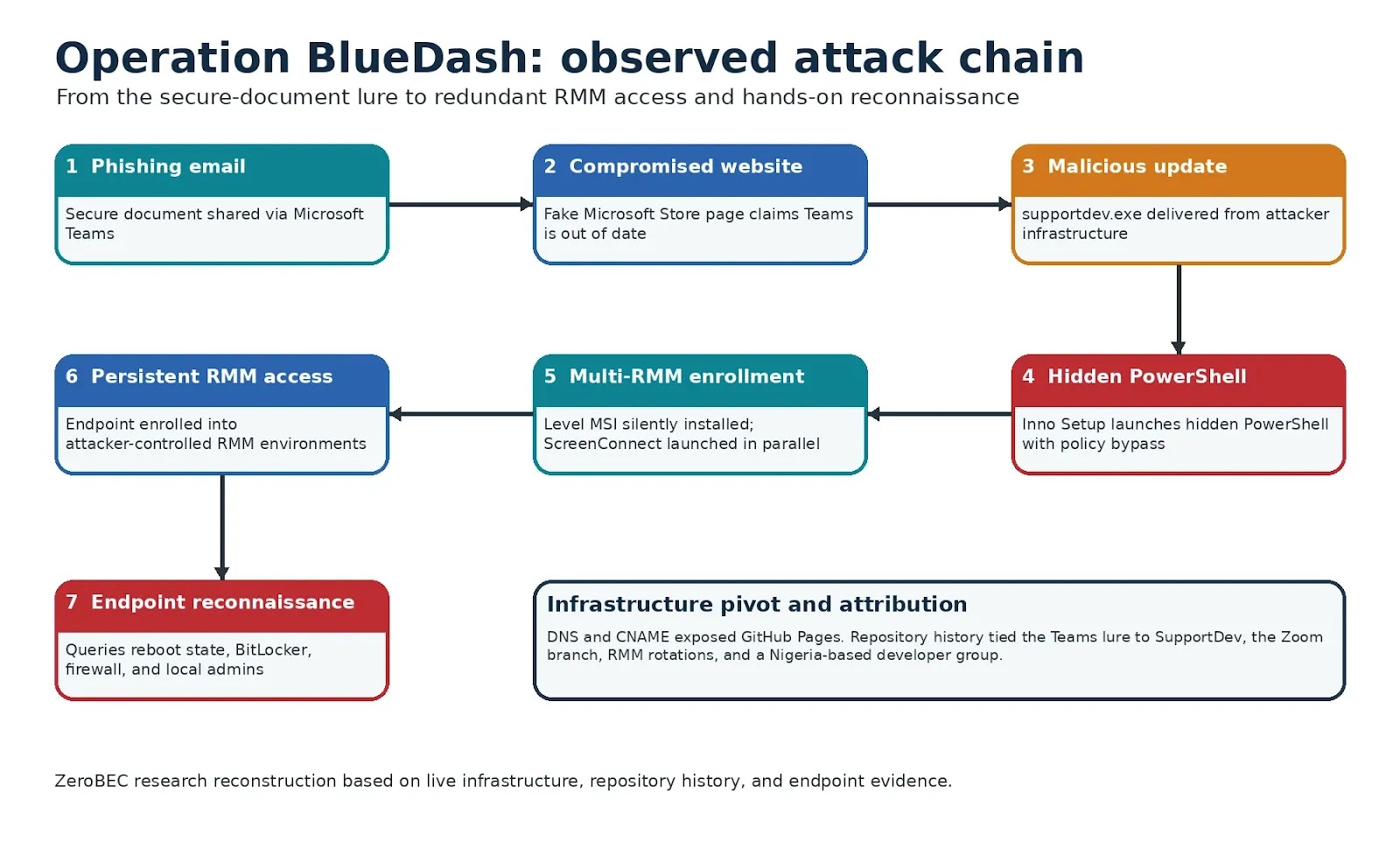
After gaining remote control, operators run reconnaissance commands to check whether the system needs a reboot, whether BitLocker disk encryption is active, how the firewall is configured, and who belongs to the local Administrators group.
This hands-on behavior signals a deliberate assessment phase, not just automated malware deployment, and gives defenders a detection opportunity since these commands originate from an unapproved remote-access session rather than routine IT work, reads the ZeroBEC Team report shared by CybersecurityNews.
Investigators also traced the phishing kit’s source code, custom domains, and commit history to a public GitHub repository, revealing months of infrastructure rotation and a parallel Zoom-themed campaign using similar tactics with Tactical RMM.
How to Stay Protected
- Treat unsolicited “secure document” or software-update emails tied to Teams or Zoom as high-risk, especially if links route through unfamiliar or compromised websites.
- Verify software updates only through official app stores or vendor websites, never through email links.
- Enable endpoint detection rules for hidden PowerShell windows launched by installer executables.
- Maintain an allowlist of approved remote-monitoring tools and flag any unrecognized RMM agent installation immediately.
- Enforce multi-factor authentication and monitor for unusual local administrator group changes.
Staying cautious about “update now” prompts embedded in emails remains one of the simplest, most effective defenses against this evolving class of attack.