A fake installer for a popular Chinese VPN service is quietly handing full remote control of infected computers to unknown attackers.
The malicious file poses as a setup tool for LetsVPN, a tool many users in China rely on to bypass strict internet blocks. Instead of just installing the VPN, it also drops a hidden remote access trojan researchers have named GoodPersonRAT.
The trick works because the installer contains a real, signed copy of LetsVPN software.
Once the hidden malware finishes its work in the background, the legitimate VPN installs normally, so the victim has no reason to suspect their device has been quietly compromised.
ThreatLocker said in a report shared with Cyber Security News (CSN) that they first spotted this campaign while reviewing suspicious files circulating in the wild.
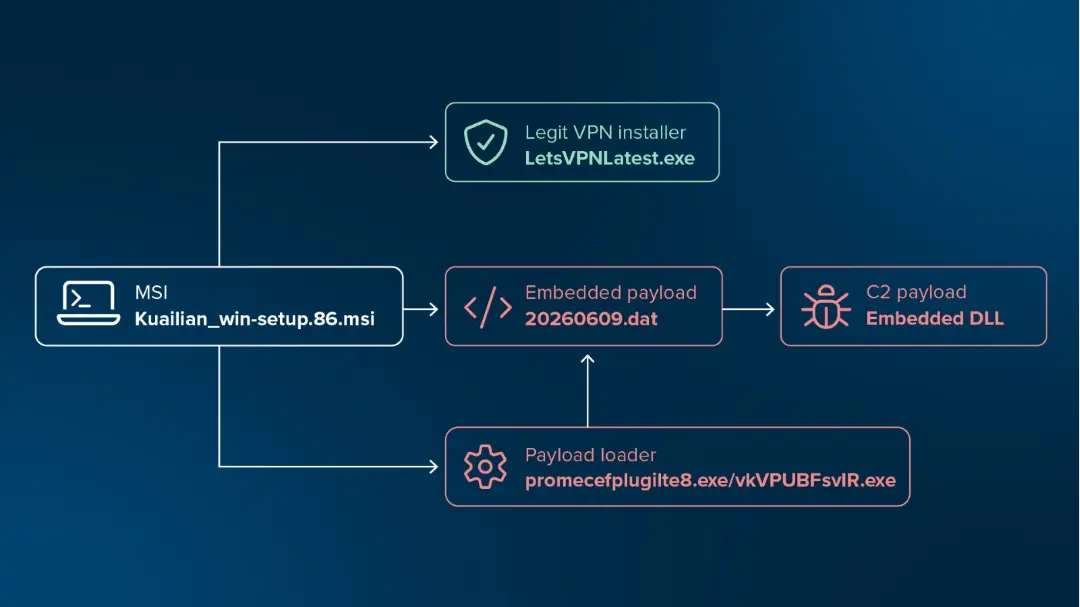
Their investigation traced the installer back to a single MSI package that hides three separate components, each playing a role in quietly installing spyware on a victim’s machine.
Once active, GoodPersonRAT gives an attacker almost complete access to the infected system.
It can log keystrokes, watch and control the screen in real time, move files freely, run commands, and even reroute a victim’s internet traffic through a hidden proxy.
Since it never writes its final payload to disk, it becomes much harder for standard antivirus tools to catch and analyze.
GoodPersonRAT Uses Fake LetsVPN Installer
The malicious file, named Kuailianwin-setup.86.msi, contains three hidden pieces working together.
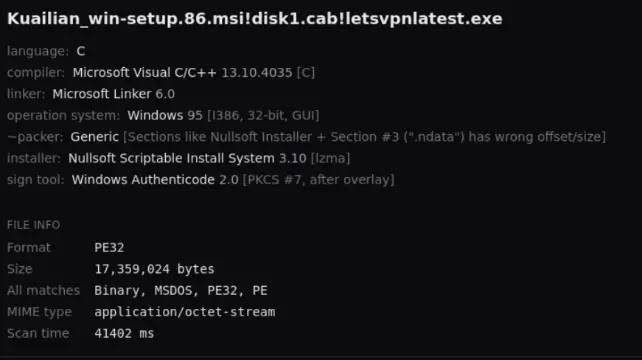
The first is the real LetsVPN installer, kept intact so the victim’s software installs as expected once the attack finishes running quietly in the background.
The second file acts as a loader. It reserves a block of memory and reads in a third file, a small data blob that is actually encrypted shellcode.
This shellcode decrypts a much larger hidden program using a simple repeating key, then loads that program directly into memory without saving anything to disk.
That final program is the actual GoodPersonRAT client. It reaches out to one of several backup servers built into the code, choosing between them using a local settings file or, if that is missing, the folder name where it was launched from.
Several server addresses translate from Chinese to the phrase “you are a good person,” which is how researchers settled on the name.
Full Remote Control And Data Theft
Once connected to its server, GoodPersonRAT keeps an open line of communication instead of checking in periodically, letting an attacker send commands at almost any moment.
It can open a live command prompt, transfer files in either direction, capture keystrokes, read clipboard contents, and even watch the screen and move the mouse remotely.
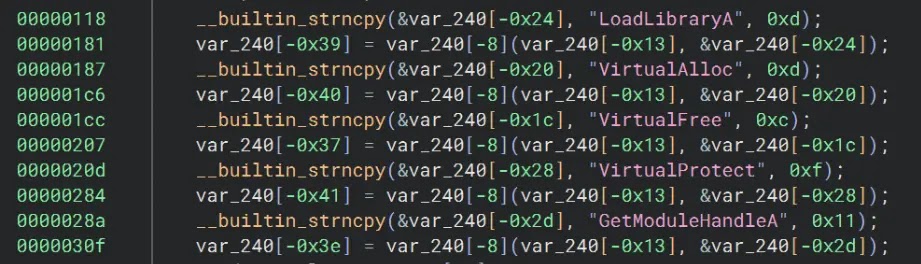
The malware also targets messaging apps closely. It specifically goes after Telegram Desktop, copying its session data and quietly rerouting traffic through a server chosen by the attacker, all while patching the app so no warning message ever appears on screen.
To stay hidden, the program checks which security software is running on the machine and adjusts its behavior accordingly. On systems with Microsoft Defender, it goes further and adds exclusions so its own files are never scanned, while also disabling automatic sample submission entirely.
Persistence is handled through a background service and a scheduled task set to run at system startup, ensuring the infection survives a reboot. The malware can even update its own core code by downloading a fresh version from its server whenever the attacker wants new features.
Since the bundled VPN software itself is legitimate and properly signed, only the outer installer file is unsigned and suspicious, which is the one detail careful users should check before running any downloaded setup file.
Anyone downloading VPN tools, especially ones meant to bypass censorship, should verify the source and confirm the installer carries a valid signature.
This campaign shows how attackers exploit trust placed in censorship-bypassing tools to slip past casual scrutiny.
Indicators Of Compromise (IoCs):-
Note: IP addresses and domains are intentionally defanged (e.g., [.]) to prevent accidental resolution or hyperlinking. Re-fang only within controlled threat intelligence platforms such as MISP, VirusTotal, or your SIEM.