This malicious software, designed to covertly mine cryptocurrency using infected devices’ processing power, represents a significant shift in the cyber threat landscape.
Let’s have a detailed look at crypto-malware, its various forms, and how its platform can be leveraged to analyze and combat this insidious threat.

What is Cryptomining Malware?
Cryptomining malware, or cryptojacking, hijacks a target’s computing resources to mine cryptocurrencies like Bitcoin. This malware performs complex mathematical calculations to verify cryptocurrency transactions, requiring significant CPU and sometimes GPU power.
Unlike legitimate mining operations, the rewards of this illicit activity go to the attackers, leaving device owners with degraded system performance and increased electricity bills.
Examples of Cryptomining Malware
The landscape of cryptomining malware is diverse, with various methods employed to infect target computers. These range from code embedded in websites to classic email phishing attacks. Once in place, the malware operates in the background, making detection challenging.
High-profile examples of crypto-jacking include the Mirai botnet, which has been adapted for crypto-mining purposes, showcasing the adaptability and persistence of cybercriminals in exploiting digital resources for financial gain.
XMRig
XMRig, initially an open-source CPU mining software intended for the cryptocurrency Monero (XMR), has been hijacked and embedded within the malware.
The altered version of XMRig is designed to stealthily adjust its mining intensity based on the system’s CPU usage. This cunning adaptation allows it to evade detection, as it avoids the usual symptoms of high resource consumption that might alert users to its presence.
DarkGate
DarkGate is insidious due to its ability to gain system-level privileges on infected machines. It employs rootkit-like features to maintain persistence, making it challenging to remove.
Techniques used by DarkGate to ensure its continued operation include initiating from an LNK file in the Windows Startup folder, altering registry keys to run in tandem with the LNK file, or using a DLL file, varying with its configuration settings.
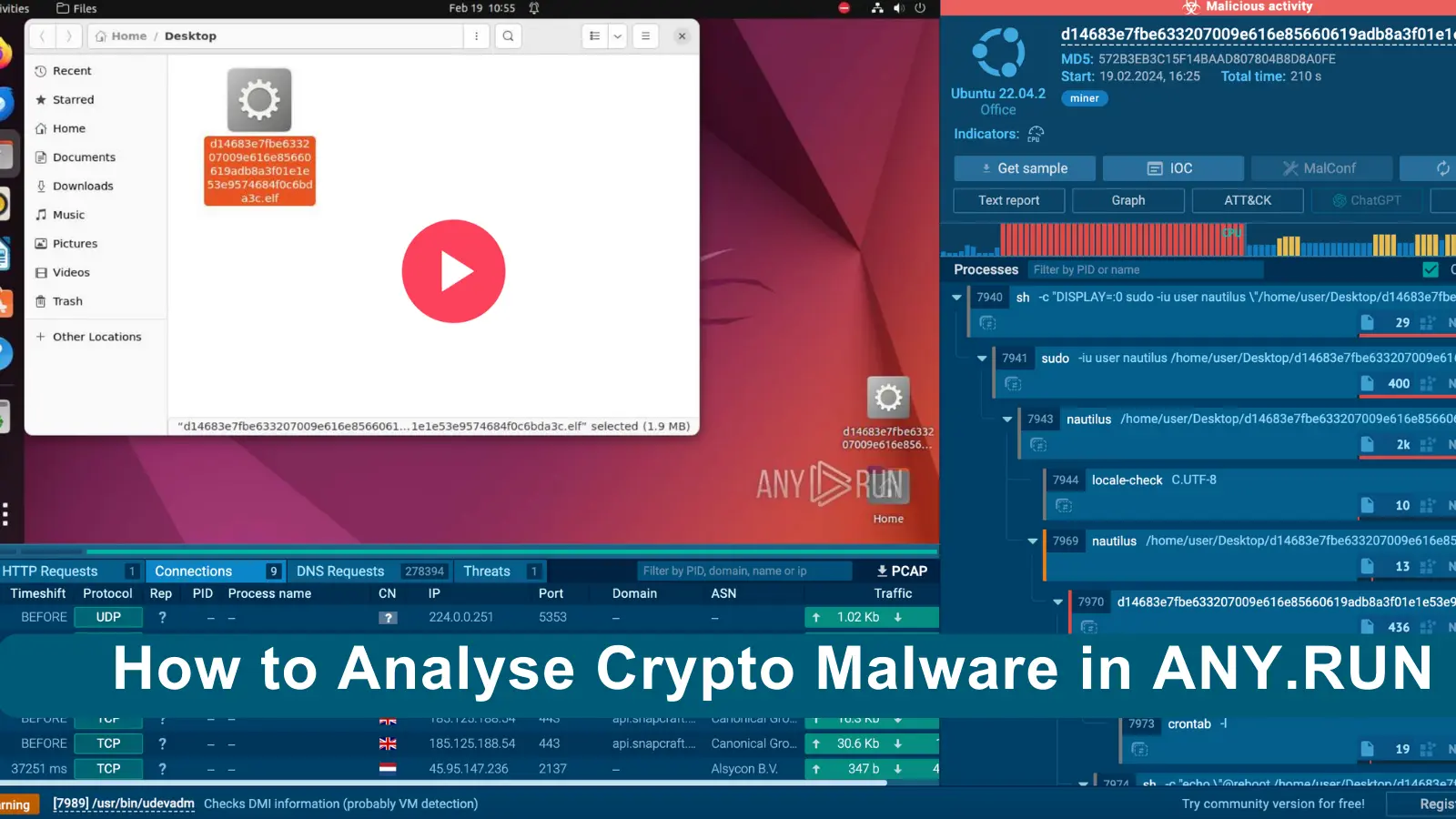
Analyzing Crypto Malware in ANY.RUN
The crypto miner, once activated, exhibited unmistakable signs of malicious activity. Notably, the system’s CPU usage spiked to its maximum after startup, along with a significant increase in RAM utilization.
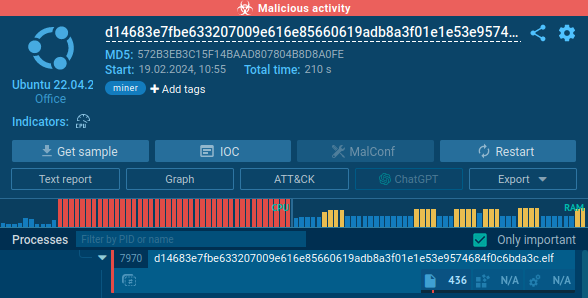
Such abnormal behavior indicates a system being compromised, especially when paired with the miner’s excessive network activity.
In an incredible display of network exploitation, the miner sent almost 300,000 DNS requests to generate domain names in less than four minutes. This level of network activity is highly unusual and far exceeds the bounds of legitimate software operations, further confirming the malicious nature of the entity.
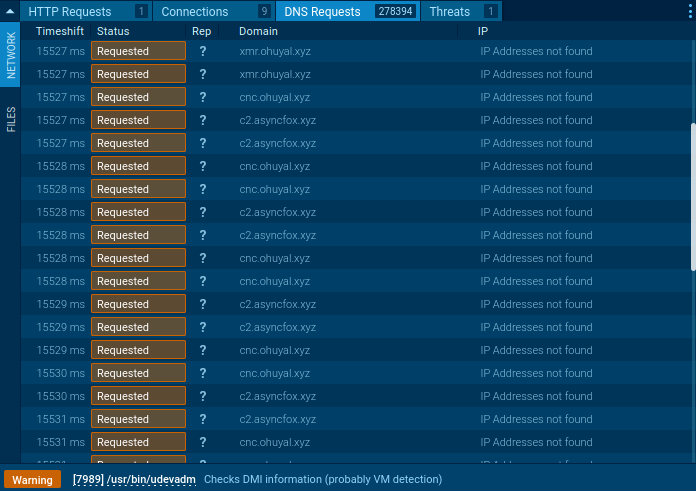
The miner made numerous connections
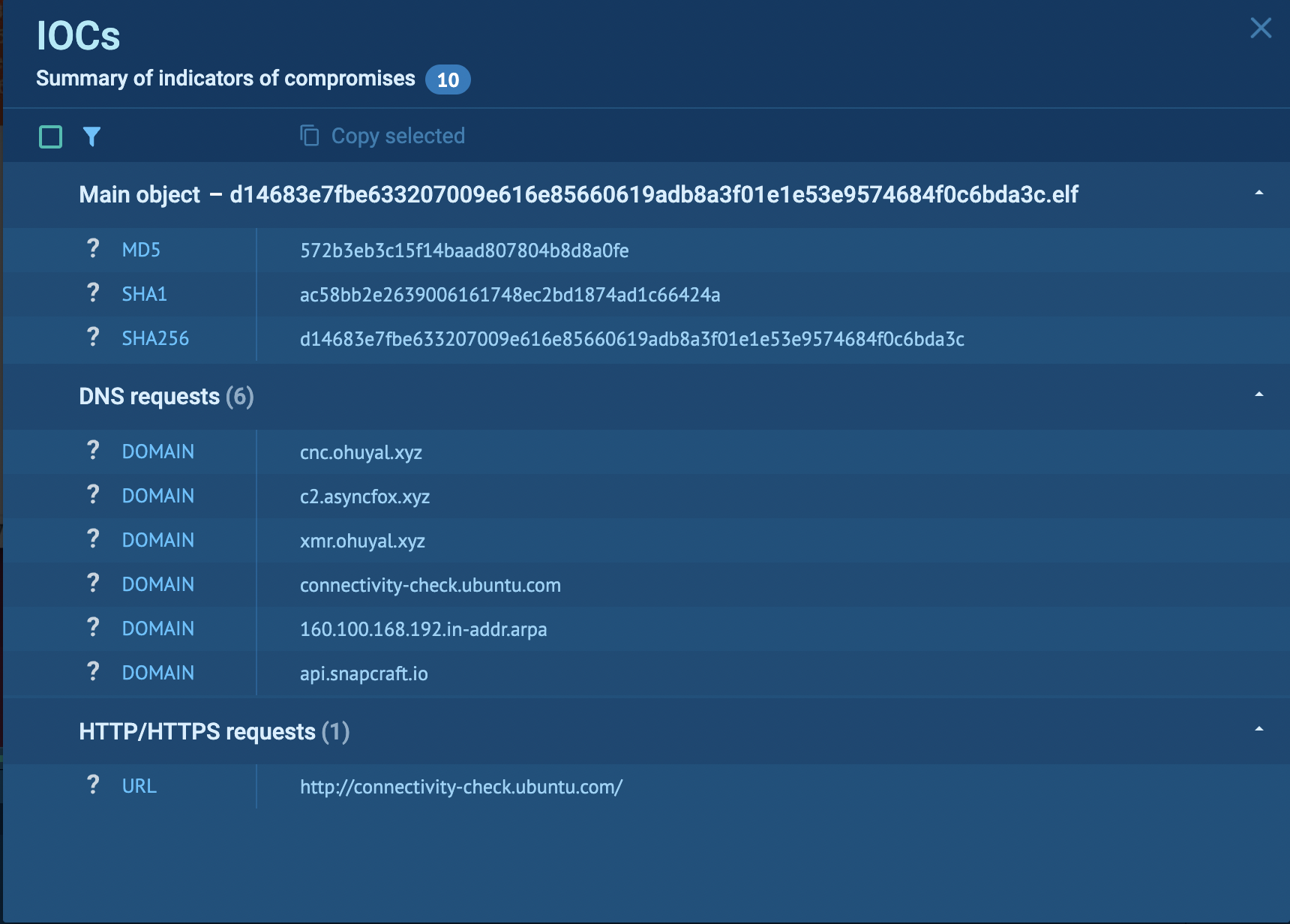
Users can manually analyze these files or send samples directly via API. By analyzing sandbox reports, users can collect Indicators of Compromise (IOCs) and configure their security systems to fend off crypto malware attacks effectively.
Prevention
Monitoring for unusual spikes in CPU usage can also serve as an early warning sign of infection, enabling users to take swift action to mitigate potential damage.
Prevent Crypto-Malware Attacks
EDR system configuration: EDR can warn you of unusual CPU/GPU and memory utilization by non-standard programs.
Also out for odd process executions, especially those connecting to recognized crypto mining pool addresses.
Set up email filters. Block executable, script, and macro-filled email attachments. Send questionable files for manual review automatically.