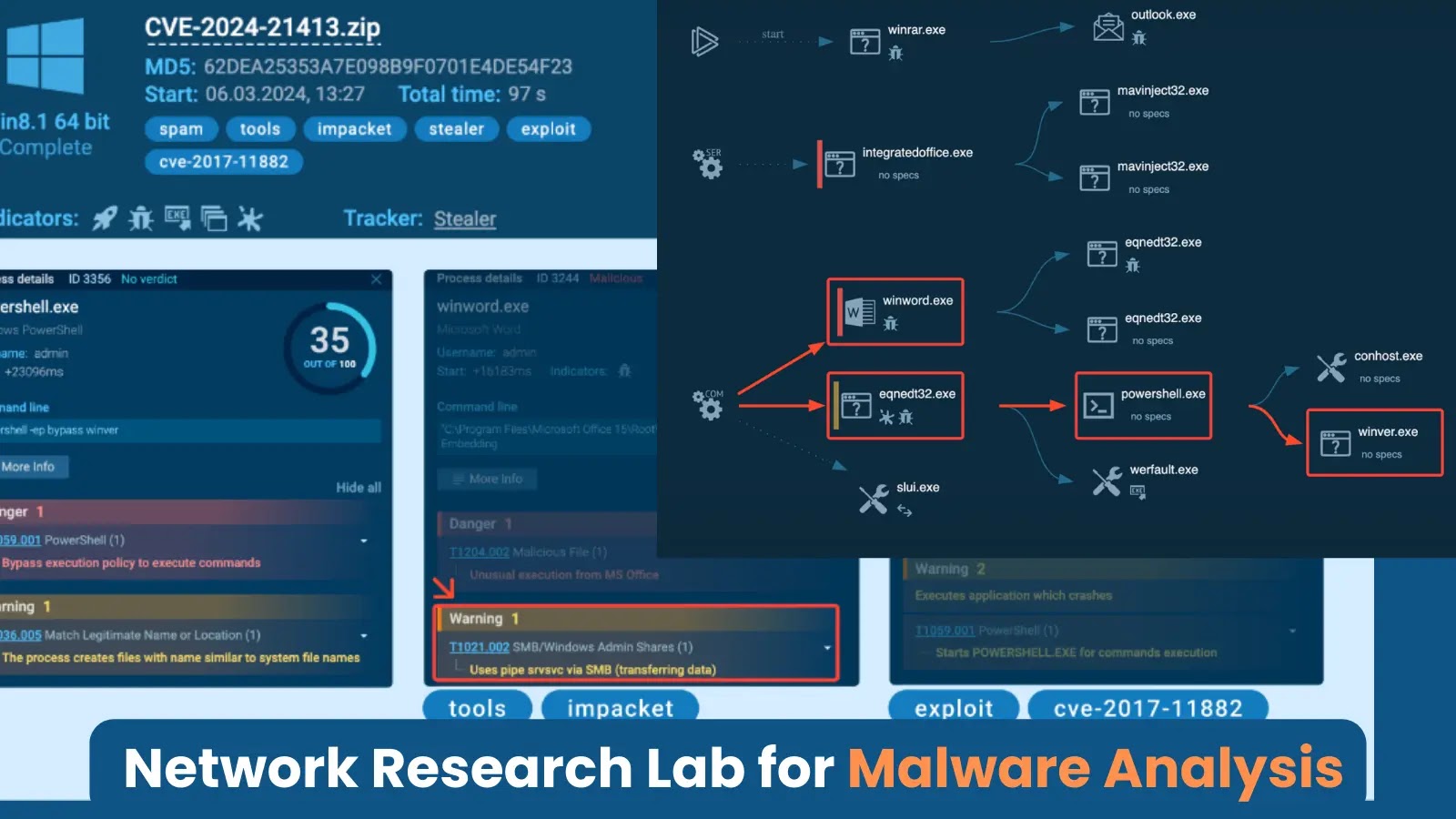

Researchers can learn more about the exploit by making a proof-of-concept (PoC) and testing its functionality in a separate environment.
During the PoC execution, tools like Impacket can be used within the VPN to record network traffic, which could reveal private data like NTLM hashes.
Let’s talk about how to set up a working environment to gather IOCs and write detection rules, using CVE-2024-21413 as an example.

Analyzing CVE-2024-21413: PoC Creation and ANY.RUN Integration in a Local VPN
Clicking a malicious link in an email exploits a vulnerability (CVE-2024-2143) in Outlook, enabling attackers to silently download and execute a file without user awareness.
It leaks the victim’s NTLM hash during attempted SMB authentication, potentially granting attackers unauthorized code execution capabilities on the compromised machine.

A potential social engineering technique to exploit a vulnerability (CVE-2017-11882) in a specific file format (RTF) that allows for arbitrary code execution upon opening the file.

Example of CVE-2017-11882 exploitation
The text highlights the theoretical possibility of appending an exclamation mark (!) to a malicious URL, potentially bypassing some email security checks.

Note the exclamation mark (“!”)

IP address of our local VPN server
While the specific setup process isn’t covered due to its complexity, the server configuration requires enabling keep-alive packets for a stable internet connection.

Part of the OpenVPN configuration file with keep-alive option
Additionally, a separate client configuration file (OVPN) is crucial for the virtual machine to establish the network connection.

Part of the configuration file OVPN clientOpenVPN with keep-alive option
The OVPN client configuration file is uploaded to the attacker’s virtual machine profile through the “Custom OpenVPN configs” tab.

Addia new client configuration to connect to OpenVPN
A new task is created, the sample file uploaded, and the VPN configuration selected before running the task.

Analyzing the Exploit:
An attacker sets up a fake SMB server using the Impacket library to mimic a legitimate file share by placing a malicious RTF file in a directory accessible by this server and then crafts an email containing a link to the RTF file.

When the recipient clicks the link, a vulnerability in their email client (likely Outlook) is exploited, which instructs the client to download and execute the RTF file directly from the attacker’s server.

The RTF file may then trigger further malicious actions, potentially launching “winver.exe” to confirm the exploit’s success.

The attacker’s server logs any authentication attempts made during this process, potentially capturing the victim’s NTLM hash that could be used in offline brute-force attacks to crack the victim’s password.

To identify and block potential attacks, security analysts gather indicators of compromise (IOCs) and create detection rules.

One approach to enhancing network security is to implement a rule that monitors for NTLM hash leakage that specifically targets SMB traffic on the external network and searches for packets containing the NTLM identifier and authentication message type.
By meeting these three conditions, the rule can flag potential exfiltration attempts and enable further investigation.