
Carrying out malware analysis might seem like a lengthy and complex task, but with the right tools and practices, it can actually be done in just a few minutes.
With 5 simple steps, you can uncover even the trickiest malware behaviors, making it easy to assess and respond to threats confidently.
Sample Collection and Initial Check
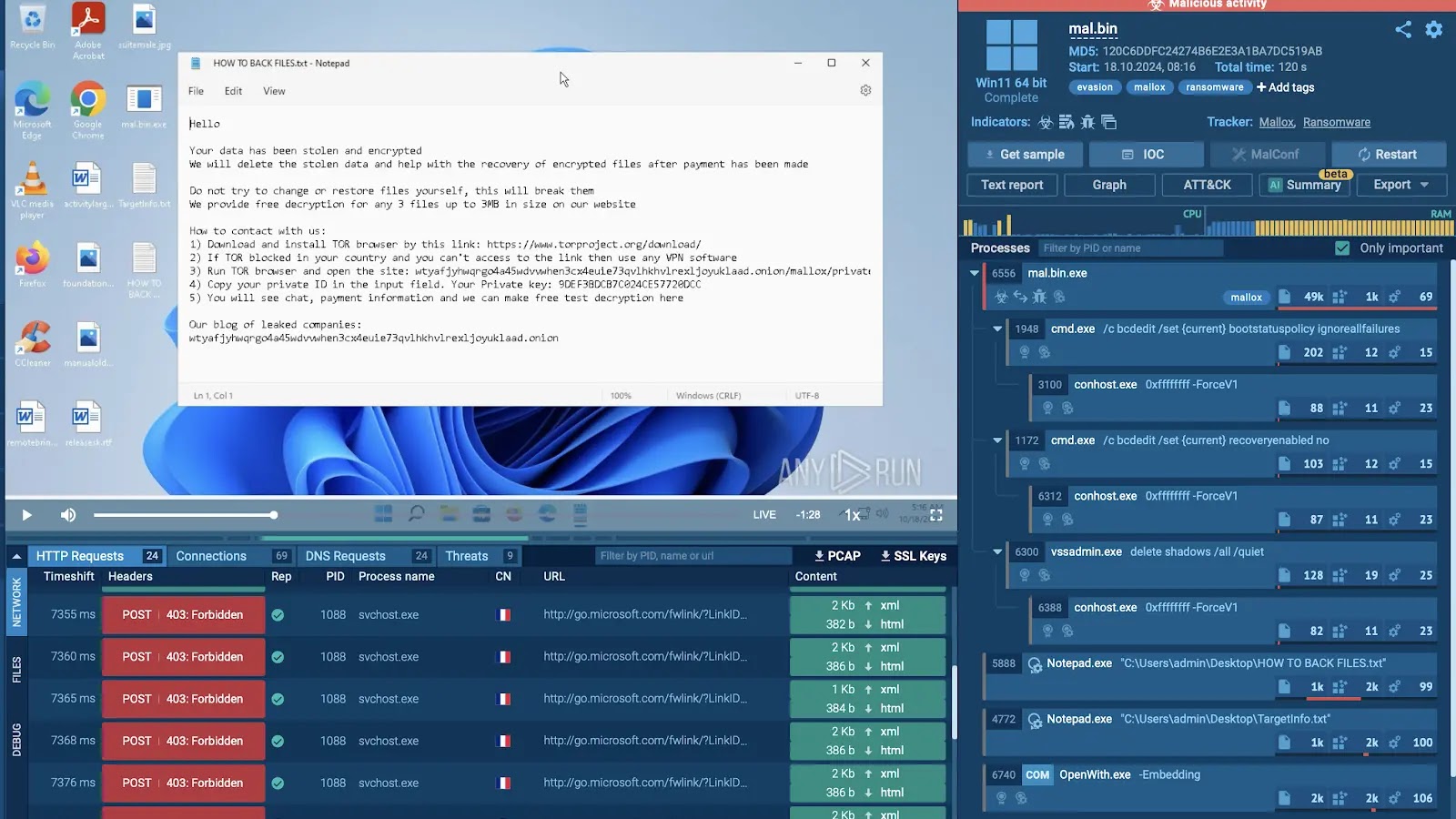
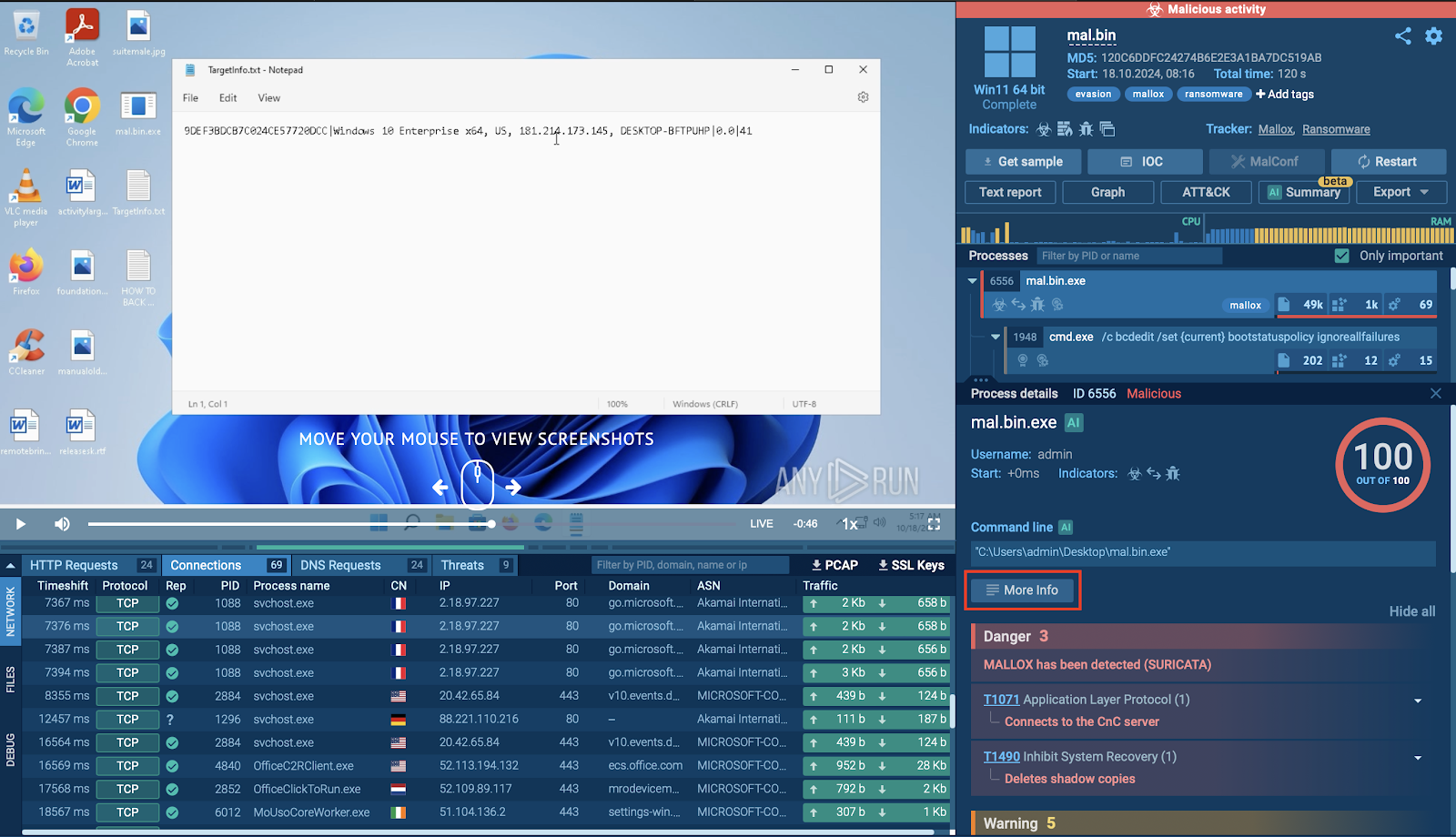
Once you run the sandbox, the upper right section will indicate if the sample is malicious. If it is, it’ll be flagged in red and marked as “malicious activity.” This section also displays tags of the threats associated with the sample, giving you a quick assessment of the risk level.
Interact with the Sample
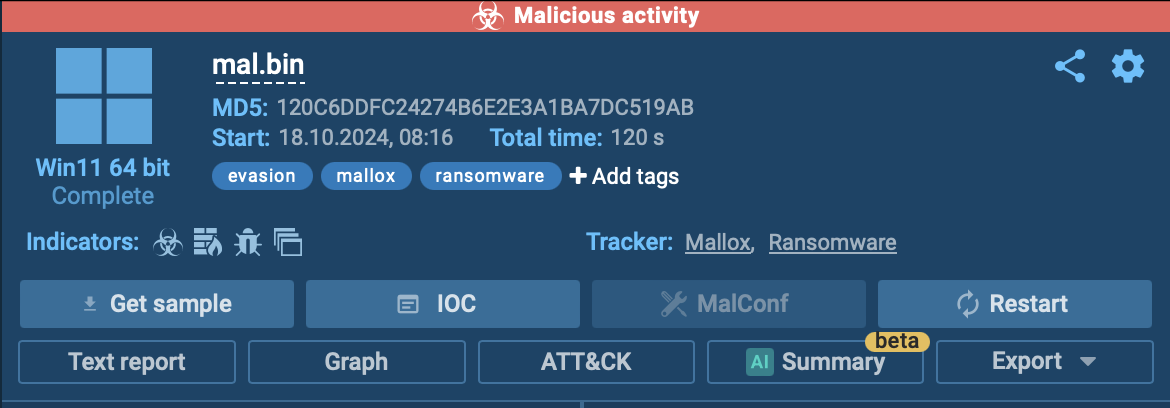
While your analysis session is running, you can observe the behavior of the potential threat in real time. Freely interact with the sample, simulating user actions like clicking buttons, browsing websites, and uploading files, all within the safety of an isolated environment.

This hands-on interaction helps you understand how the malware behaves in a real-world setting, revealing actions it might take if deployed on an actual device.
In the current analysis session, we see all the actions performed by the malware, even the ransom note the victim gets after being attacked.
Check Processes
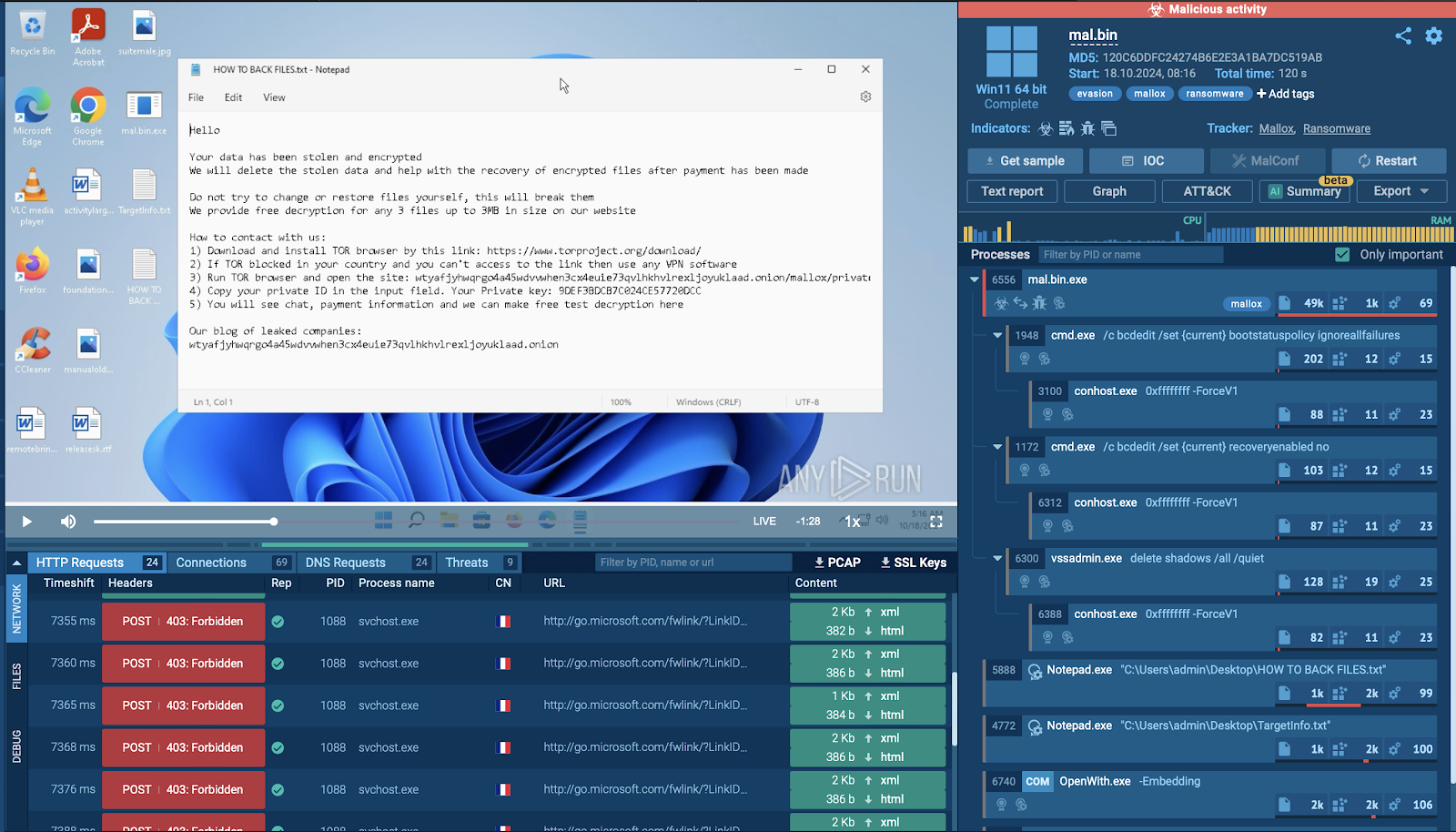
You can see details by clicking on each process, from network connections and HTTP requests to DNSlookups and other system activities. For more in-depth information on any individual process, click the “More Info” button.
Get a Text Report
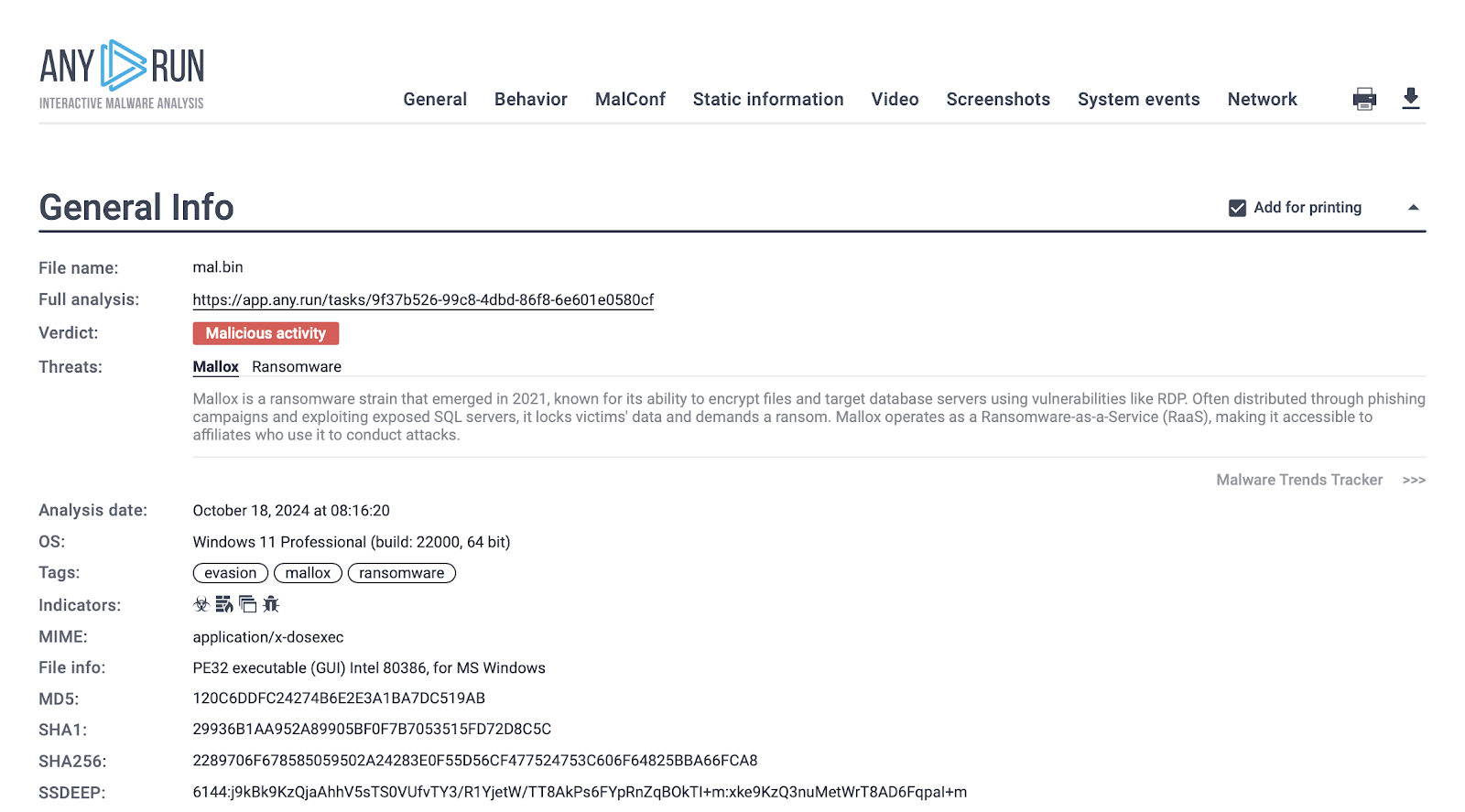
This report is essential for documenting and sharing findings, as it captures the complete behavior profile of the malware.
Gather IOCs
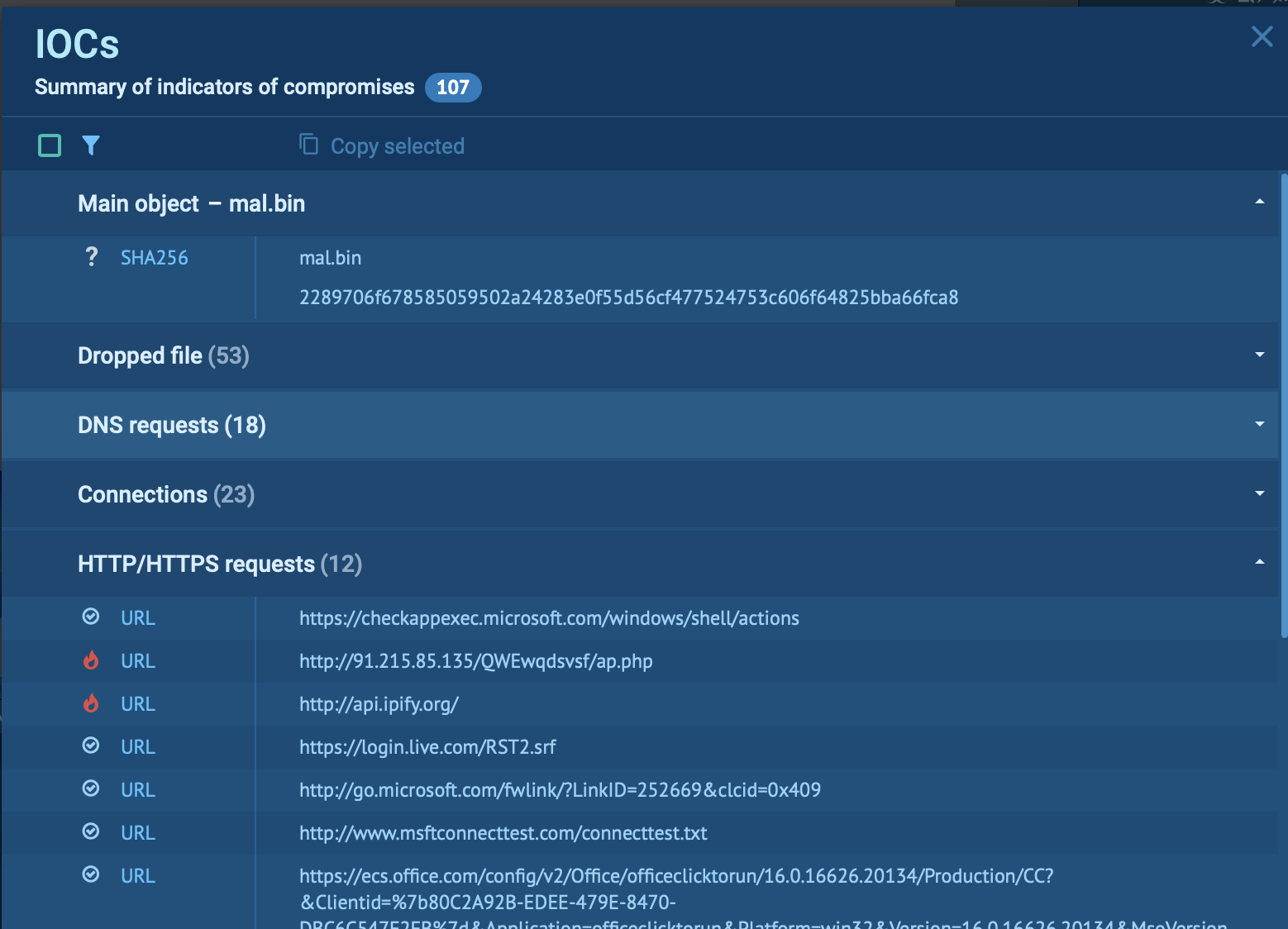
Indicators of Compromise (IOCs) are crucial for recognizing and mitigating the malware’s spread across your network. Inside the sandbox, you can gather all IOCs from the analysis by clicking the “IOC” button, which will compile everything from IP addresses to suspicious domains in one neatly organized tab.
These IOCs help strengthen your defenses and equip security teams to identify and block related threats effectively.