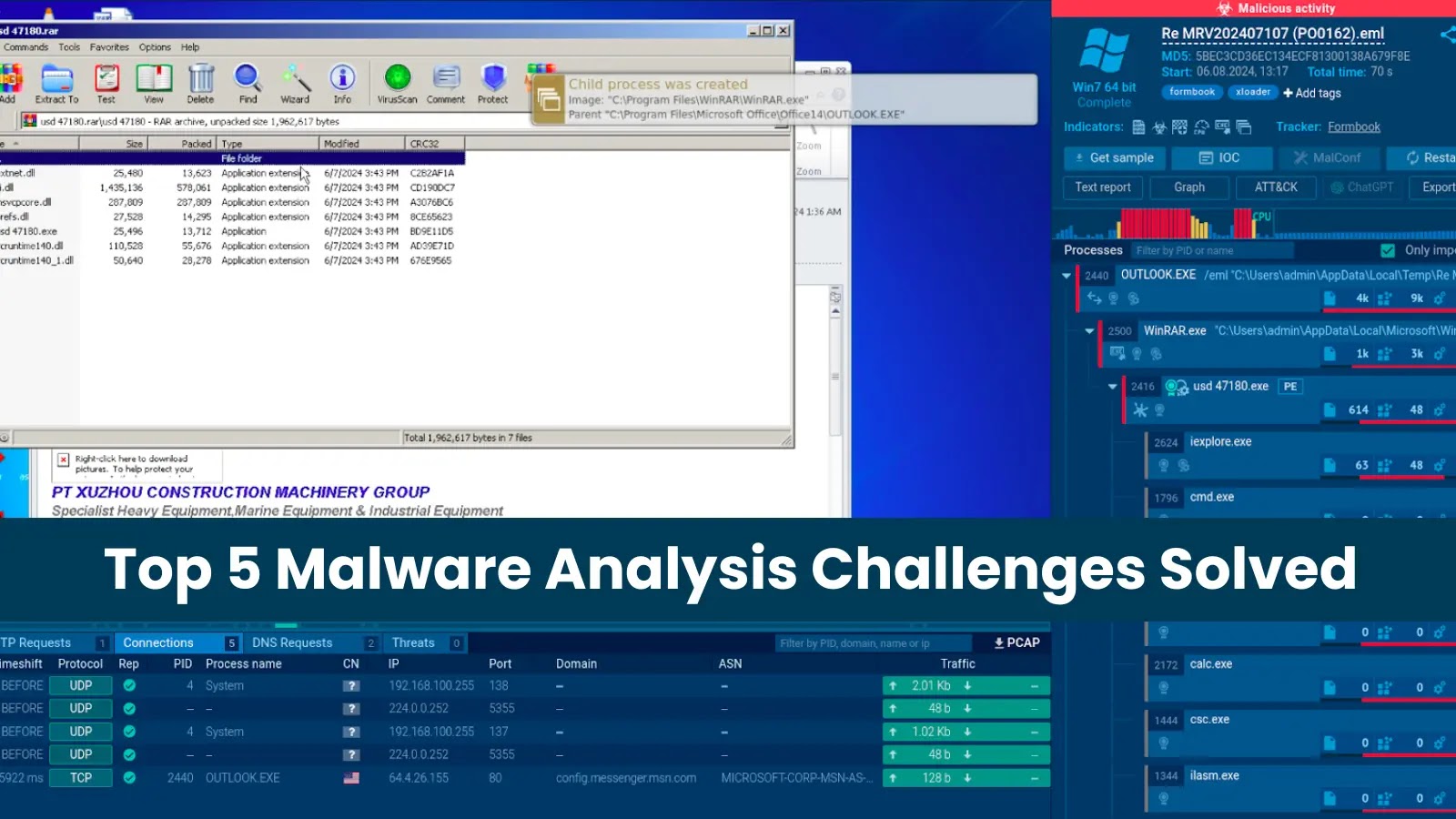

Malware analysis can be challenging, as it often requires in-depth theoretical knowledge and advanced skills. Tools like an interactive sandbox help simplify it, making sophisticated malware behavior easy to expose and understand even for junior security professionals. Here are some of the challenges that interactive malware sandboxes help analysts solve.
What is an Interactive Sandbox for Malware Analysis?
An interactive malware sandbox is a cloud service that allows you to safely study and expose malware and phishing threats within an isolated environment.
Unlike automated sandboxes, it lets users interact with the analyzed files, URLs, and the system in real time.
Challenge 1: Direct Interactions with Files and URLs
When investigating threats, analysts often face the need to manually execute specific actions or simulate necessary user behavior to trigger the threat’s response. These actions can include clicking a button or entering data into forms.
This level of interaction provides a more complete analysis and helps uncover threats that might otherwise go undetected.

Example: Downloading and Opening a Phishing Attachment
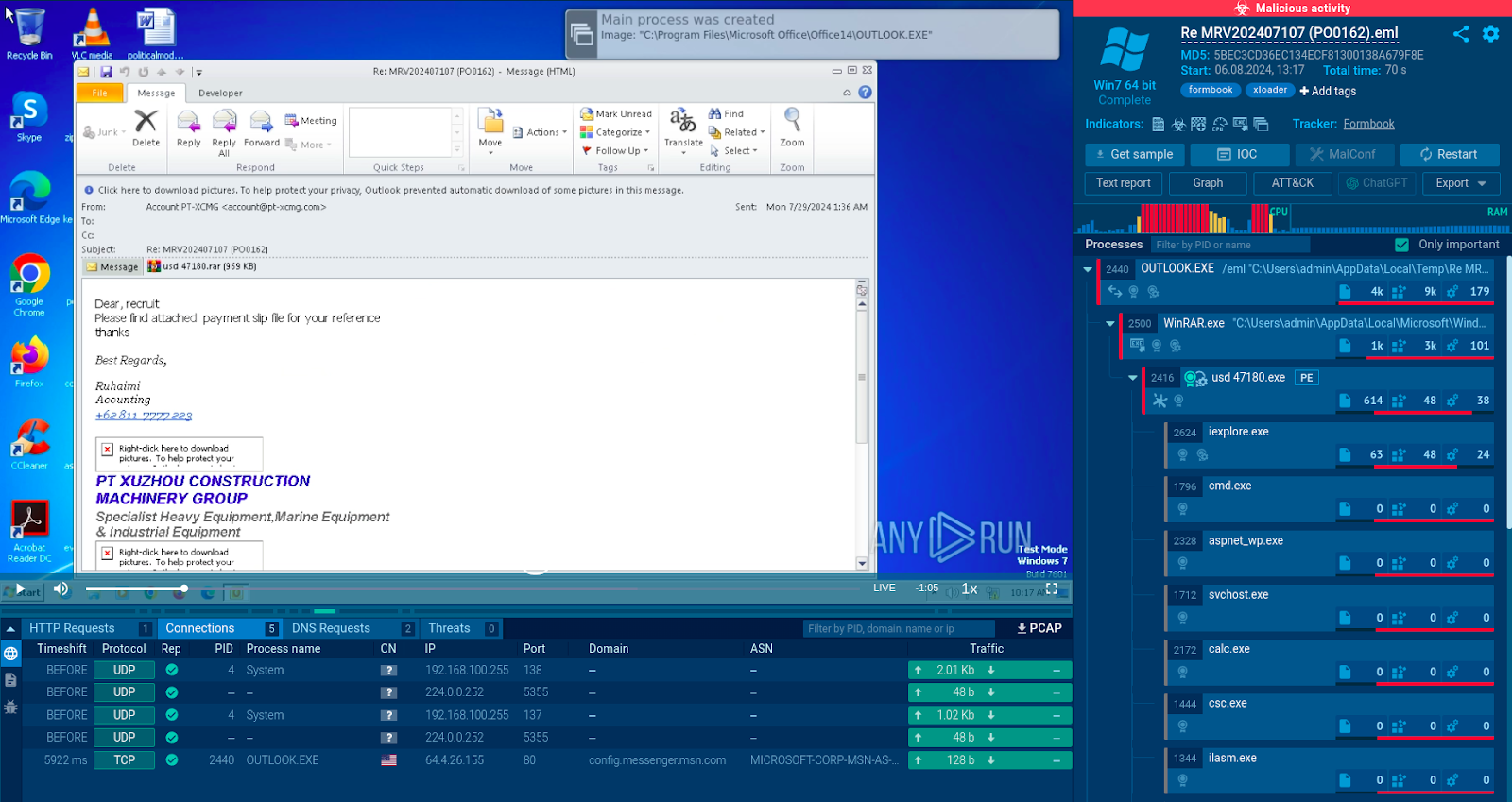
The phishing email is disguised as a message from an accounting department
The attackers attached a ZIP file to the email posing as a payment slip, asking the victim to download it.
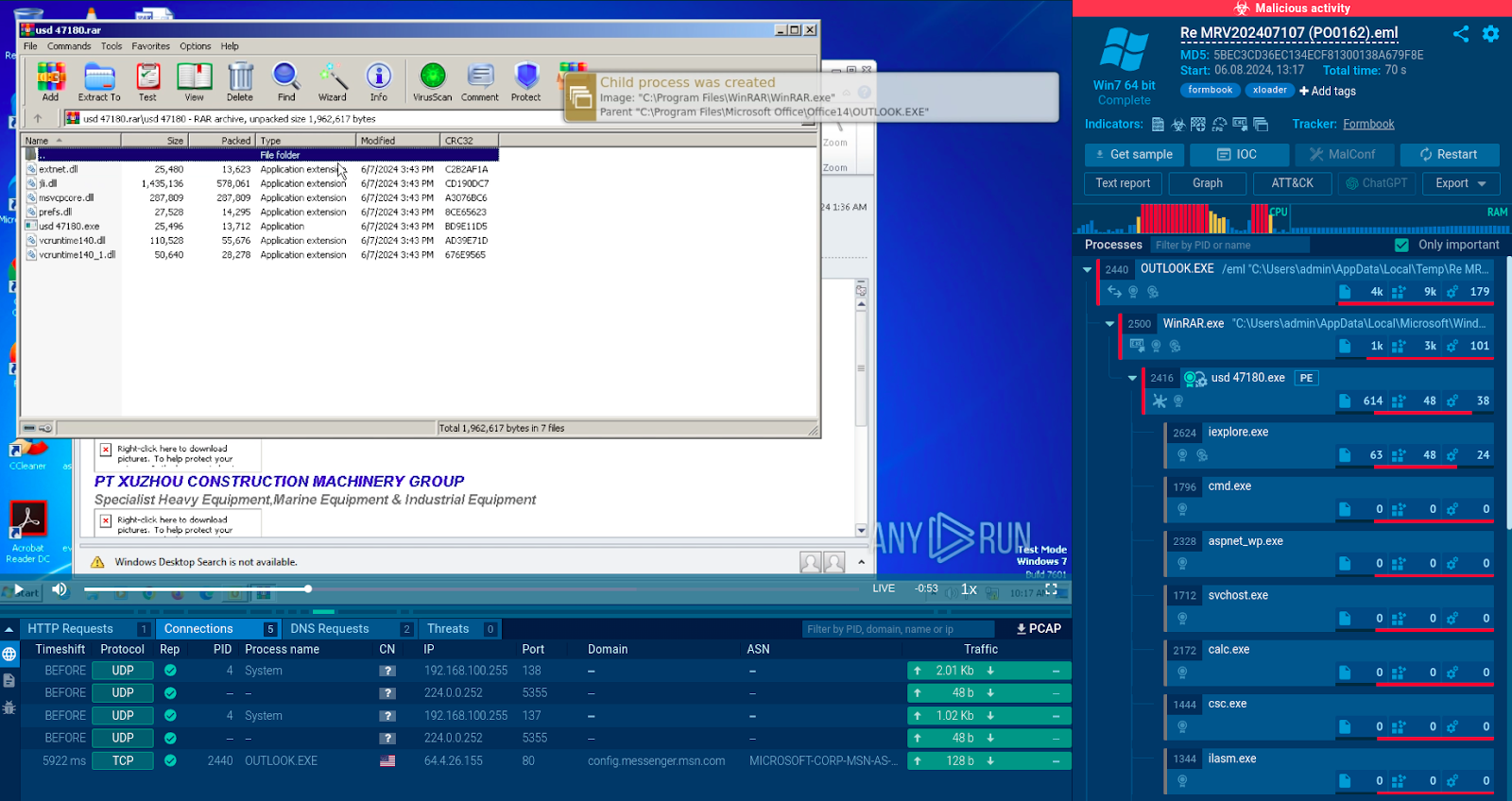
The contents of the suspicious ZIP file
The sandbox allows us to quickly download and open the attachment in a safe virtual environment.
The most notable file in the ZIP is the executable “usd 47180”. To see if it poses any risk, we simply launch it in the sandbox.
In seconds, the service identifies it as the Formbook malware, which steals information from the infected machine and sends it to the attackers.
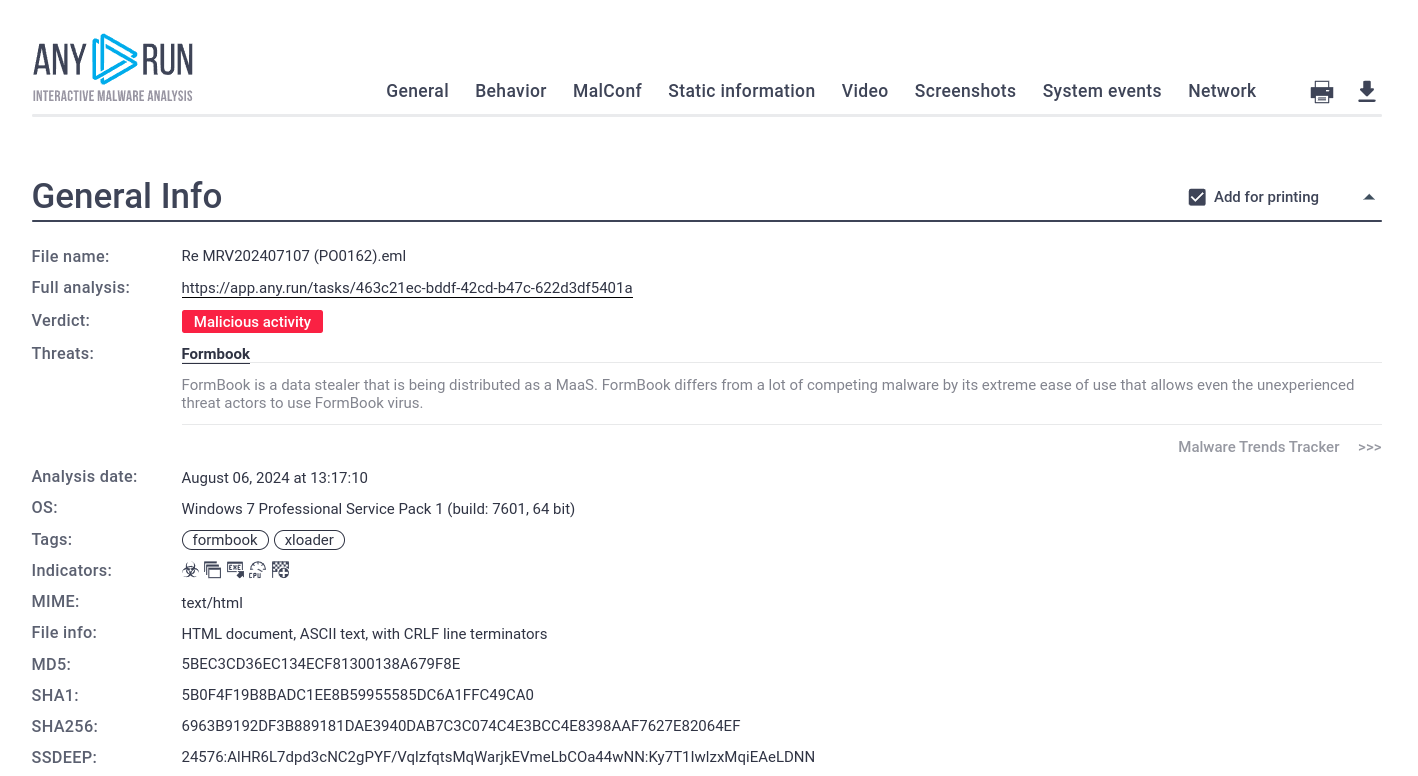
Sandbox report on the threat found inside the archive
Challenge 2: Real-Time Monitoring of Threat Activity
Most automated sandboxes provide post-analysis reports only, preventing users from having a real-time view of the malware’s activities. This means that analysts must wait for the analysis to complete before they can review the results.
Users can observe network traffic, registry and file system changes, as well as processes as they happen.
Immediate visibility also allows users to react to threats’ behavior on the spot, performing necessary actions for more accurate and complete analysis.
Example: Tracking C2 Communication
By looking at the Threats section, we can spot suspicious and malicious network activities detected by Suricata IDS rules.
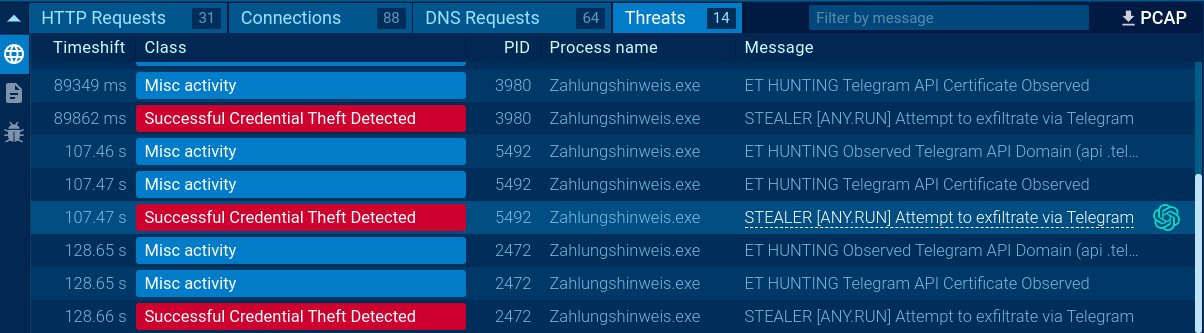
Sandbox makes it easy to identify any network threats
One of the activities on the list is the malware’s attempt to exfiltrate data collected on the machine via Telegram.
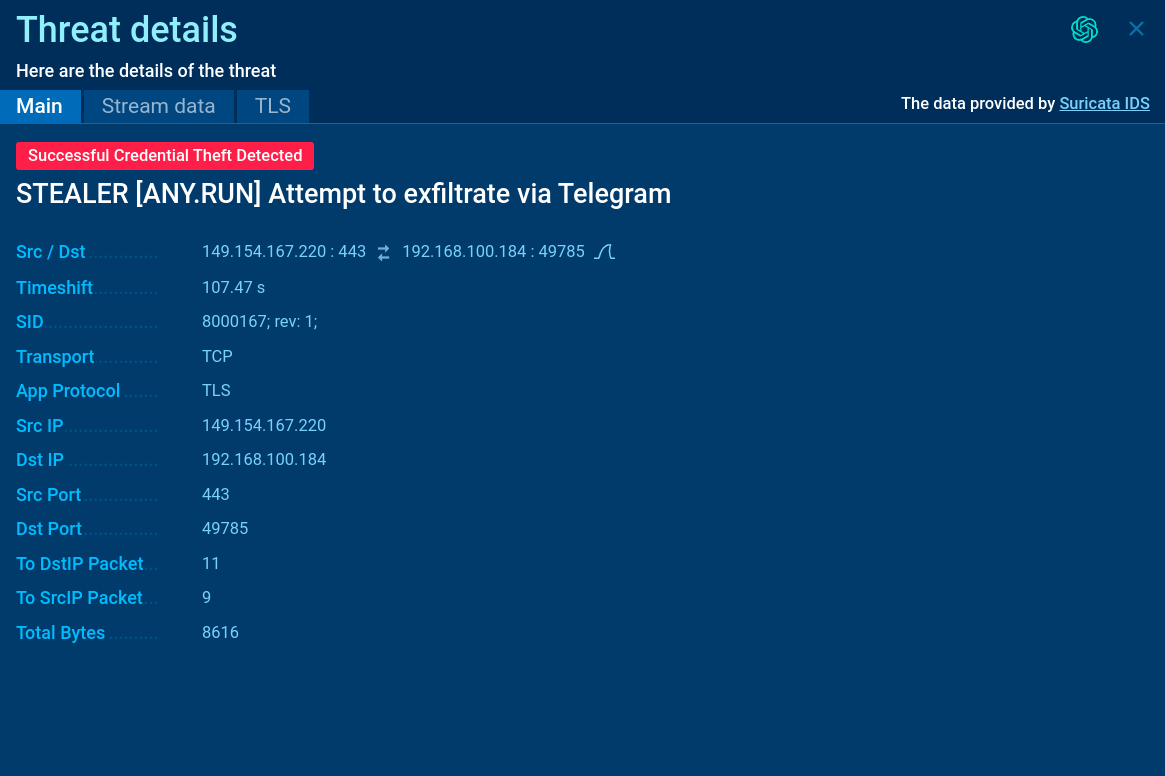
Threat window lists source and destination IP and ports, protocol, and other information
By opening the threat’s corresponding window, we can access additional details on the connection.
Challenge 3: Quality Threat Information
Getting a simple verdict on the sample’s threat level is not sufficient. To prevent future malware infections, analysts need to collect quality indicators of compromise. These include control server addresses, encryption keys, and other infrastructure that the malware uses to operate.
Example: Collecting Domains from Malware’s Configuration
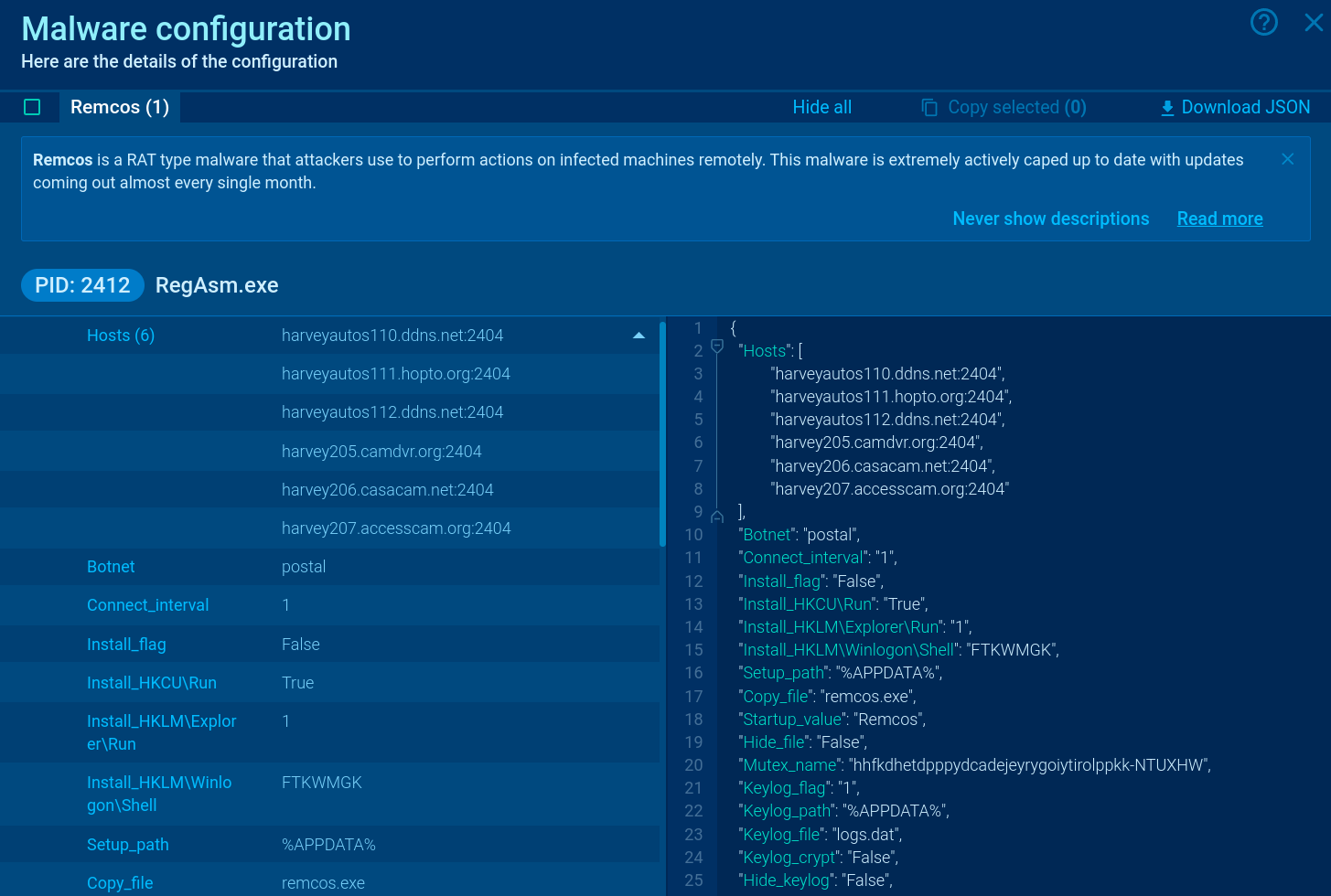
By opening the Config report, the sandbox gives a complete list of IOCs from the sample’s configuration. These can be used to enrich further investigation of the malware or update detection systems.
Challenge 4: Setup Flexibility and Customization
Certain types of threats require a certain number of conditions to be met to detonate. For example, malware might be designed to target specific versions of Windows or need certain software to be present.
Interactive sandboxes address this obstacle by allowing users to customize the analysis environment. Users can quickly adjust their VM to select the right operating system or network settings to better match the target environment.
Example: Using FakeNet to Reveal Malware’s C2 Communication
Yet, we can force it to do so by switching on the FakeNet feature.
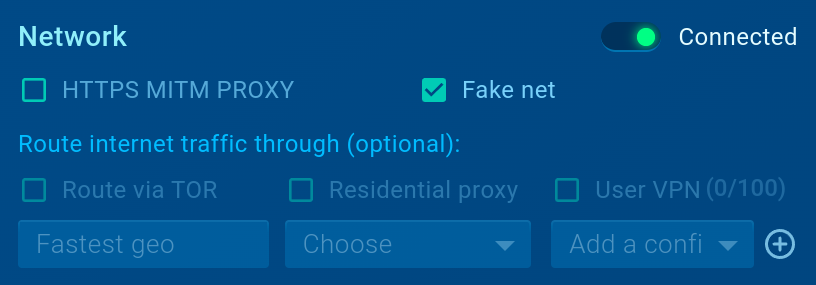
Enabling FakeNet takes just one click
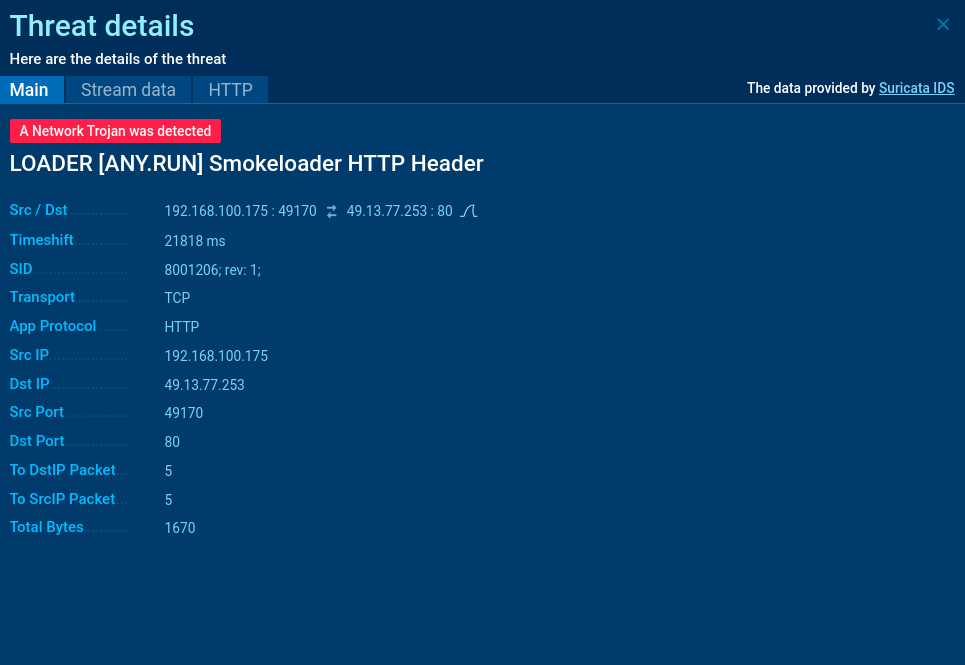
Smokeloader detected with Suricata IDS rule
This allows the sandbox to identify the malware in question as SmokeLoader.
Challenge 5: Collaborative Analysis and Knowledge Sharing
Teamwork and knowledge sharing are essential for effective malware analysis and threat hunting. To help users work on investigations together, an interactive sandbox provides shared team access to the same analysis session.
Centralized data storage ensures that all team members have access to the same data and analysis results, regardless of their location.
If one analyst identifies a suspicious network connection coming from a sample, they can immediately share this information with their colleagues, who can then study the file further.
Example: Sharing Analysis Session with a Colleague

By choosing the analysis to be available only to your team or those with a link, you can share your findings in complete privacy.
14 days of Top Interactive Analysis Features
-
Receive conclusive verdict on a file or URL in under 40 seconds.
-
Get analysis done in 3 steps: upload sample, observe malicious behavior, download report.
-
Step in to perform manual interactions: solve CAPTCHA, download and open attachments, or reboot.
-
Study network activity, process details, registry, and file system changes in real time. Collect IOCs, including from over 79 malware families’ configs.