
The analyzed malware, a fileless ransomware variant named “Cryptomine,” infiltrates systems by exploiting vulnerabilities in Microsoft Exchange servers.
Once inside, it leverages PowerShell to execute malicious code, encrypt sensitive data and demand a ransom.
Cryptomine evades detection by using obfuscation techniques and establishing persistent backdoors, as the malware’s dependencies include PowerShell, Windows Server 2019, and specific network connections.
Indicators of Compromise (IOCs) associated with Cryptomine include unusual PowerShell activity, encrypted files with a specific extension, and network traffic to command-and-control servers.
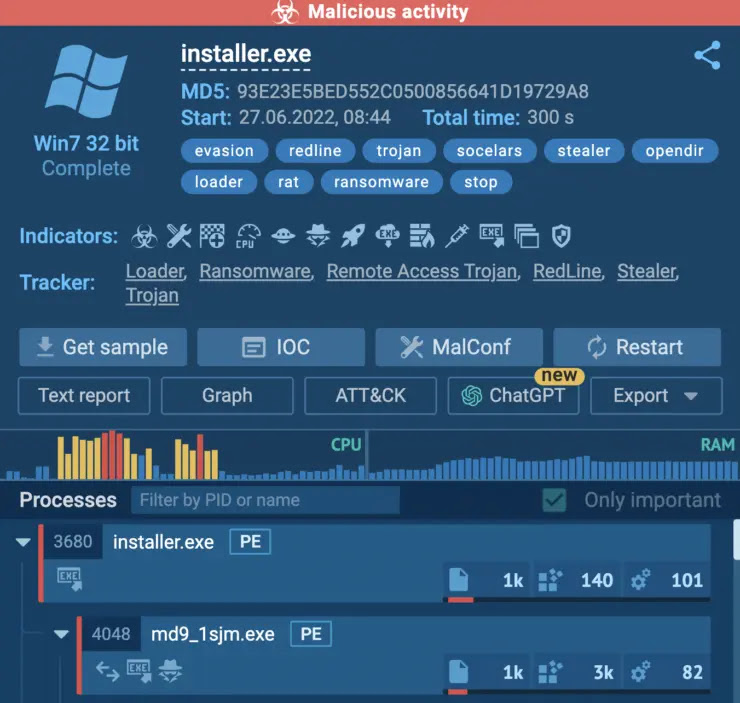
Malicious activity

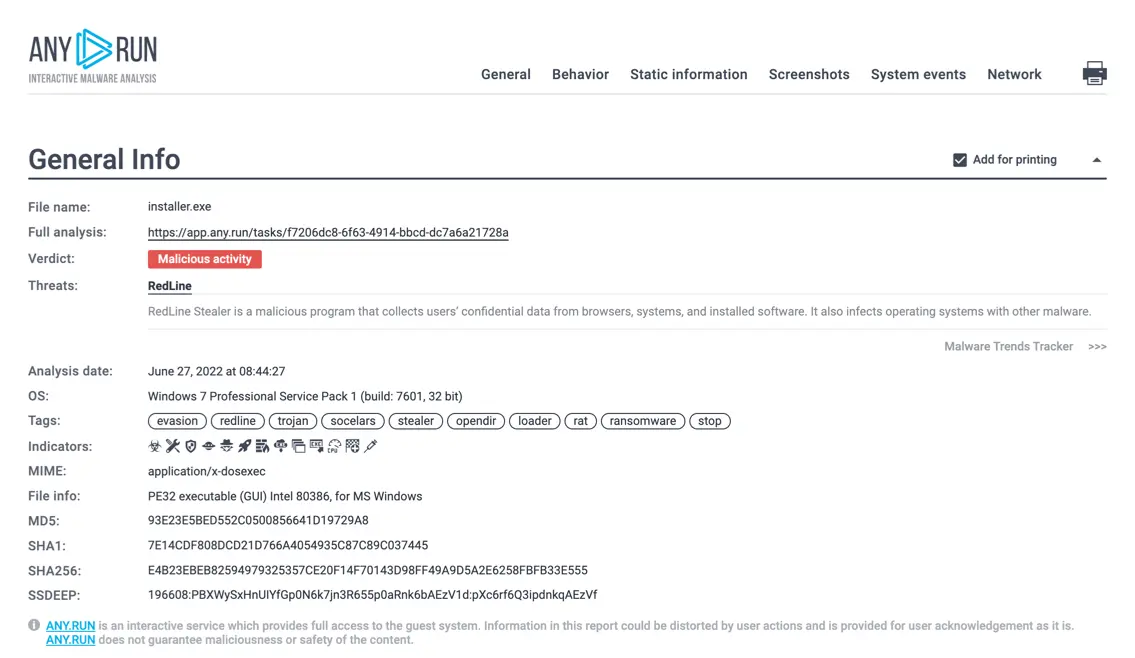
Text malware report
The HTML report offers a comprehensive and customizable solution for analyzing malware samples, which automatically generates detailed reports, including information on processes, registry activity, network traffic, indicators of compromise (IOCs), screenshots, and process behavior graphs.
Users can easily customize the report to include only relevant sections and share or print it directly and the report can be accessed via API for integration into other systems or workflows.
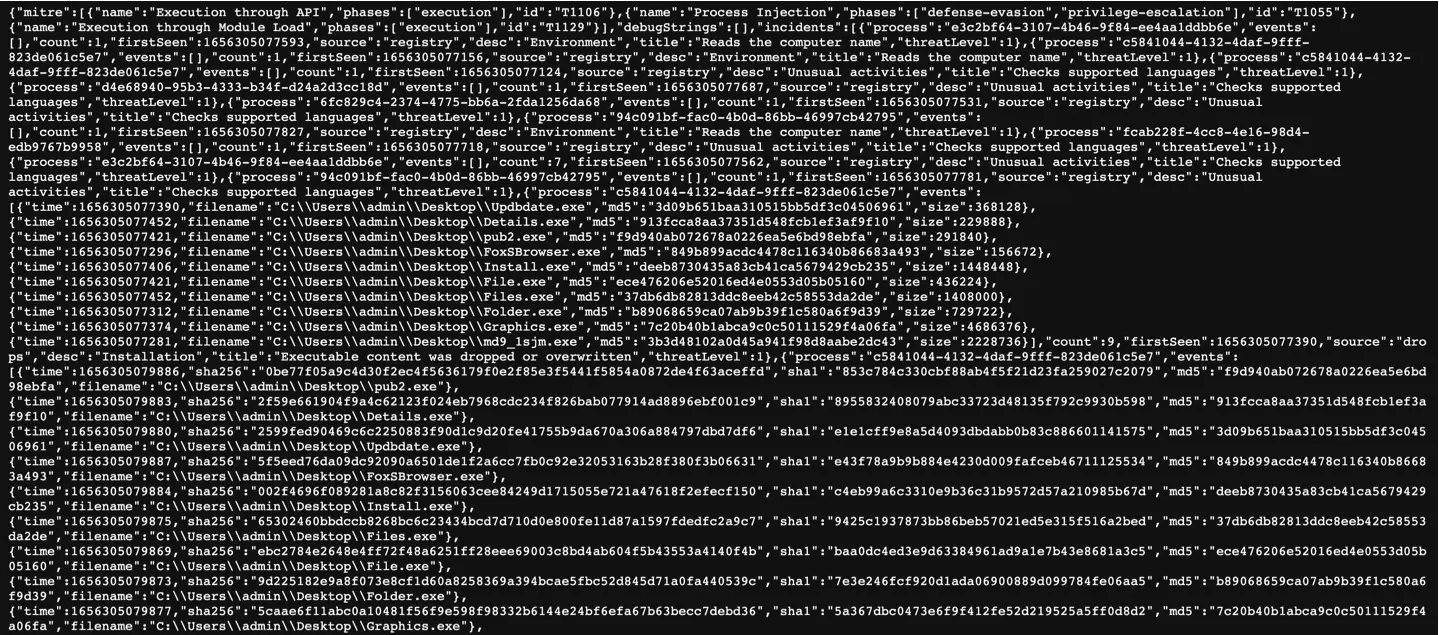
JSON summary
The JSON report provides a comprehensive overview of all task-related information, offering a structured and machine-readable format for detailed analysis.
By parsing this file, users can extract crucial data points such as task IDs, execution times, command lines, and associated processes, which enables precise identification and analysis of malware footprints, facilitating a thorough investigation and comprehensive reporting of malicious activities.
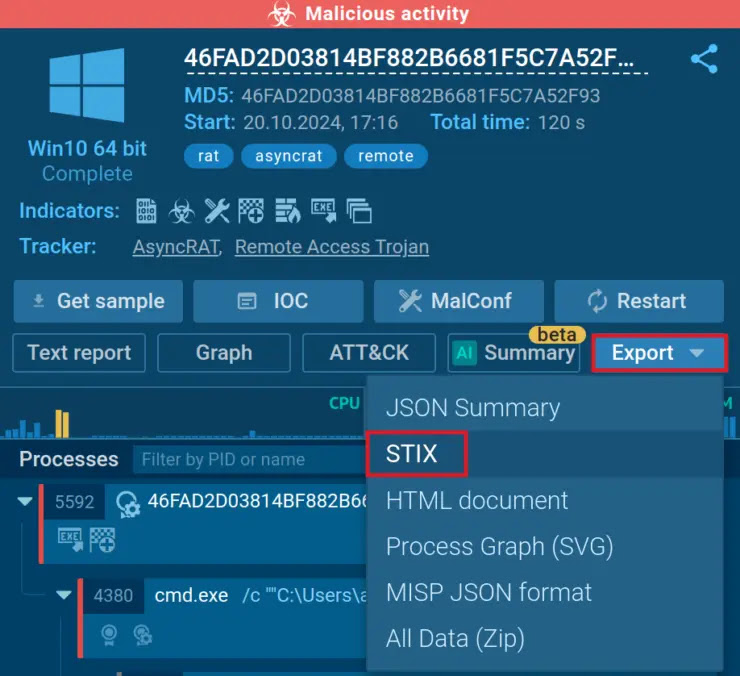
Export → STIX
This STIX report includes details like sandbox session links, file hashes, network traffic analysis, filesystem modifications, and Tactics, Techniques, and Procedures (TTPs) used by the threat, which enable security analysts and incident response teams to share threat data across various platforms for faster and more efficient detection and response.
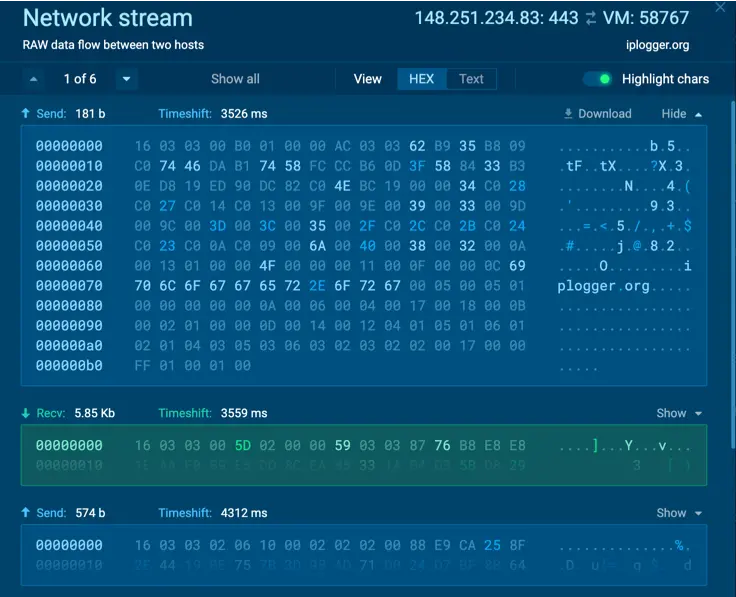
Request/response content
It also allows in-depth analysis of suspicious files by providing captured network traffic in PCAP format alongside SSL keys for decryption, enabling inspection of request/response content, including headers and data streams, to identify malicious communication patterns.
By extracting configuration data from the malware’s memory dump, it reveals encrypted strings, C2 server details (IP addresses, ports), family name, version, and mutexes used for persistence, as this combination of network capture and memory analysis empowers researchers to fully understand the malware’s behavior and communication channels.
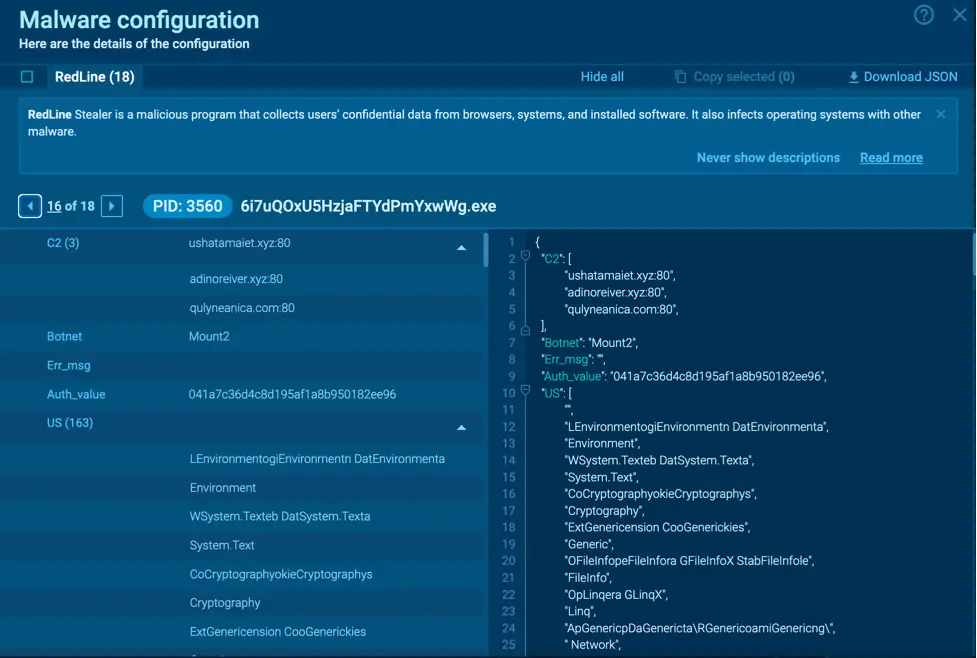
Malware configuration
Security analysts can gain a swift understanding of malware behavior through process graphs, which visually map program activities and their relationships, which allows for efficient identification of potential threats and pinpointing the program’s overall malicious intent.
Finally, AI reports provide detailed, human-readable explanations of suspicious activities observed during the malware execution, offering valuable insights for threat assessment.