Phishing attacks have grown more sophisticated, and attackers are no longer relying on clunky fake emails or obvious scam messages.
A newly identified campaign shows how threat actors are turning everyday Microsoft 365 tools into weapons, hiding their attacks inside the very workflows employees trust most.
This is not a flaw in Microsoft’s software but a deliberate abuse of its legitimate features, and that is precisely what makes it dangerous.
The attack targets Microsoft 365 Groups, a collaboration feature that organizations use daily to coordinate teams, share files, and manage internal updates.
By taking control of a group and adding victims to it, attackers can slip into a user’s inbox, calendar, and file storage all at once.
The welcome email looks clean, the group name looks familiar, and nothing immediately raises suspicion.
Analysts from Fortra’s Intelligence and Research Experts (FIRE) team identified and documented this technique, noting that it represents a shift from traditional phishing toward trusted-workflow abuse.
Fortra said in a report shared with Cyber Security News (CSN) that the attack is designed to make malicious activity appear as routine collaboration.
Group names such as “IT Support,” “HR Updates,” “Finance Review,” or “All Company” are crafted to blend in with internal communications.
Once a user is inside the attacker-controlled group, follow-up content arrives through the group mailbox, shared documents, or calendar invites.
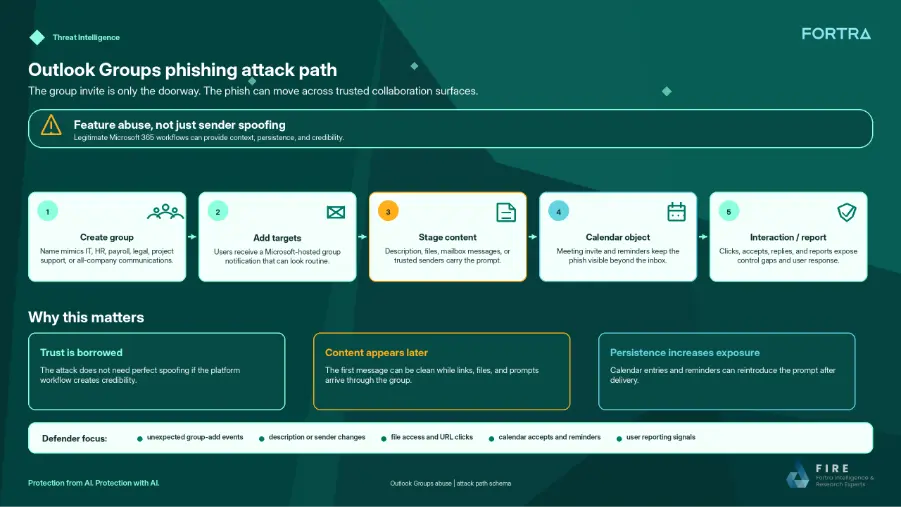
Each step mirrors a genuine Microsoft 365 workflow, which is exactly what keeps users from raising an alarm. The risk becomes real when a user takes action, whether that means clicking a link, opening a file, or responding to a request.
The potential fallout is significant, as the victims can face credential theft, token capture, malware delivery, data exposure, or further social engineering.
Since the attack runs through Microsoft’s own infrastructure, early-stage detection tools may not flag it, giving attackers more time to move through an environment undetected.
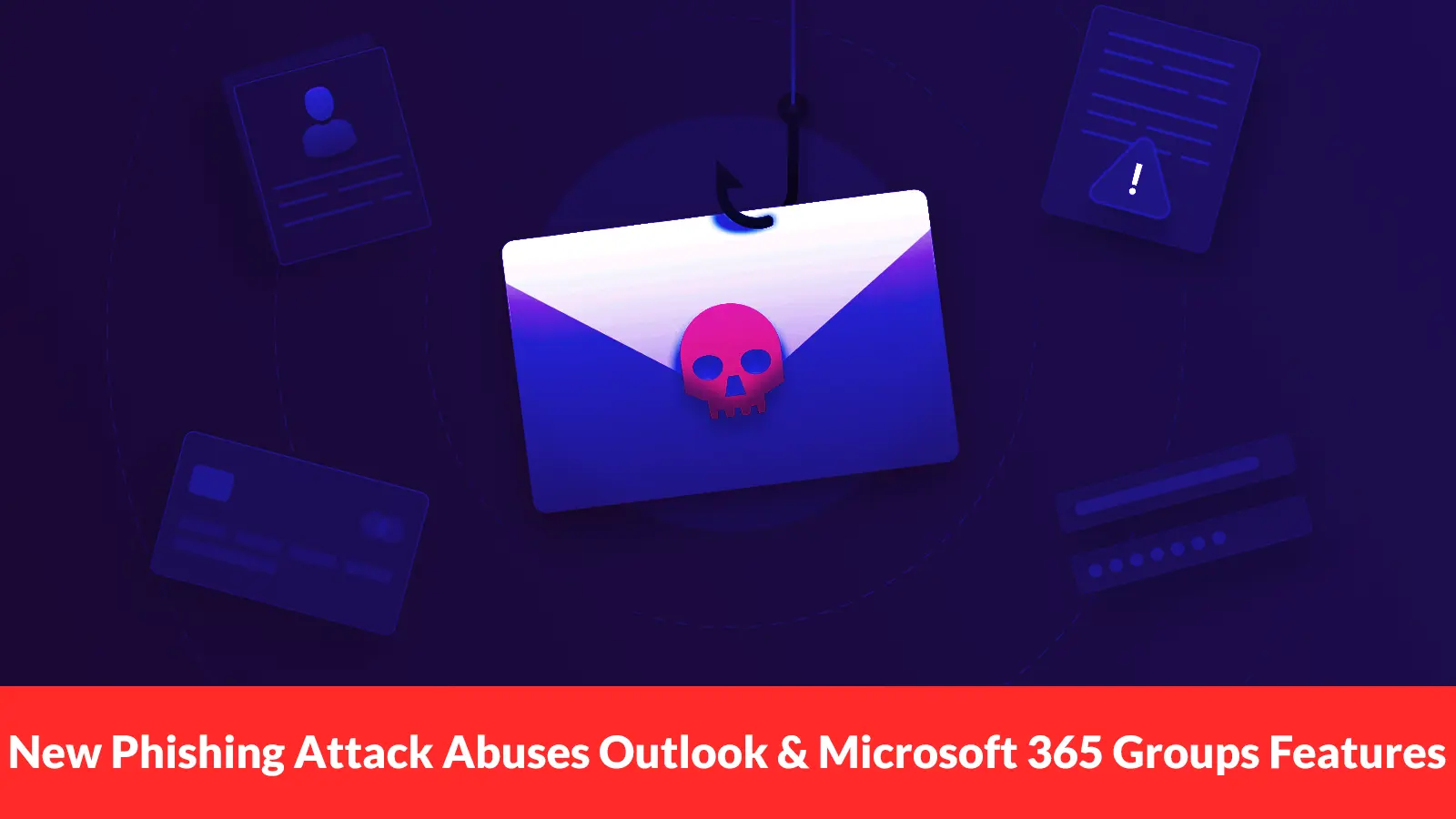
New Phising Attack Abuses Outlook and Microsoft 365 Groups
The mechanics of this campaign are straightforward but clever. An attacker creates or controls a Microsoft 365 group and adds the target either by direct addition or through an invite.
The group name and welcome message establish a context designed to feel urgent or routine, such as a payroll update, a mandatory training notice, or a supplier action item.
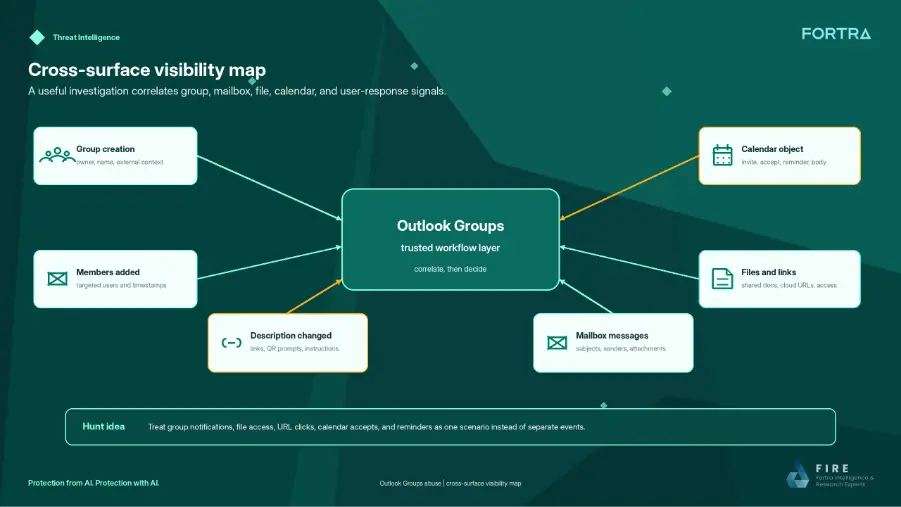
After the initial group invite, follow-up phishing content lands through the group mailbox or shared files.
A document shared inside the group can carry a fake support process, a QR code pointing to a credential-harvesting page, or a macro-laced file. Because that content arrives through a Microsoft collaboration surface, users tend to trust it more than they would a direct email attachment.
CalPhishing: When the Calendar Becomes the Hook
What makes this campaign especially effective is its use of Calendar Phishing, known as CalPhishing.
Once the attacker gains entry through a group invite, a malicious calendar event in .ics format is sent to the victim’s Outlook calendar. That event keeps sending reminders, keeping the phish alive long after the original email may have been deleted or missed.
The calendar invite can be dressed up as a project meeting, an HR deadline, an admin alert, or an invoice review. Each reminder nudges the user toward taking action over time.
This repeated exposure is what separates CalPhishing from a standard one-time email attack. The phishing hook no longer feels like a scam but like an unresolved work task waiting to be handled.
Security teams are advised to look beyond the inbox when investigating these attacks. Defenders should trace the full chain, covering who created the group, who was added, what files were shared, and whether calendar entries still remain after mail remediation.
Organizations can block the sender domain “groups.outlook.com” at the gateway level to stop external group notifications.
Employees also need training to treat unexpected group additions and meeting invites with the same caution they would apply to any unsolicited email, especially when the message carries an urgent or administrative theme.