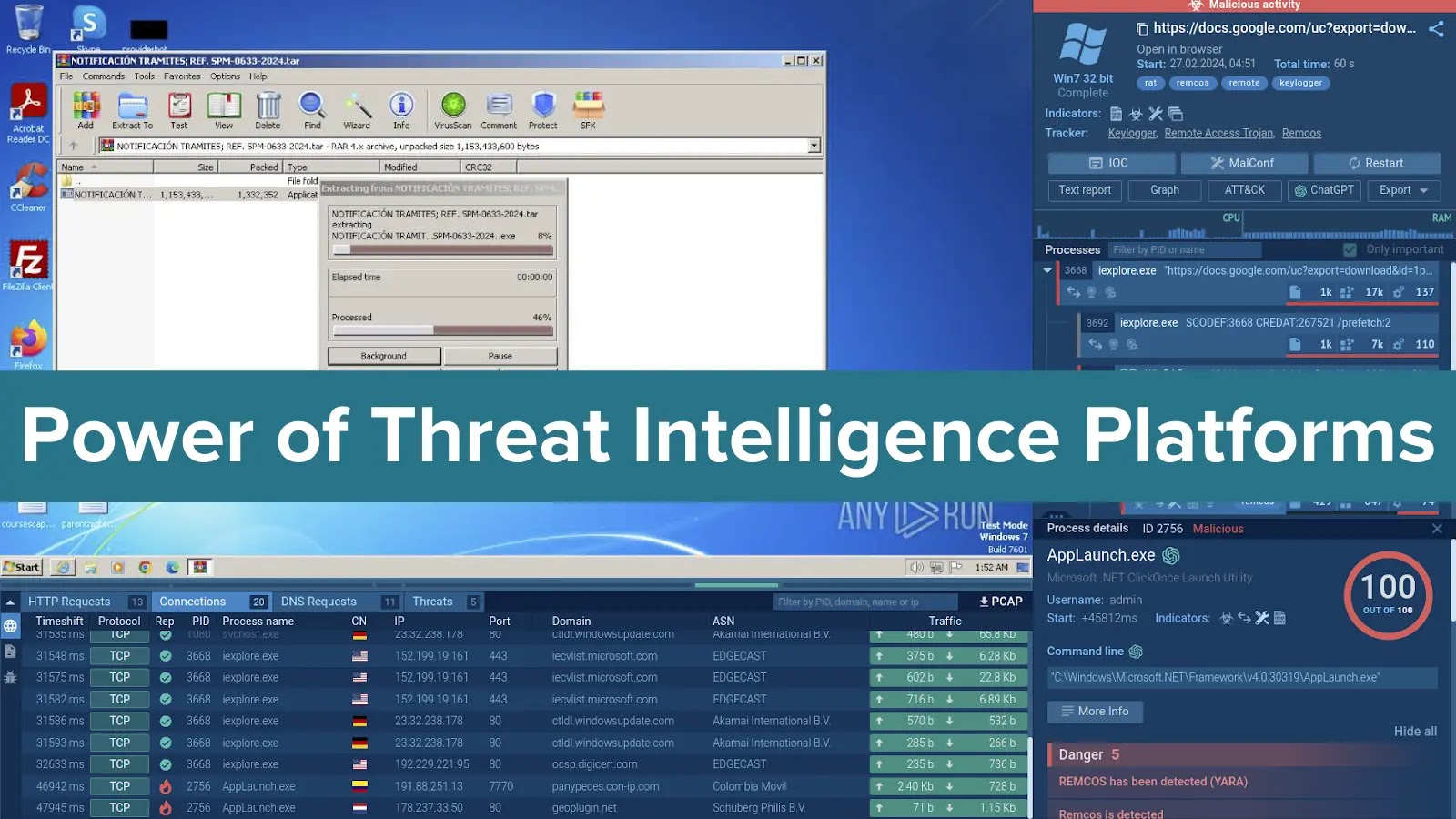

In cybersecurity, information is what ultimately makes it possible to respond to threats effectively and proactively. One of the most efficient ways to collect it is by using threat intelligence platforms . By providing threat context and enrichment, they enable analysts to make informed decisions with confidence, allowing them to shift from reactive defense to proactive threat hunting.
What are Threat Intelligence Platforms?
The information available on TIPs encompasses network indicators (IP addresses, domain names, URLs) and malware data (file hashes and names, domains, tactics, techniques, and procedures).
For threat intelligence platforms (TIPs) that leverage malware analysis sandboxes data, the searchable elements extend beyond basic indicators of compromise (IOCs) to include detailed system information such as command lines, registry activity, and running processes.
Document
Try Threat Intelligence Lookup from the ANY.RUN sandbox
To demonstrate how a TIP can be used, imagine you receive an alert about an unusual URL. With a TIP, you can quickly run a search query to retrieve threat information associated with this URL, such as its threat level, the malware associated with it and even its samples. This comprehensive view lets you take informed actions like further investigation, escalation, or blocking the threat.

Value of Threat Intelligence Platforms
1. Contextualizing Security Alerts for Informed Prioritization
Threat Intelligence Platforms (TIPs) enhance raw security alerts by providing contextual data. TIPs empower analysts to prioritize and focus their efforts on the most critical issues by enriching alerts with malicious signatures and artifacts associated with threats. They can assess a threat’s severity and potential impact based on its malicious activities and thus optimize their investigation time and resources.
2. Enabling Proactive Threat Hunting for Early Detection and Mitigation
Shifting from reactive to proactive security is crucial in the face of evolving cyber threats. TIPs empower analysts to move beyond just reacting to alerts by providing tools for proactive threat hunting.
For instance, TIPs’ advanced search capabilities allow analysts to query diverse data sources using specific indicators, patterns, and behaviors to identify potential threats.
TIPs also contain fresh information about emerging threats, attacker tactics, techniques, and procedures (TTPs), and vulnerabilities, allowing analysts to stay ahead of potential attacks and anticipate them.
3. Gaining Broader Threat Landscape Visibility for Informed Security Decisions
To make informed security decisions, it is crucial to have a comprehensive understanding of the evolving threat landscape. TIPs function as a central hub, aggregating data from various sources. This gives analysts a holistic view of the threat landscape, allowing them to identify connections and patterns between seemingly disparate events.
Advanced Search with Threat Intelligence Lookup
1. Wildcards and Combined Requests
The MITRE ATT&CK framework provides a standardized language for describing attacker tactics, techniques, and procedures (TTPs). TI Lookup leverages the power of MITRE ATT&CK by enabling you to search for specific techniques or combinations of techniques within your threat intelligence data.
Let’s submit the following request: MITRE:”^T108″ AND ThreatName:”remcos”.
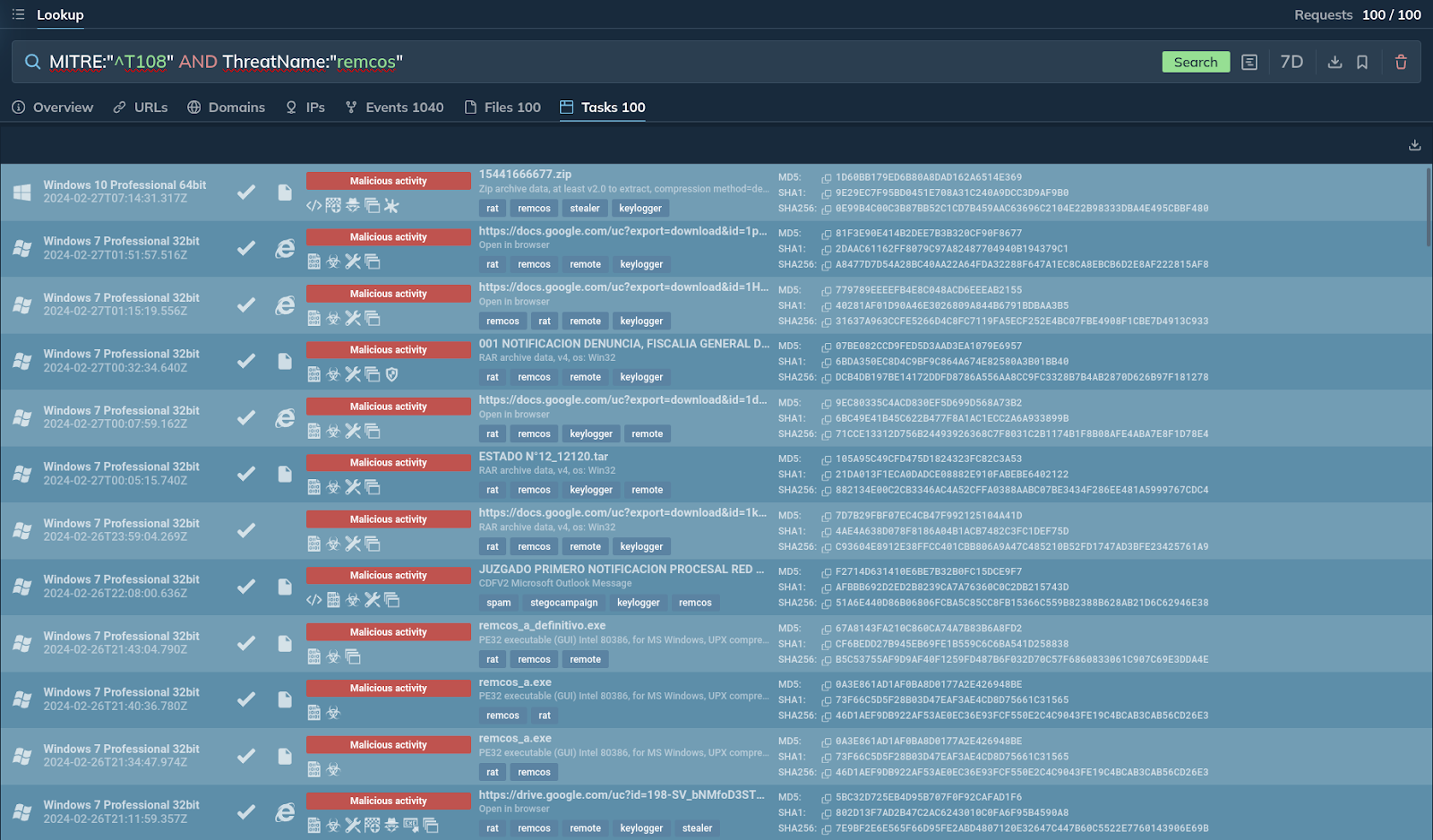
TI Lookup returns one hundred relevant samples
The platform provides a hundred different samples of Remcos, as well as related events where MITRE techniques starting with “T108” were used.
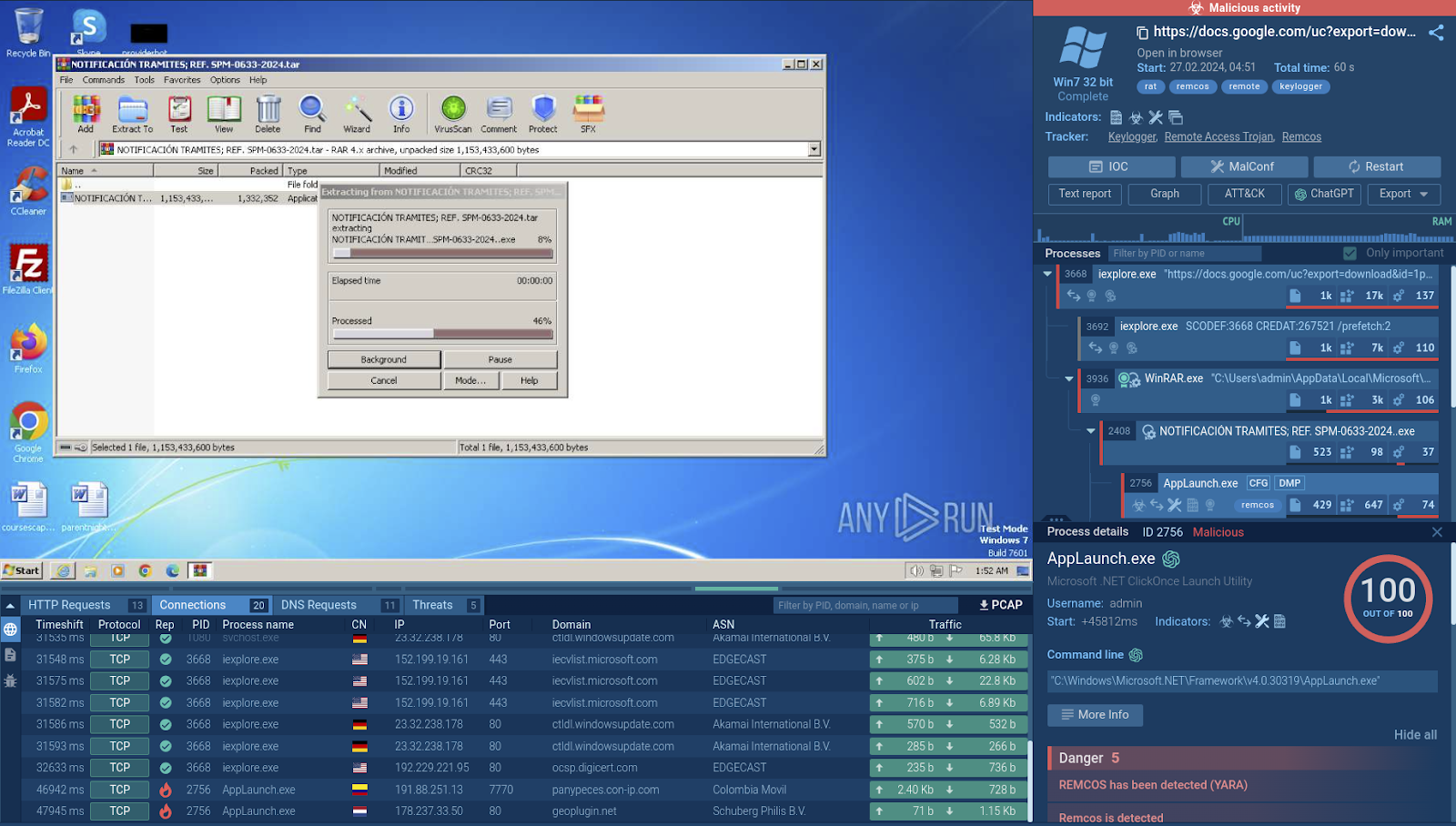
One of the tasks provided by the platform
2. Searching for Specific Registry Keys
TI Lookup allows you to search for specific registry keys, even those containing backslashes. However, it’s important to escape the backslash character by doubling it within your query.
Example: RegistryKey:”HKEY_LOCAL_MACHINE\Software\Microsoft\Windows\CurrentVersion\Run”
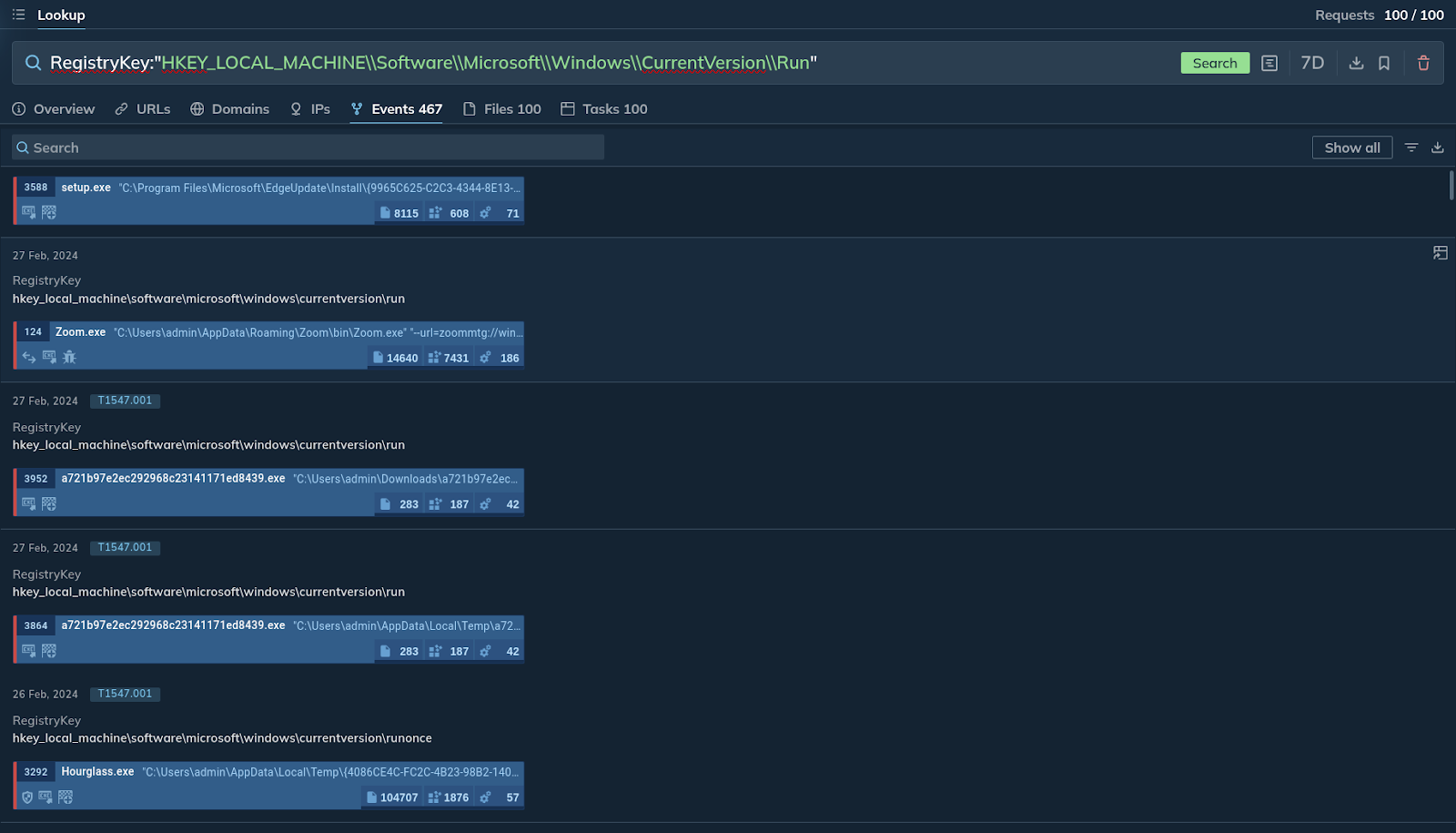
TI Lookup returns 467 events that can be explored further
This request searches for any instances of programs or processes configured to run automatically at startup. The platform finds over 400 different events that meet the search criteria.
3. Exploring File Hashes
TI Lookup offers comprehensive search capabilities using various file hashes, including SHA256, SHA1, and MD5. This allows you to quickly identify potential threats based on known malicious file signatures.
Example: SHA-256:”7c2cf95543435f55cf814477874ba460fc6efc39438c15fb5bf49ffeb4142c2e”
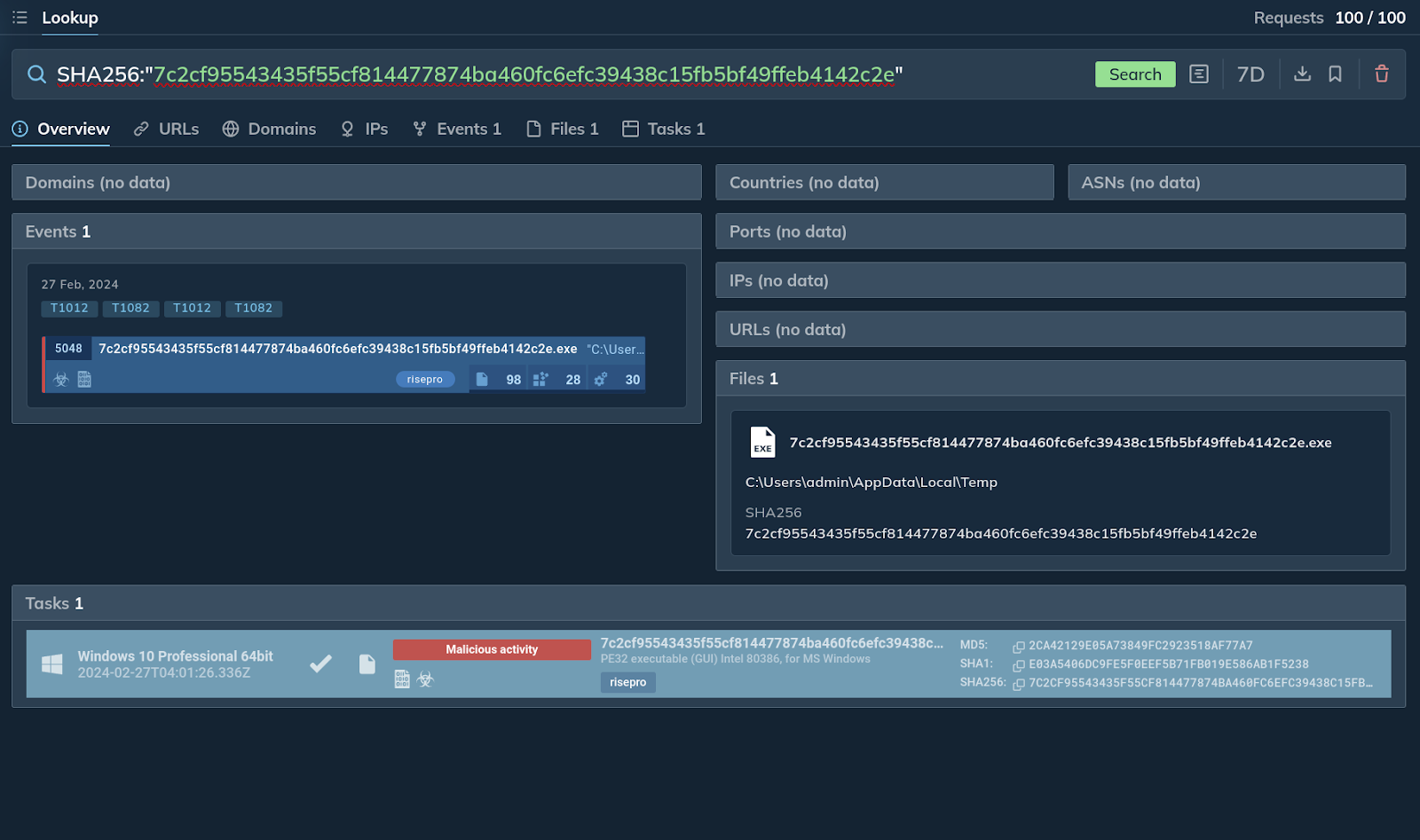
The platform presents the file and a link to the task
This query searches for all instances where the file with the specific SHA256 hash has been analyzed within the platform. The result shows that this hash belongs to a file associated with the RisePro malware.
4. Targeting Specific Process Paths
Similar to registry keys, you can search for instances where a specific process path has been observed. Remember to double the backslash character within your query to escape it.
Example: ImagePath:”C:\Windows\Microsoft.NET\Framework64\v4.0.30319\csc.exe”
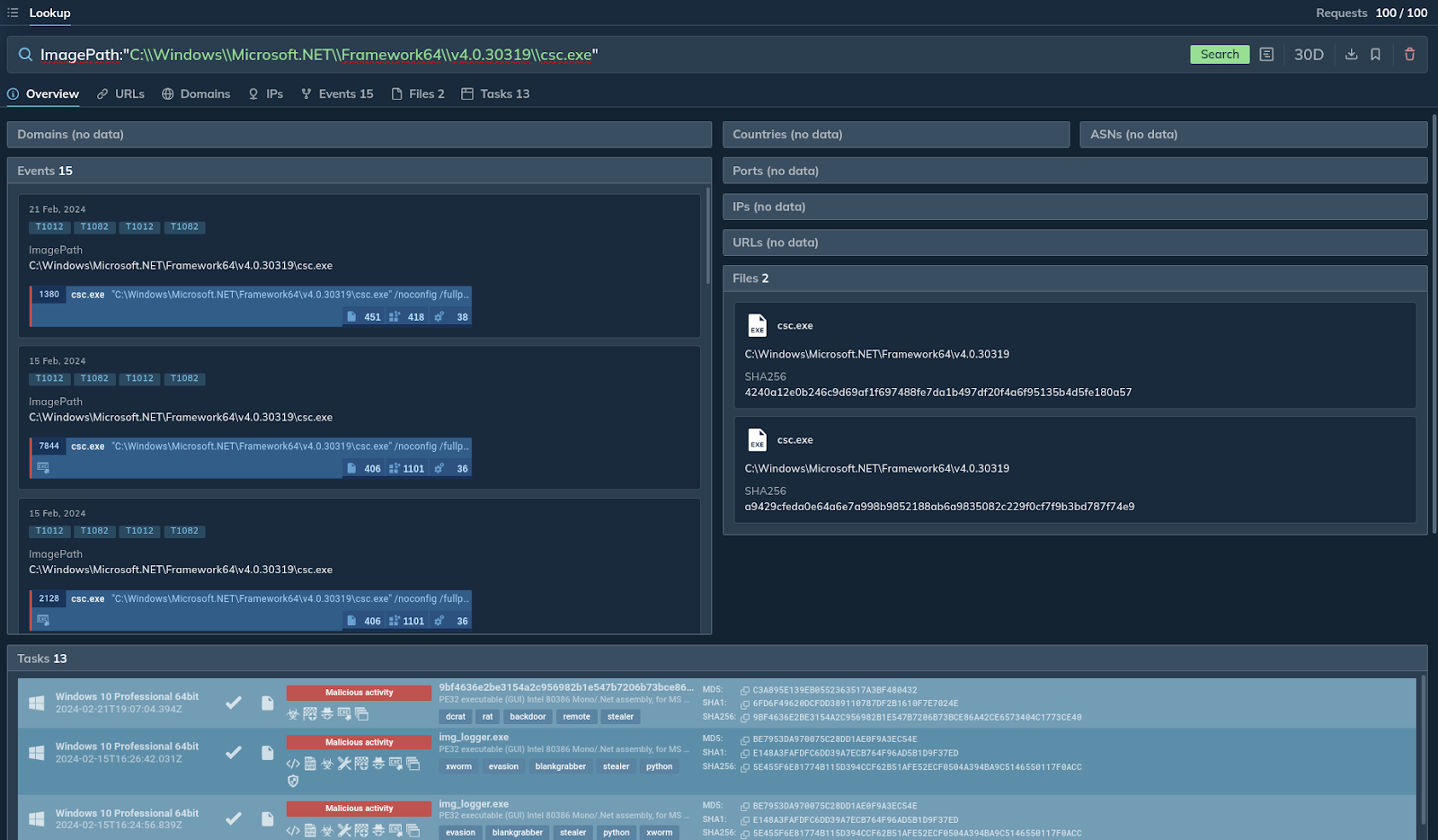
TI Lookup finds several tasks launched over the past 30 days
This query searches for instances where the C# compiler is being executed. The platform returns 13 tasks, as well as events and files related to the query.
5. Leveraging IP Addresses
Finally, you can incorporate IP addresses into your search queries. This allows you to investigate specific endpoints or identify potential geographical trends associated with threats.
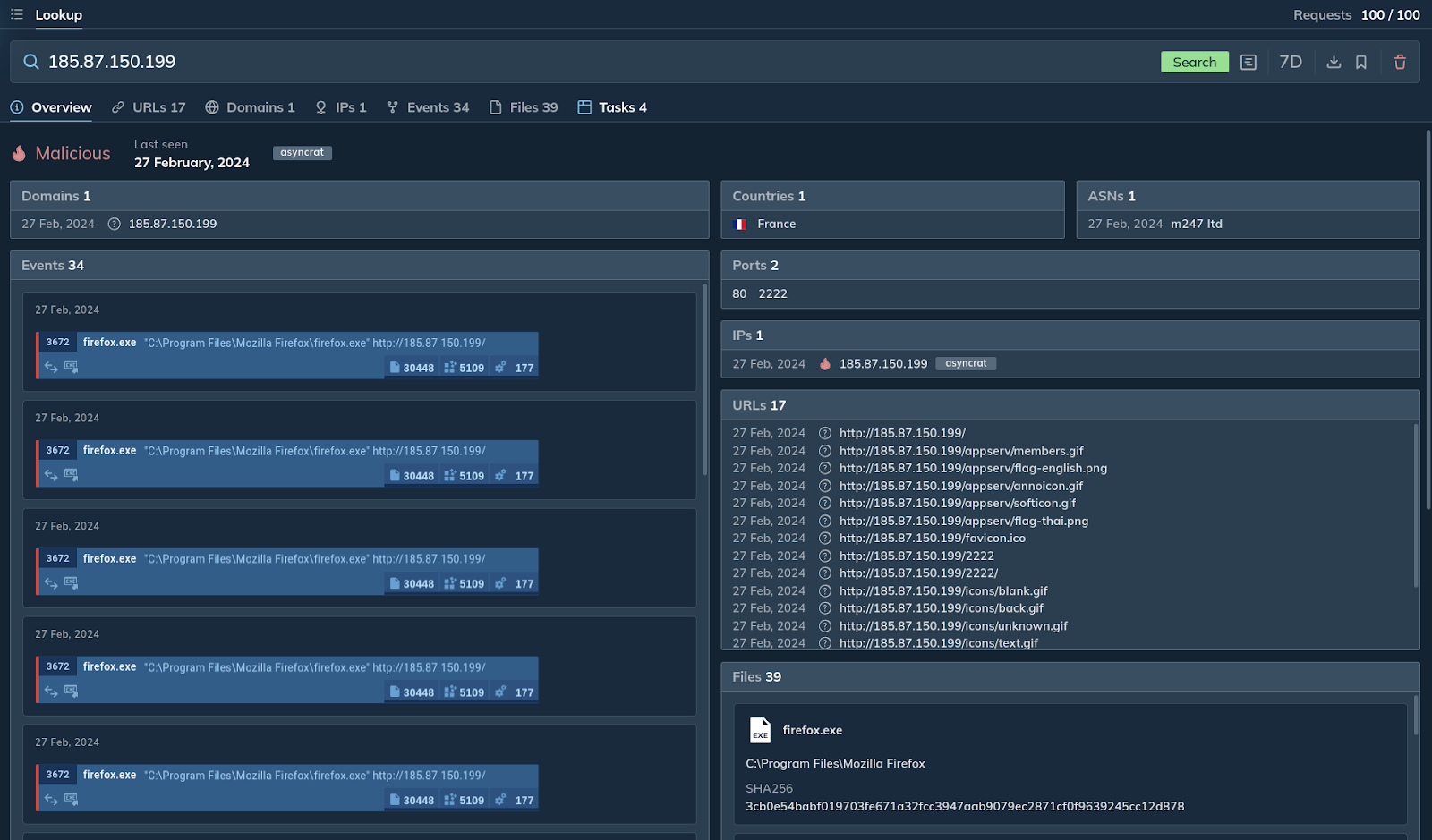
The platform shares results over the past seven days
The query in the screenshot above searches for all incidents involving the IP address in question. The platform quickly identifies it as malicious, links to the Asyncrat malware, and provides relevant URLs, files, events, and tasks.