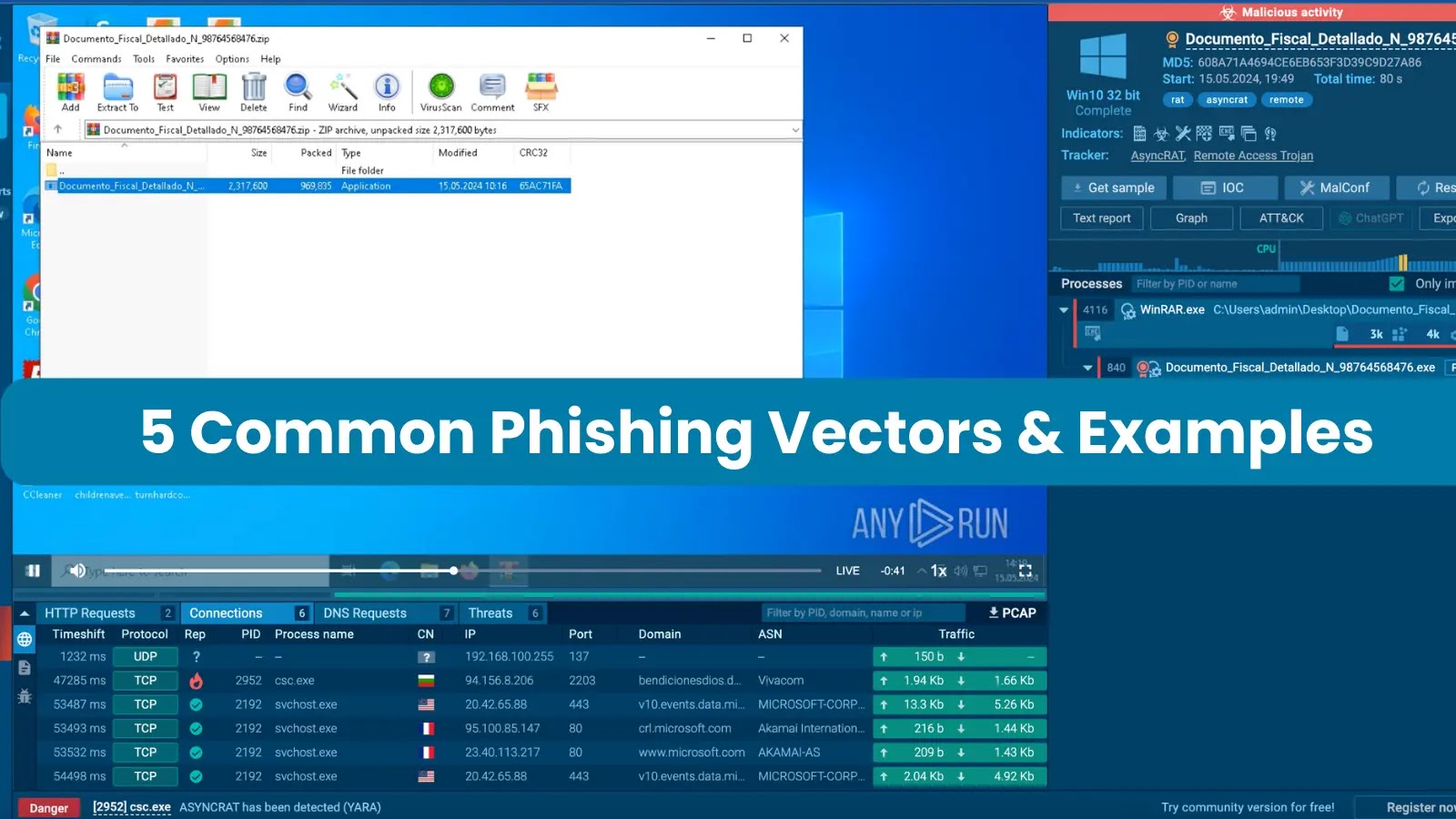

Phishing attacks can be executed through various means, such as SMS and phone calls, but the most prevalent method involves sending victims emails containing malicious attachments.
These may come in various forms, but they most often belong to one of the following categories: executable files, office documents, archives, PDFs, or links.
Let’s take a closer look at these types and examine examples of recent phishing attacks that utilize such malware delivery methods.
1. Executable Files
Using an executable email attachment is the simplest, yet the most obvious way of conducting a phishing attack. A bare malicious .exe file not only raises an alarm in the person who comes across it, but also is likely to trigger a security system.
To make executables a little less suspicious, threat actors may disguise them as legitimate documents, images, or software updates, using innocuous-sounding names like “A financial report” or “invoice”.
Most frequently, these files come with corresponding emails that appear to be from a reputable source, like a bank or a software vendor.

Attackers may employ alternative executable types to trick a potential victim without sufficient computer knowledge into opening them. These include .msi, .dll, and .scr files, which, despite the use of different extensions, operate similarly to .exe ones.
Example:
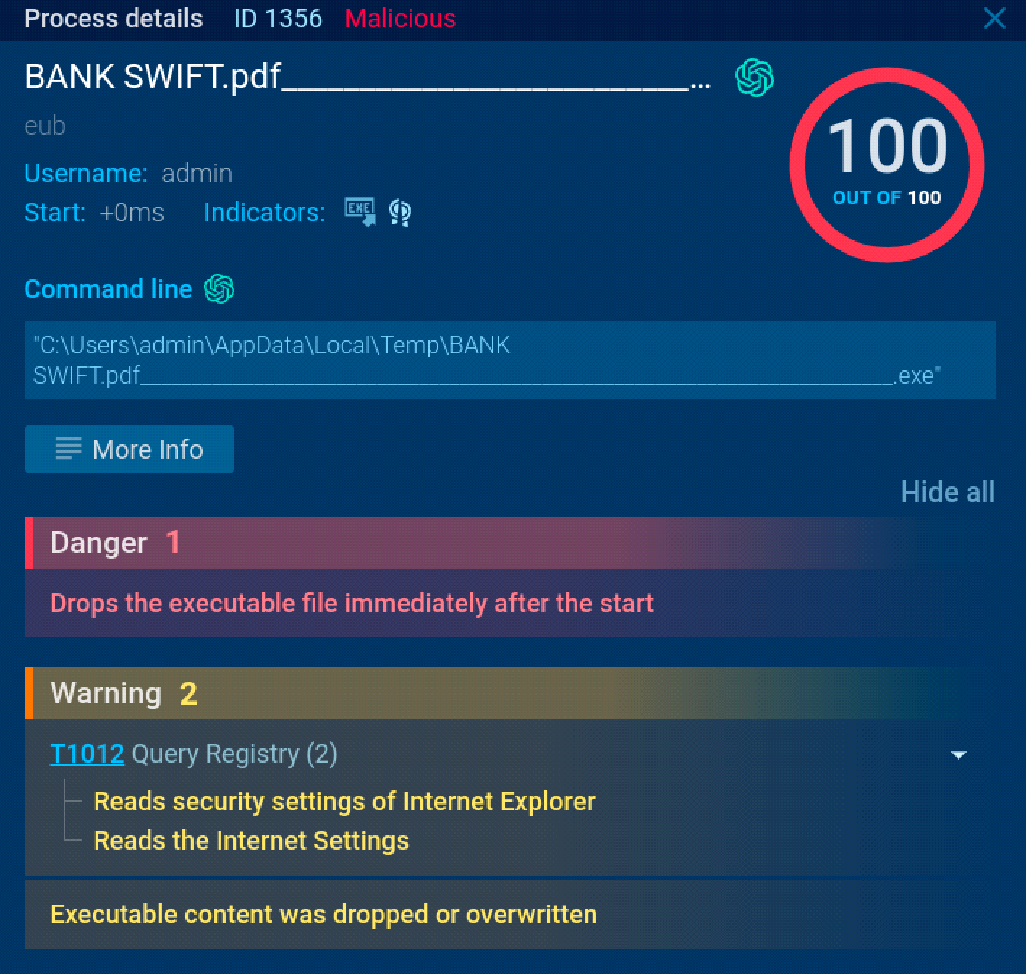
It has a fake name “BANK SWIFT.pdf____”, which may be sufficient to confuse a potential victim and get them to run it.
2. Office Documents
The next common type of phishing attack involves distributing Word, Excel, PowerPoint documents with embedded malicious macros, scripts, or exploits.
Once opened, the malicious content within the document is executed, often leading to the installation of malware or the theft of sensitive information.
Example:
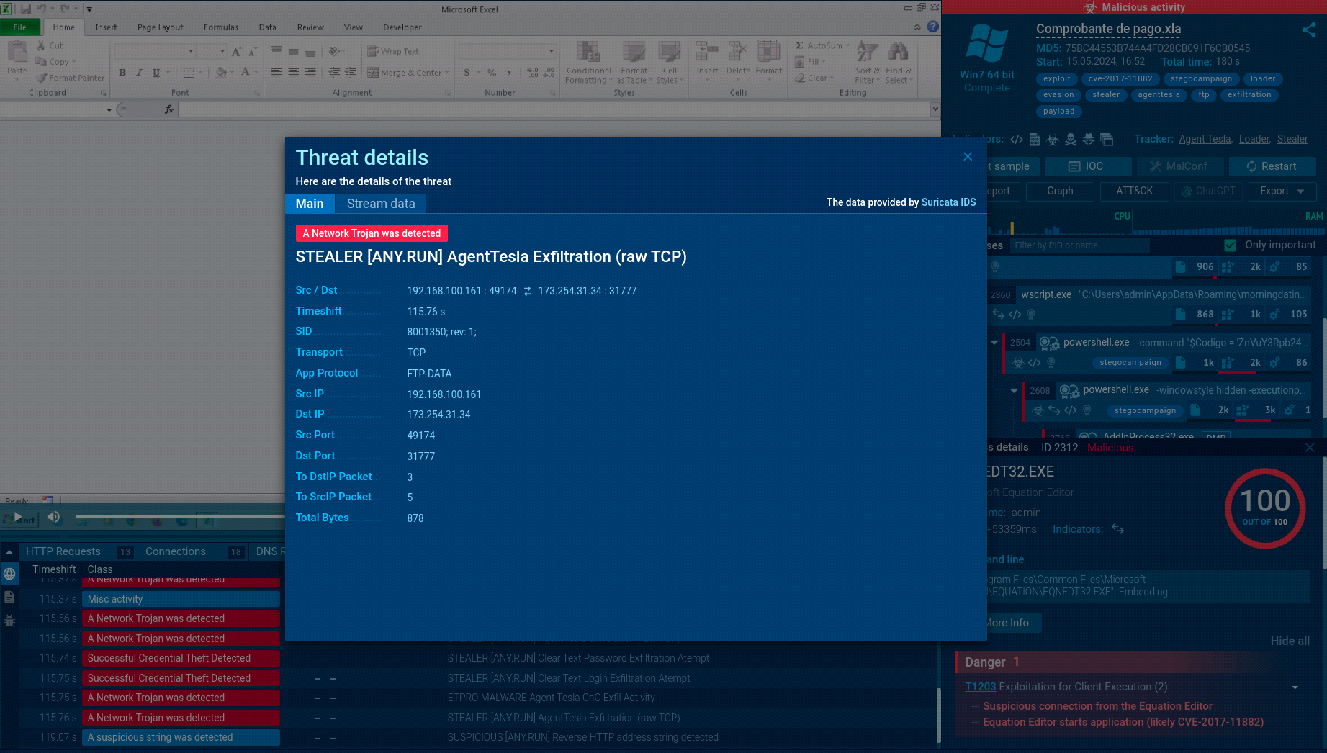
Suricata rule is used to detect malicious AgentTesla activity
By opening the infected Excel file, the victim triggers the execution chain, which eventually leads to the infection with AgentTesla.
3. Archives
Archiving in phishing attacks is mostly used as a basic means of evading detection.
Putting malware inside a .ZIP, .RAR, or any other archive format file allows threat actors to bypass security solutions that may not scan compressed files as thoroughly as uncompressed ones.
Criminals may also use various compression formats, encryption, or password protection to make it more difficult for security researchers and automated tools to analyze the contents of the archive.
By hiding the malicious payload within an archive, the malware has a higher chance of successfully infiltrating the target system.
Example:
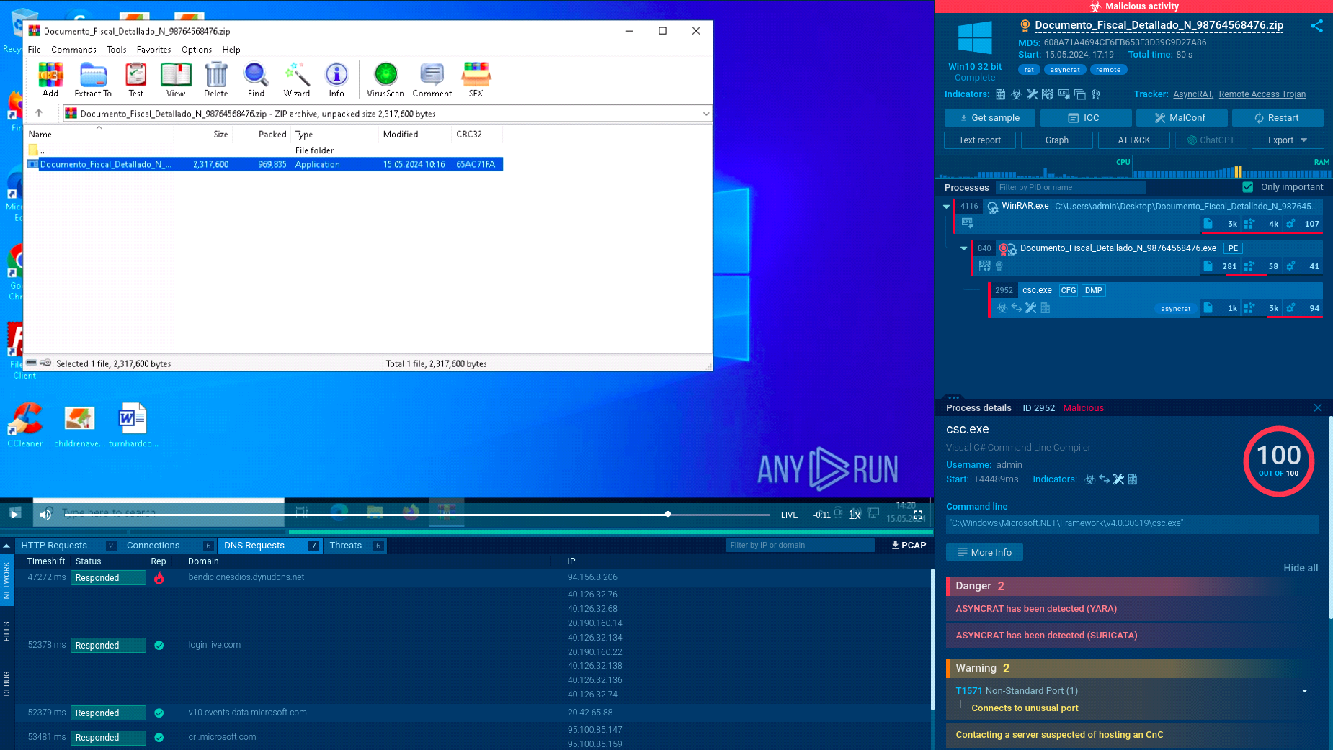
Notice how the archive and the file it contains are named “Documento_Fiscal_Detallado”, which once again shows how attackers use legitimate sounding names to fool victims.
We can see how, the system gets infected with AsyncRAT after launching the archived executable.
4. PDFs
The primary way of utilizing PDFs in phishing is by embedding them with a malicious link. These links are usually crafted to bear a resemblance to legitimate documents.
By clicking on the link inside the PDF, users trigger the next attack stage, which may involve stealing their login credentials, personal information, or eventually concluding with malware being dropped on their system.
Example:
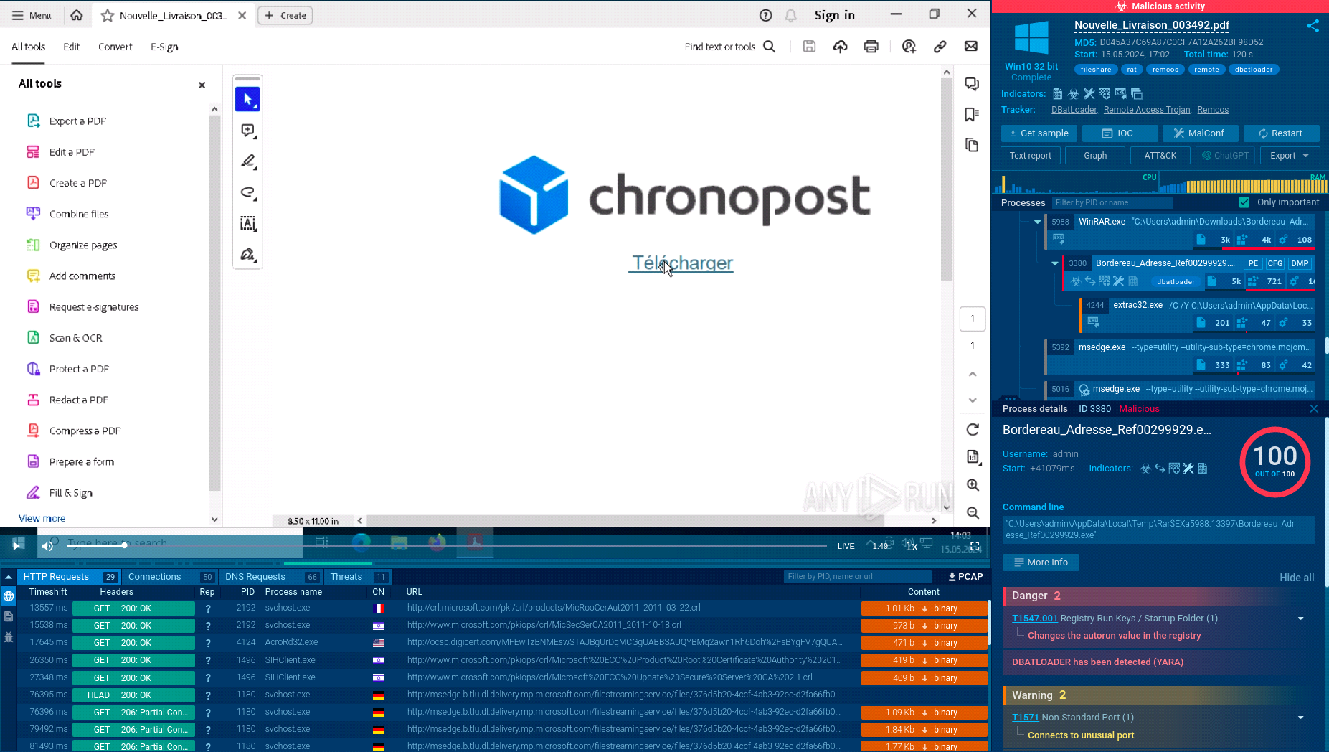
The sandbox allows us to go through each stage of the attack
5. URLs
Finally, an extremely widespread phishing method is based on malicious links sent as part of emails. To make these URLs appear more genuine, cybercriminals often use URL shortening, typosquatting, or homograph attacks to create malicious links.
After clicking on it, the victim gets redirected to a fraudulent website that may steal their login credentials, personal information, or get them to download malware and execute it.
Example:
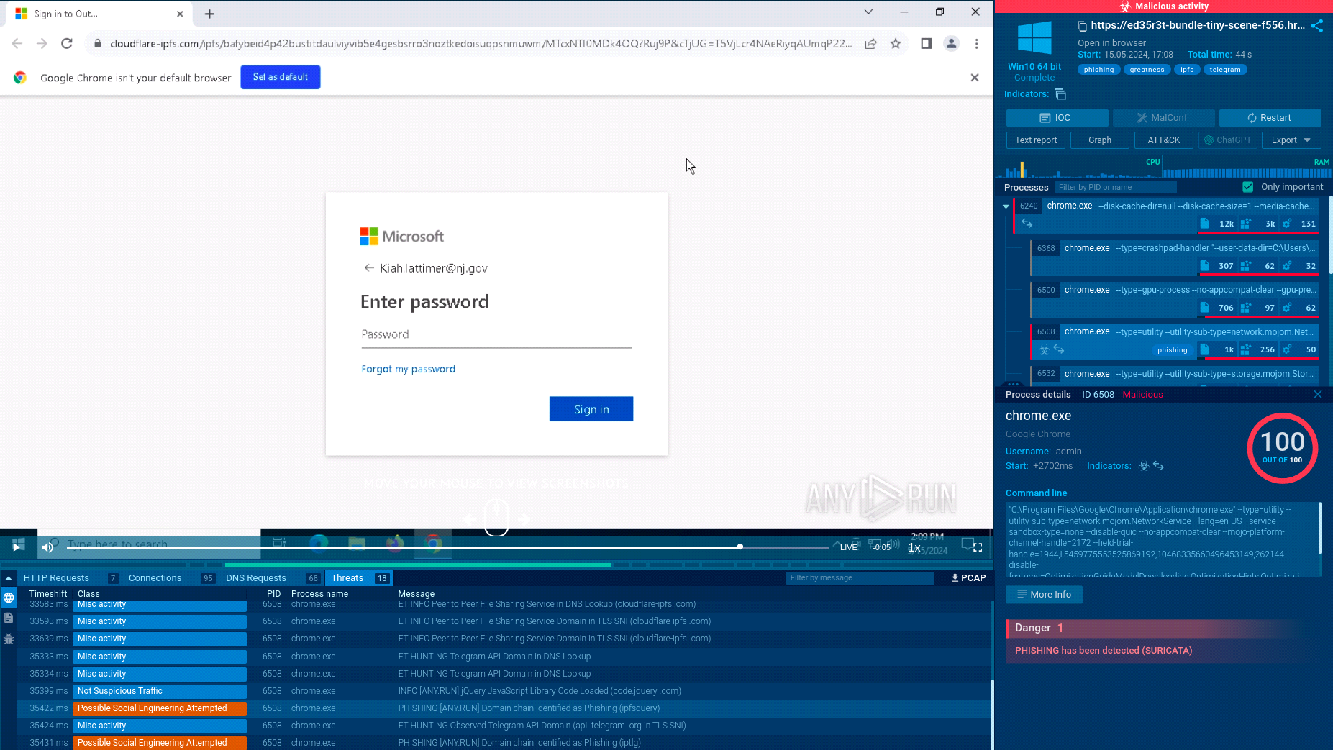
A fake Outlook sign-in page
Analyze Phishing in ANY.RUN
Engage with uploaded files and URLs to trace the attack, perform all necessary investigation activities, and gain a detailed view of network traffic, registry changes, active processes, TTPs, and more.