
Threat intelligence feeds provide real-time updates on indicators of compromise (IOCs), such as malicious IPs and URLs.
Security researchers and organizations share IOCs with feed vendors, who then analyze and validate them before distributing the information to subscribers.
Security systems can then ingest these IOCs to identify and block potential threats, which essentially grants organizations immunity to the attacks identified by the IOCs.
Indicators
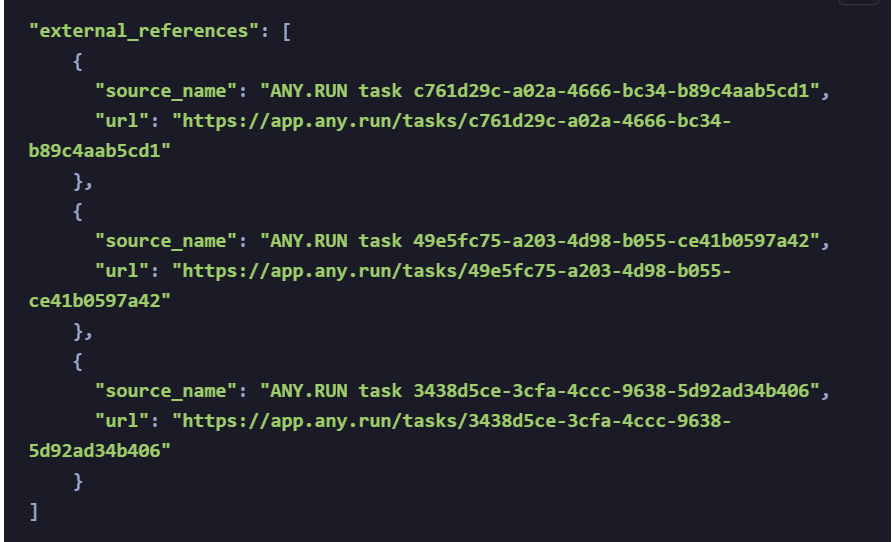
The feeds enrich indicators with links to the corresponding sandbox analysis sessions, enabling security professionals to directly observe threat behavior within a controlled environment.
Open source threat intelligence (TI) feeds offer a vast amount of community-sourced threat data, potentially exceeding commercial offerings, as accuracy might be lower due to the inherent limitations of relying on potentially unreliable contributor reporting.

Typically, non-profit or governmental organizations are in charge of managing these feeds, which centralize data from various sources and distribute it for increased security awareness.
Examples include DHS’s Automated Indicator Sharing, the FBI’s InfraGard Portal, Abuse.ch, SANS’ Internet Storm Center, and the Spamhaus Project.
Uses both commercial and open-source threat intelligence feeds to maximize threat coverage, whereas commercial feeds offer more relevant and timely threat data, while open-source feeds broaden overall coverage.
To avoid alert fatigue from excessive and potentially false positives, implement filtering based on source reputation, indicator age, and contextual details to ensure security teams prioritize and respond effectively to genuine threats.
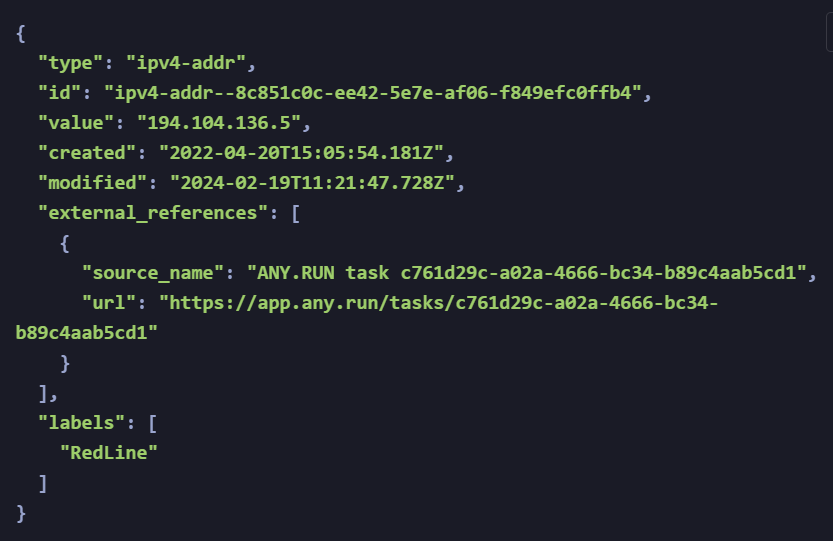
Threat intelligence (TI) feeds deliver data in a standardized format called STIX (Structured Threat Information Expression), which ensures consistent data exchange across different vendors’ security systems.
Obtaining a API key
A STIX object typically includes details like the indicator type (e.g., IP address), its value, timestamps for creation and modification, references to external analysis (e.g., sandbox session), and threat labels.
How to operationalize data from TI feeds
As mentioned, TI feeds are typically ingested into SIEM and TIP systems.
-
SIEM systems: Collect, analyze, and correlate security events from multiple sources; data from TI feeds helps to analyze these events better.
-
TIP systems: Contextualize indicators and build them into threat objects to get a more holistic view of the attack, enabling better prioritization and decision-making.
Configure ingestion frequency based on data accuracy: prioritize real-time updates for high-fidelity commercial feeds, and schedule periodic updates for broader but noisier open-source feeds.
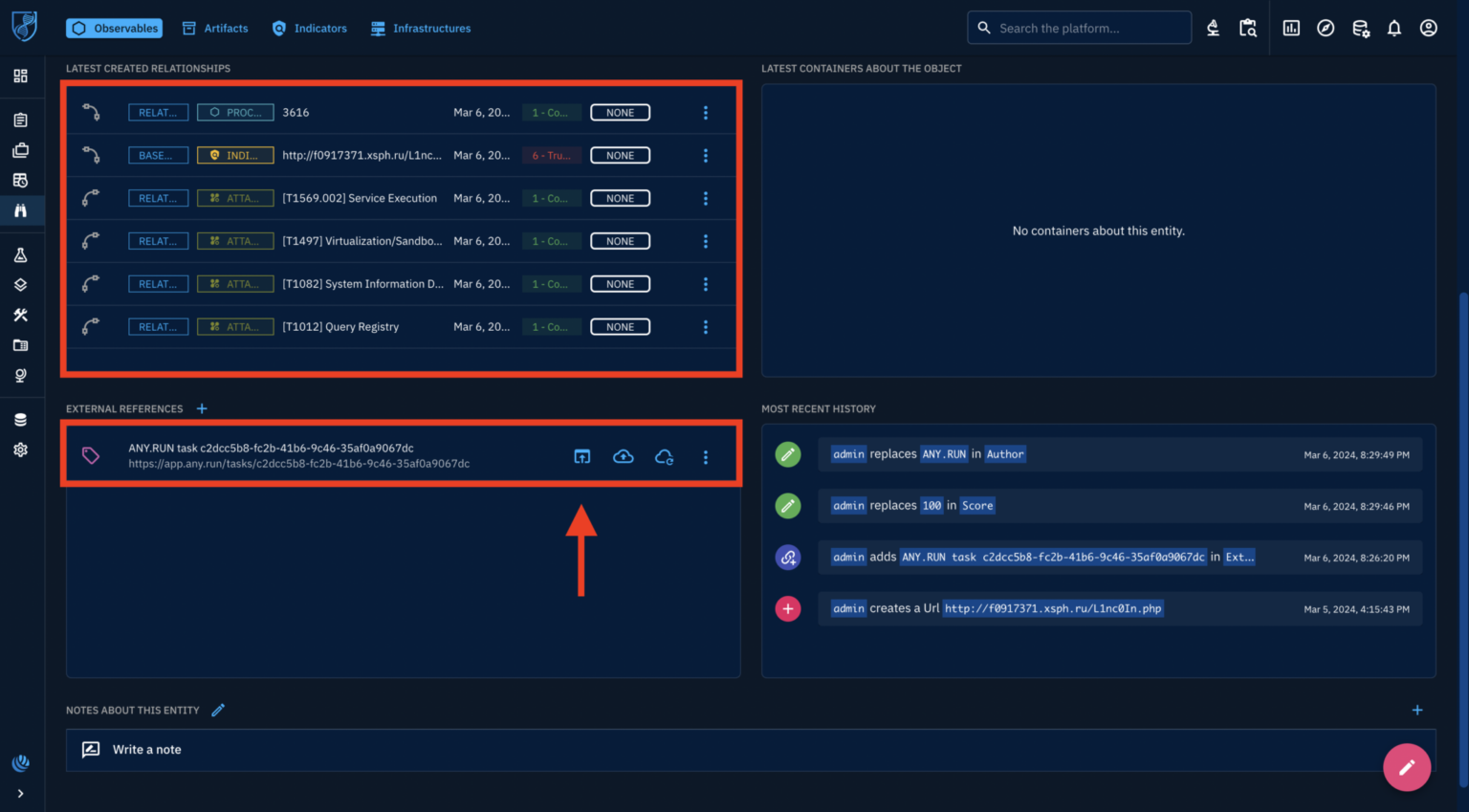
Enrich the data you receive from feeds with additional context on a TIP platform such as OpenCTI.
Within the TIP, enrich indicators with additional context like Tactics, Techniques, and Procedures (TTPs) and malware scores to enhance threat prioritization and response decisions, which optimizes resource allocation by focusing on high-confidence indicators while maintaining broader threat visibility.
After enriching data from Threat Intelligence (TI) feeds, SIEM correlation rules are configured to analyze this data alongside logs from various sources.
The rules prioritize high-confidence indicators and look for combinations of suspicious elements like IP addresses, domains, and file hashes linked to known threats, which enable automatic responses based on threat severity, such as blocking malicious IPs or domains.
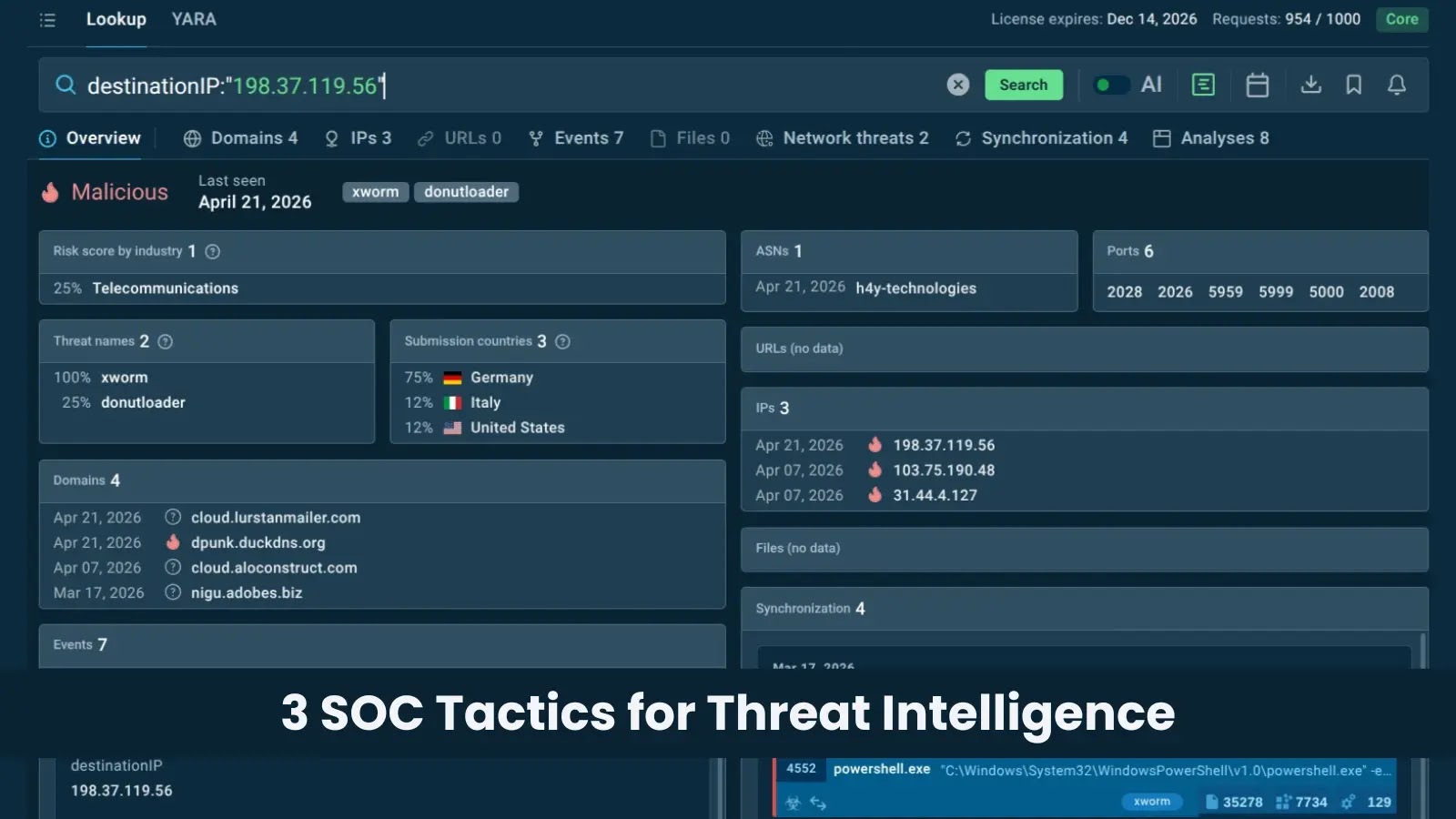
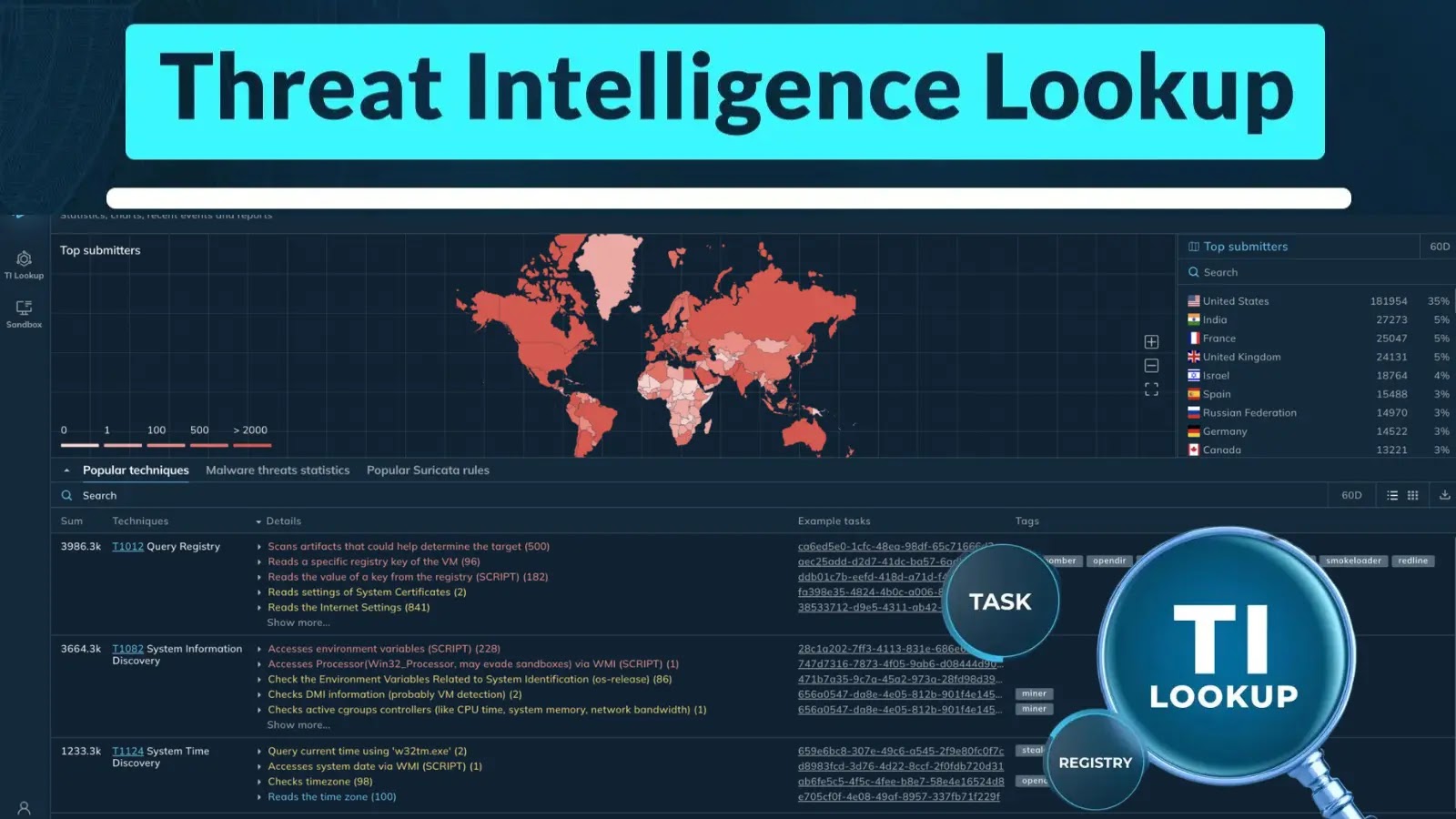
Threat Intelligence Lookup – Search Parameters
Here below, we have mentioned all the search parameters:
-
Single IOC
-
Logged event fields
-
Detection details
-
Combined search
-
Wildcard queries
Besides this, the security teams can analyze malware in a cloud environment, engaging with it directly to uncover samples that bypass automated detection.
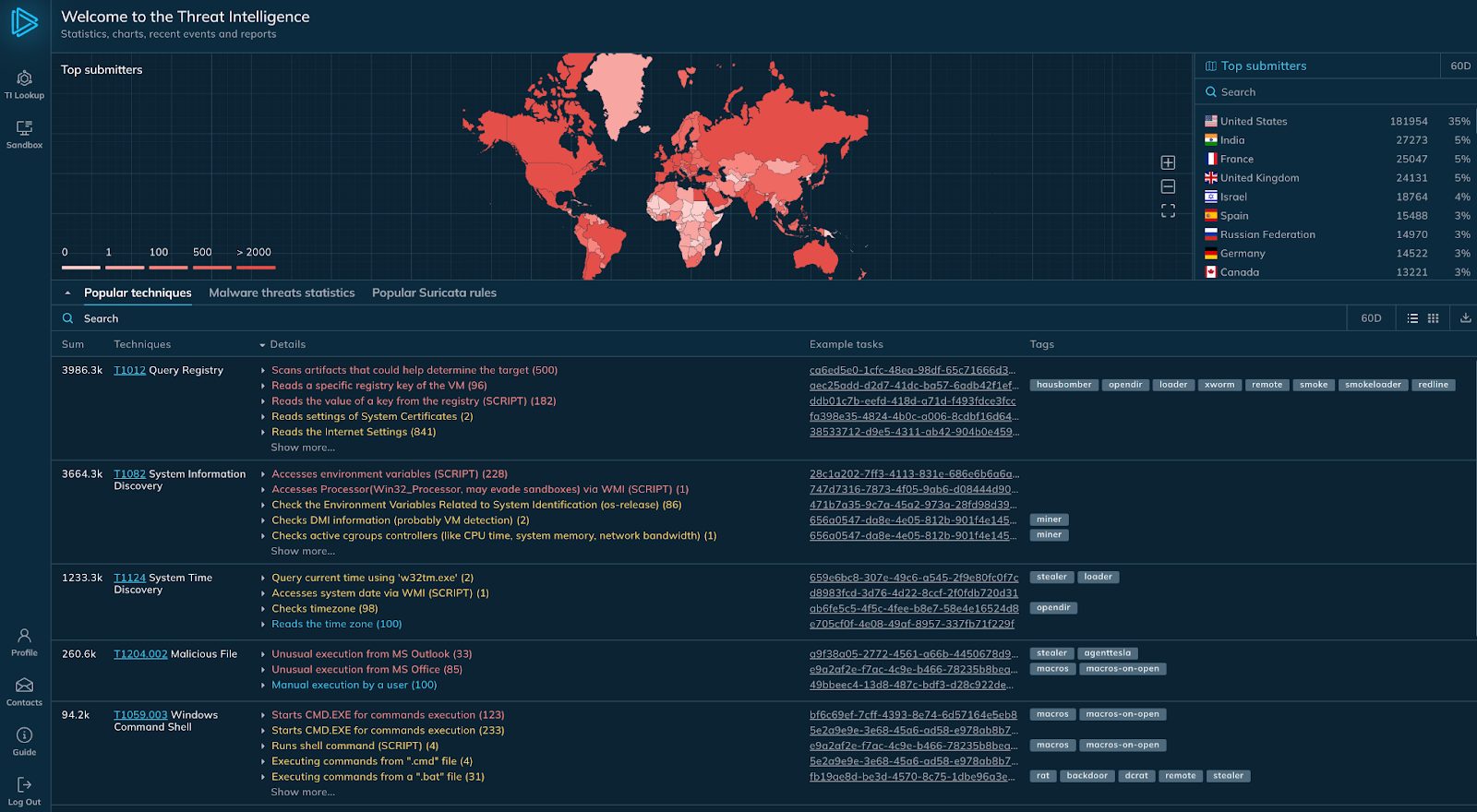
Access to the latest IOCs from millions of sandbox tasks
Sandbox lets analysts inspect the malware for 20 minutes, which can handle up to 100MB files, and configure custom VPN, MITM Proxy, and FakeNet for Windows/Linux.
The real-time data it provides to IOCs makes it a top tool for malware analysts contributing to the Threat Intelligence Database.
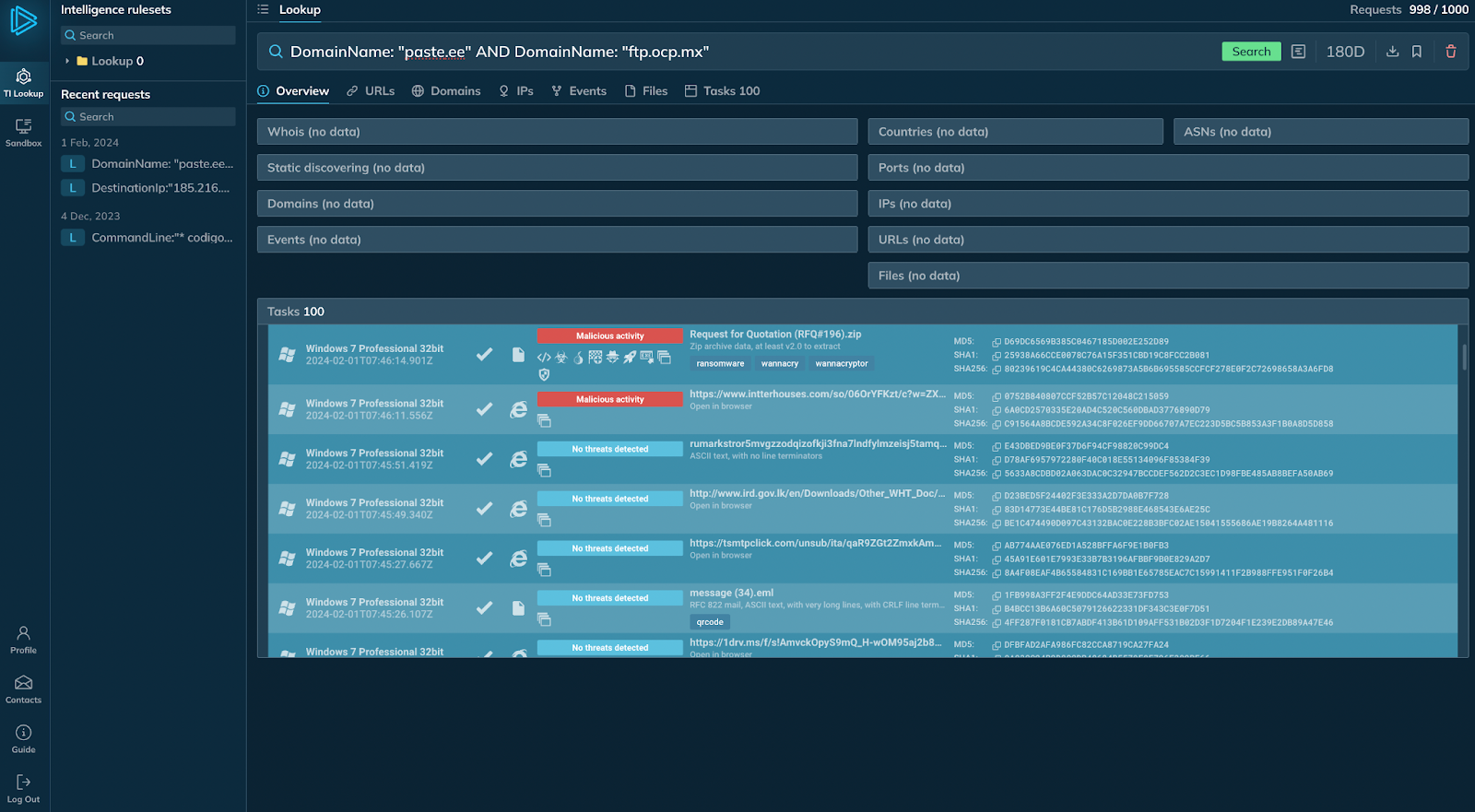
Direct access to sandbox tasks