A fake Telegram download website is actively pushing dangerous malware onto unsuspecting users by disguising a malicious installer as a legitimate setup file.
The site, hosted at the domain telegrgam[.]com — just one letter off from the real Telegram address — presents itself as an official portal and prompts visitors to download a Windows installer named tsetup-x64.6.exe.
The file looks like a standard Telegram setup, making it particularly effective against users not paying close attention to the URL in their browser.
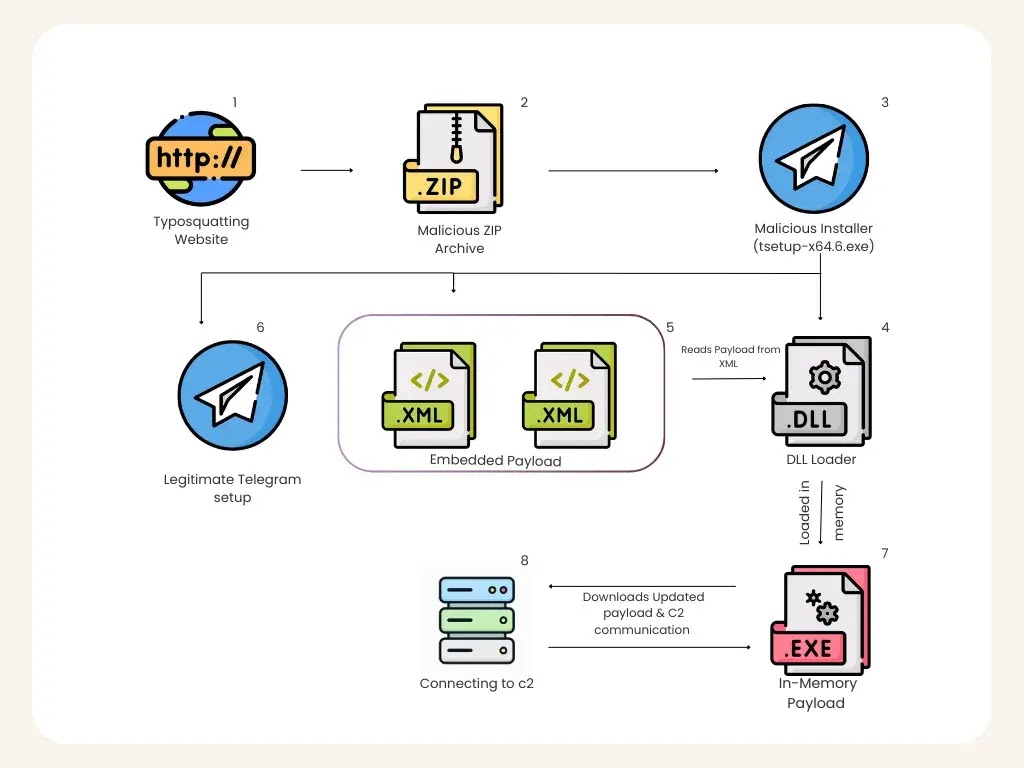
What sets this threat apart is the technical layering built into the malware itself. Rather than deploying a single malicious executable, the threat uses a multi-stage loader that quietly works through several steps — modifying Windows Defender settings, dropping staged payload components, and loading the final code directly into system memory rather than saving it to disk.
A payload that never touches the file system is extremely difficult for traditional security tools to detect, since most antivirus engines rely on scanning stored files to identify threats.
K7 Security Labs researchers identified this campaign during routine web monitoring, uncovering the typosquatted domain while tracking fake application distribution activity.
Their analysis revealed that the malicious installer carries out a chain of carefully sequenced actions, with each step designed to lower the system’s defenses before the next stage runs, all while keeping the user distracted by a convincing fake Telegram installation.
Once the payload successfully loads into memory, the malware opens a connection to a command-and-control (C2) server at 27[.]50[.]59[.]77:18852, linked to the domain jiijua[.]com.
Through this link, attackers can push new commands, deliver updated payloads, and monitor the infected system indefinitely.
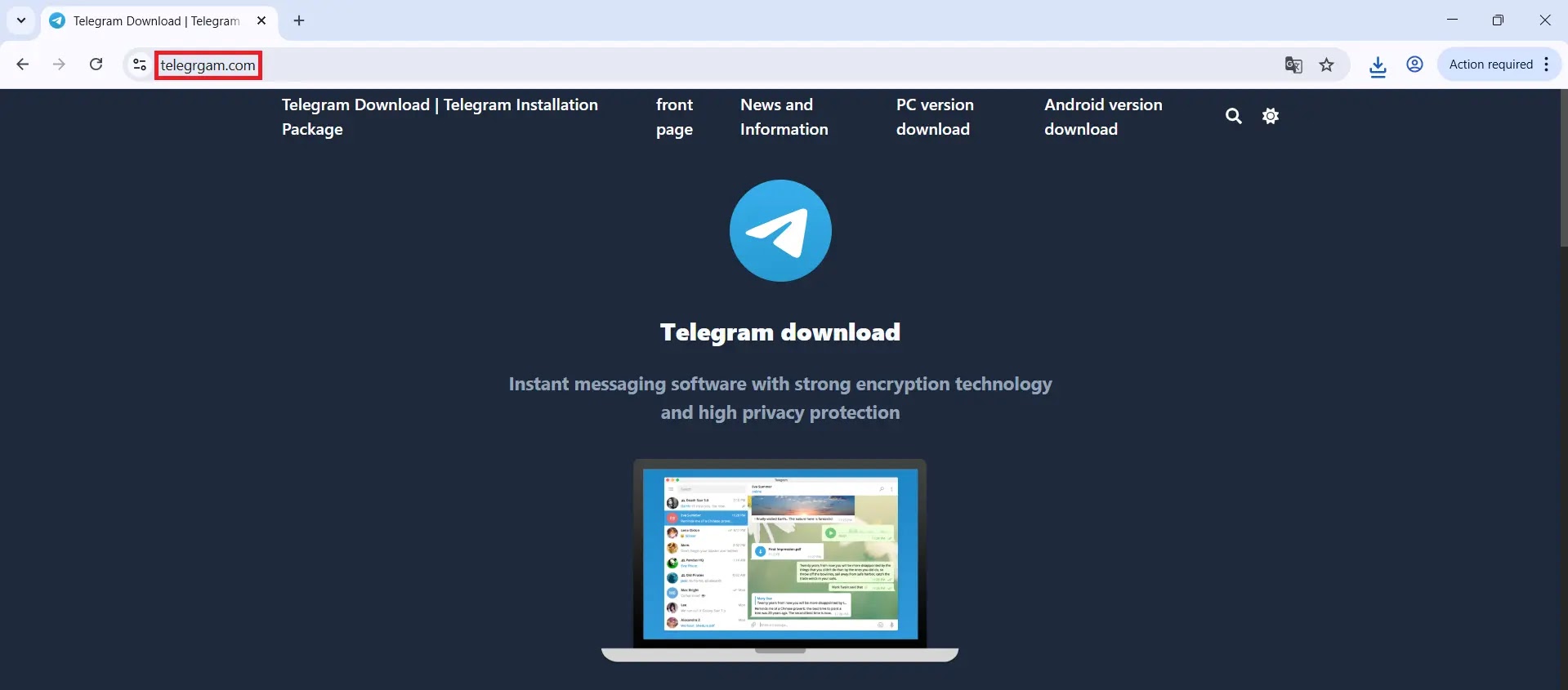
The researchers also found additional typosquatted domains tied to this campaign — including www.telefgram[.]com and www.tejlegram[.]com — indicating that the attackers built multiple fake doorways to catch users from different search paths.
This campaign is a sharp reminder of how a single mistyped URL can lead to a full system compromise. Everyday users searching for a popular messaging app become victims not through technical exploitation of software flaws, but through simple visual deception paired with sophisticated malware execution.
Inside the In-Memory Loader Mechanism
The infection begins when the fake installer runs and immediately launches cmd.exe to scan for a process named 0tray.exe, checking whether the system has been previously infected.
.webp)
It then fires an obfuscated PowerShell command that, once decoded, instructs Windows Defender to exclude all drive partitions from scanning — effectively disabling real-time protection across the entire system.

With defenses lowered, the installer drops several files into the C:\Users\<User>\AppData\Roaming\Embarcadero\ directory, a path chosen to mimic a legitimate software folder and avoid raising flags during manual inspection.
A registry entry is also written under HKCU\Microsoft User\Source as an infection marker to avoid reinstalling on already-compromised machines.
The installer also silently deploys a real Telegram executable to complete the appearance of a genuine installation.
The core of the attack lies in how the DLL executes. AutoRecoverDat.dll is launched through rundll32.exe — a trusted Windows utility — using the DllRegisterServer function as its entry point.
Inside, the DLL reads encoded binary data from a file named GPUCache.xml, reconstructs a full portable executable (PE) in memory, and runs it without ever writing it to disk — a technique known as reflective loading.
The reconstructed payload runs quietly inside rundll32.exe, blending into normal Windows process activity.
It then connects back to its C2 server, which can push fresh payload updates at any time, making the threat adaptive and long-lived.
Users should only download software from official, verified sources and always confirm the exact URL before downloading any file.
Keeping endpoint security tools up to date and monitoring network traffic for unusual outbound connections are also practical steps that can help detect this type of threat before it causes damage.
IoCs:-
| Type | Value | Detection |
|---|---|---|
| MD5 (tsetup-x64.6.exe) | A9A5CC6B6766FEC51B281B94F5F17CCD | Trojan(005cea261) |
| MD5 (Loaded Payload) | 62F8EFFC7690455ABCB300E3574F0A93 | Trojan(005d198a1) |
| C2 IP | 27[.]50[.]59[.]77:18852 | — |
| C2 Domain | jiijua[.]com | — |
| Fake Domain 1 | www.telegrgam[.]com | — |
| Fake Domain 2 | www.telefgram[.]com | — |
| Fake Domain 3 | www.tejlegram[.]com | — |