It allows for quick identification of parent-child process relationships, tracing potential malicious activity back to its source, and overall comprehension of the sample’s functionality at a glance.
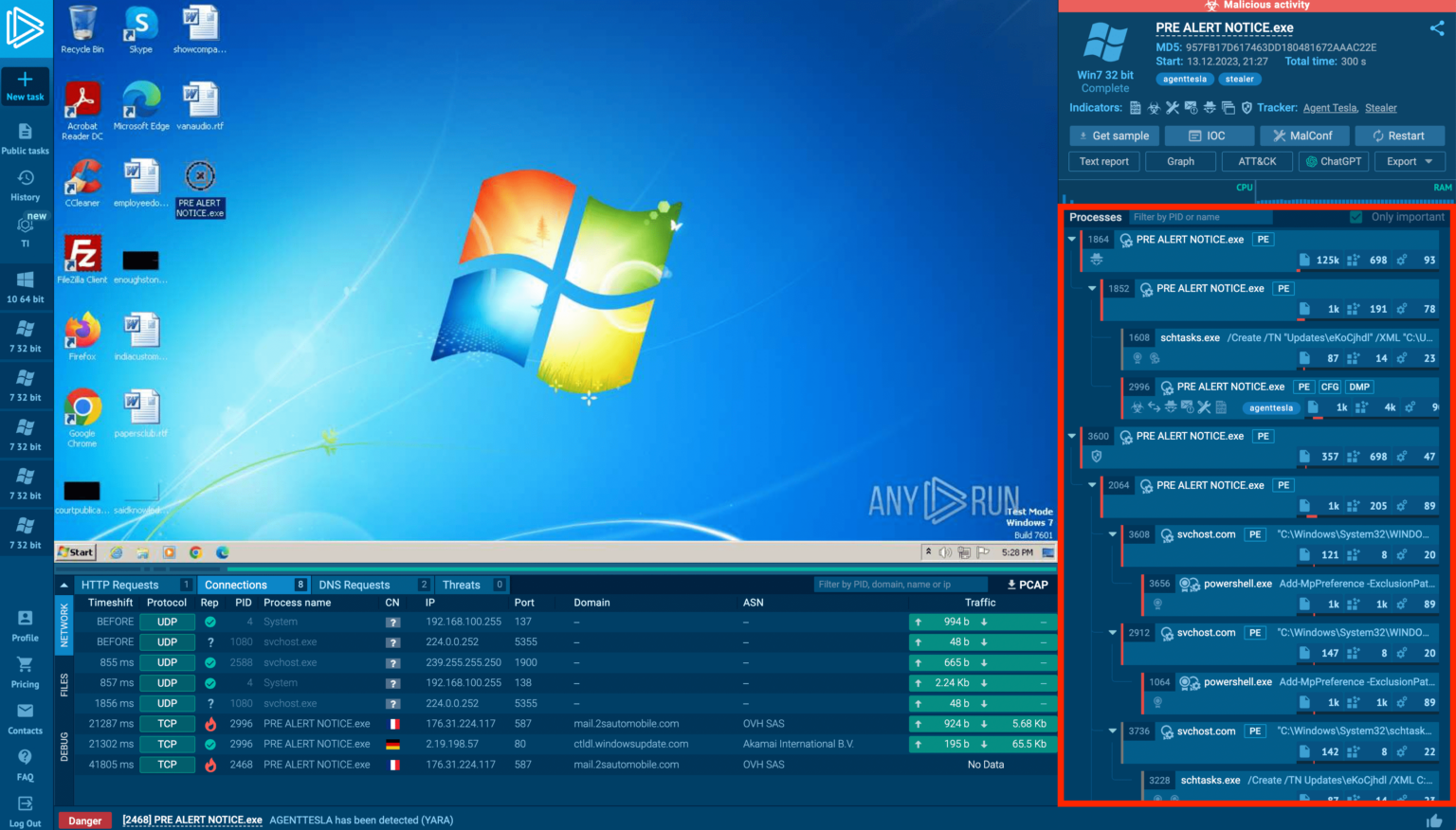
Tags identify malware families and threats; a score is calculated based on process events. Highlighting lets you hover over PIDs in other tabs to see the corresponding process in the tree, while triangle icons allow you to collapse groups.
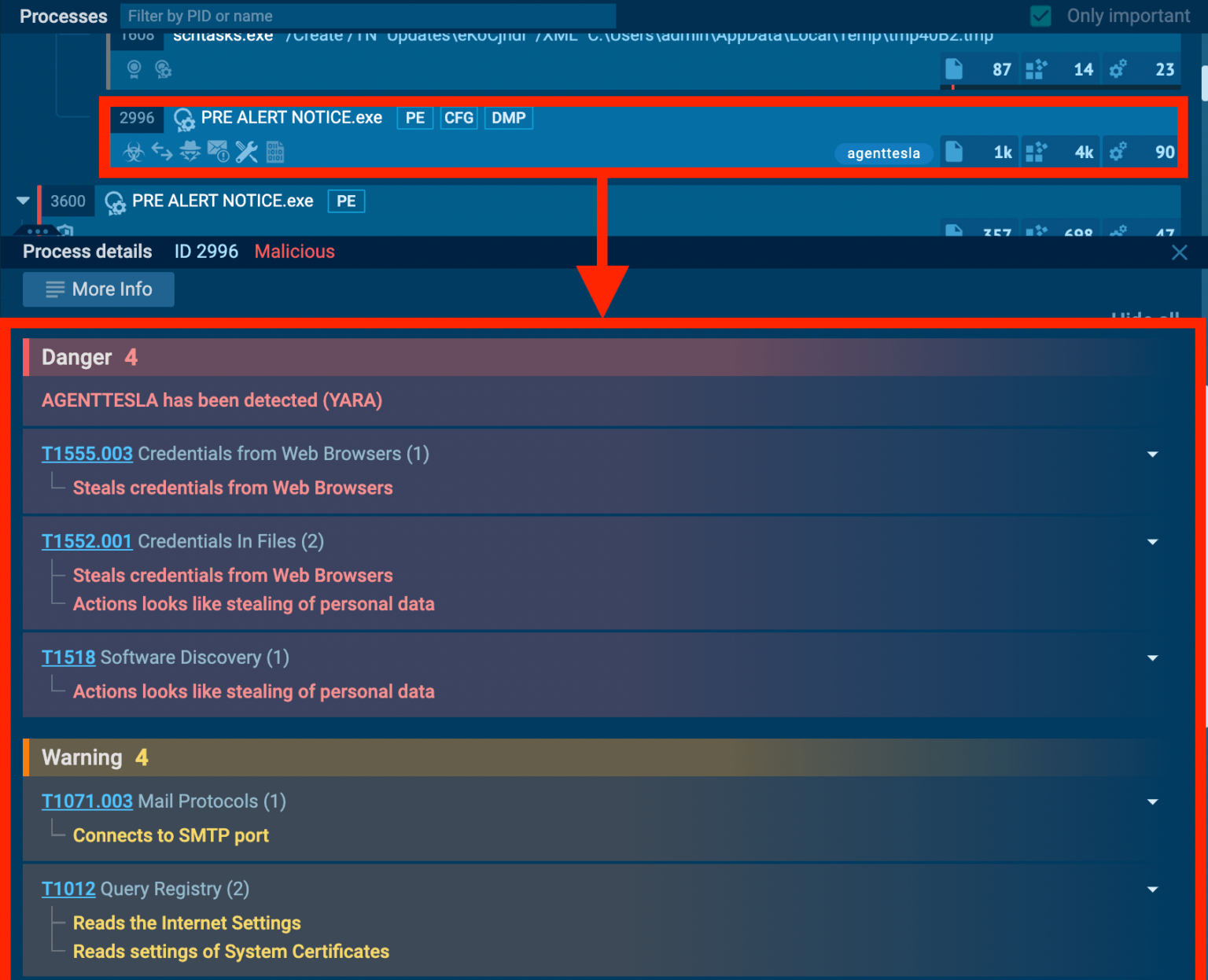
Descriptive actions in the process tree

Even if signature-based detection fails, the analyst can identify malicious intent based on the spawned processes, allowing for swift reporting and the removal of the threat.
Document
Integrate ANY.RUN in Your Company for Effective Malware Analysis
Are you from SOC, Threat Research, or DFIR departments? If so, you can join an online community of 400,000 independent security researchers:
-
Real-time Detection
-
Interactive Malware Analysis
-
Easy to Learn by New Security Team members
-
Get detailed reports with maximum data
-
Set Up Virtual Machine in Linux & all Windows OS Versions
-
Interact with Malware Safely
If you want to test all these features now with completely free access to the sandbox:
Learning from the Process Tree
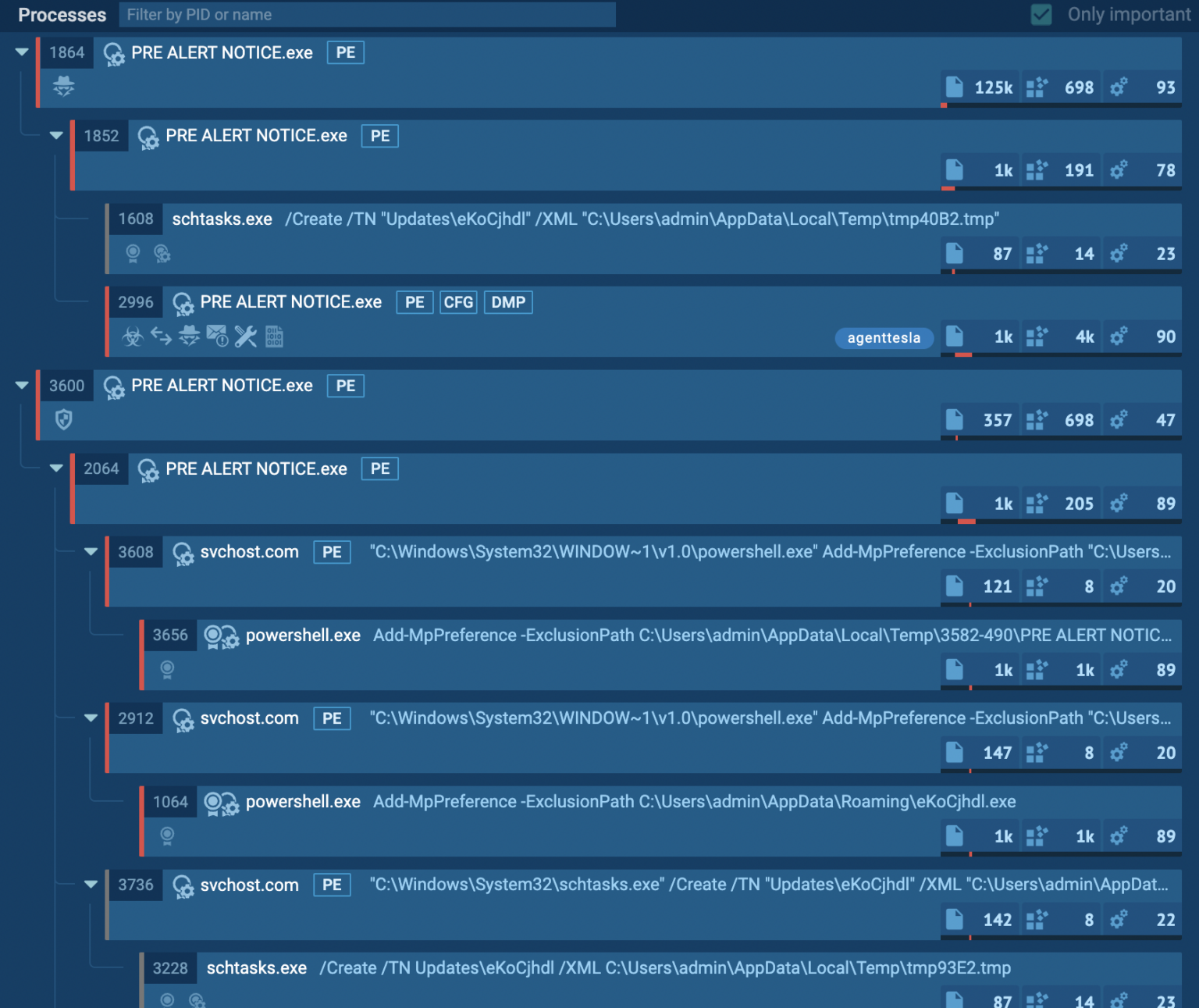
The Process Tree shows what a sample does in the system
First, a process (PID 2996) with the tag “agenttesla” is found, which strongly points to malicious activity centered on two instances of “PRE ALERT NOTICE.exe” (PIDs 1864 and 3600), which seem to be operating independently within the system.
Analysis of process ID 1864 reveals a potentially malicious program named “PRE ALERT NOTICE.exe,” which replicates itself and spawns additional processes. One child process uses “shtasks.exe” to create a scheduled task named “Updates\eKoCjhdl”.
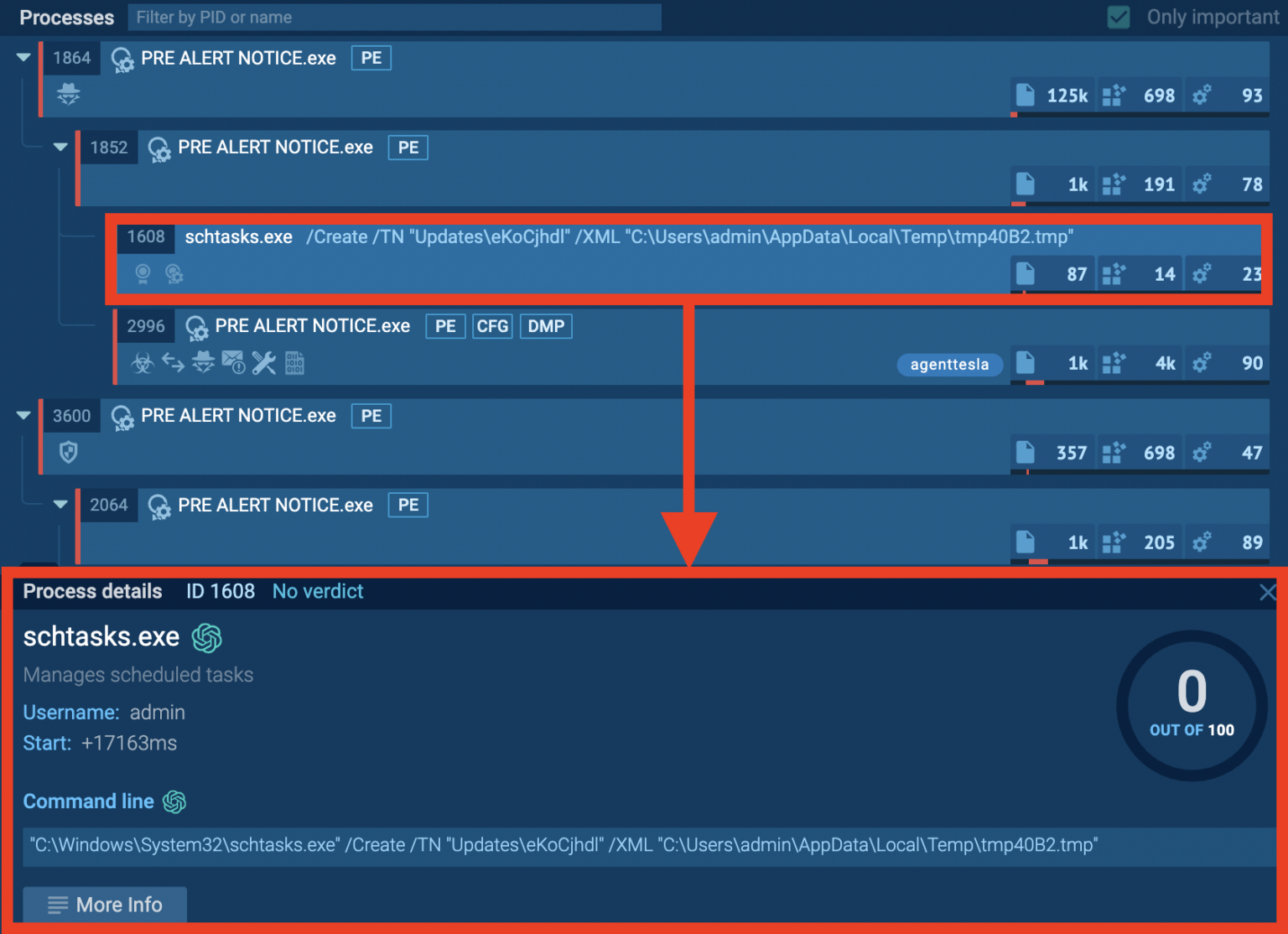
Useful information, like Start time of the process
The task likely attempts to establish persistence on the system or upload malicious data and the randomly generated task name and the use of the temporary directory (AppData\Local\Temp) for the task definition file (tmp40B2.tmp) are strong indicators of malicious intent.
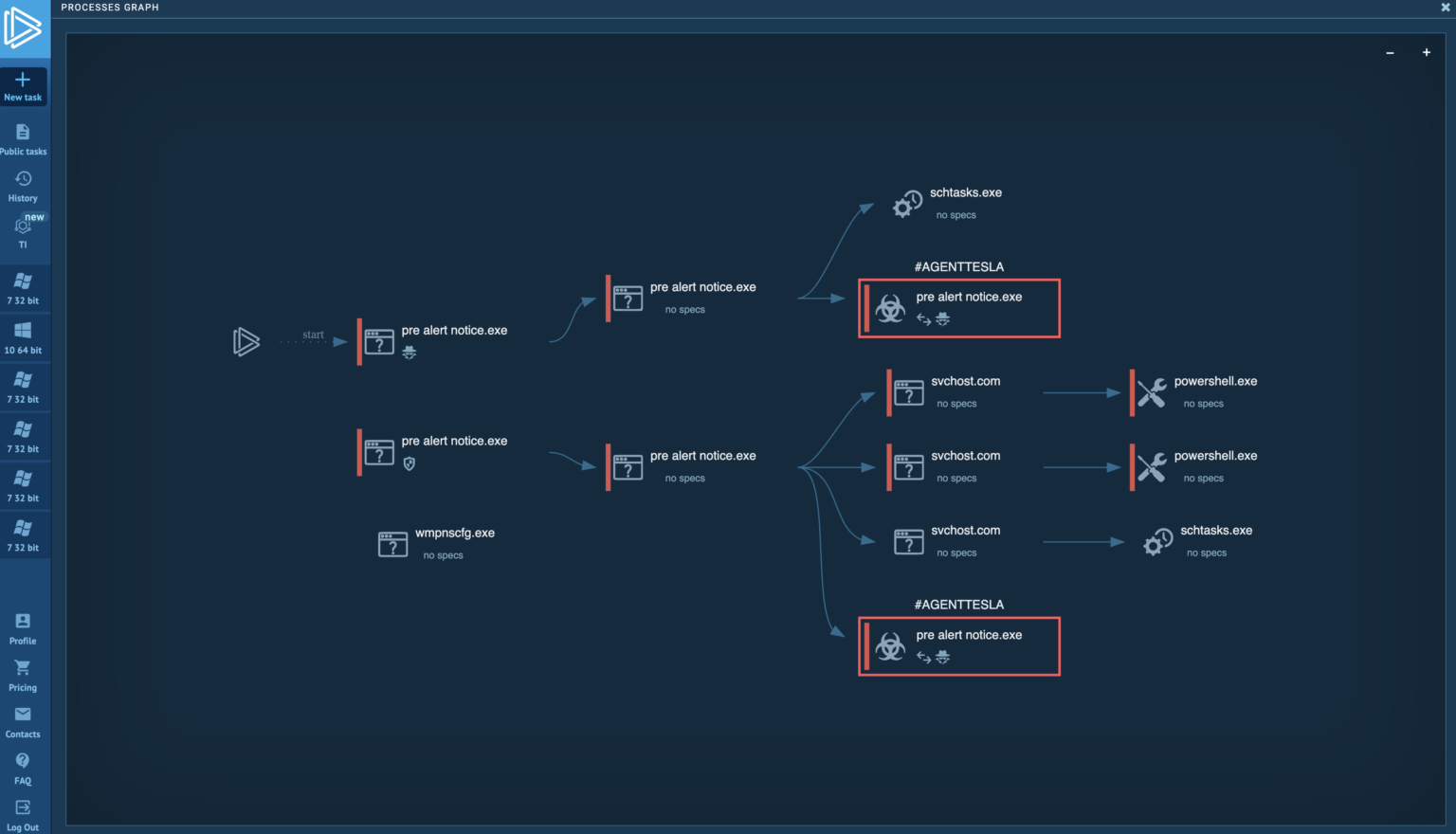
Process Graph
The malicious process (PID 3600) creates deceptive svchost.com processes to hide itself by spawning powershell.exe instances, which could be used to download more malware.
PID 3600 replicates itself by creating another instance of the primary malware executable. For analysis purposes, the Process Graph view is helpful for visualizing the relationships between processes and identifying the malicious ones, even when dealing with a large number of processes.
What is ANY.RUN?
Advantages of ANY.RUN
-
Best for onboarding new security team members : ANY. RUN’s easy-to-use interface allows even new SOC researchers to quickly learn to examine malware and identify signs of compromise (IOCs).