What is User Account Control?
User Account Control (UAC) works by prompting the user for permission before performing certain tasks that require administrative-level access. This way, even if a user is logged in with an administrator account, they are notified about the potential risks of the task they are about to perform. The prompt typically includes a message describing the action that will be taken, the name of the program or user requesting access, and options to allow or cancel the action.
How Malware Dodges UAC
COM Interface Exploitation
The Component Object Model (COM) is a binary interface standard for software components and a fundamental part of Windows operating systems, as many of their features are built on it. COM provides a consistent way for applications to communicate with each other and with the OS.

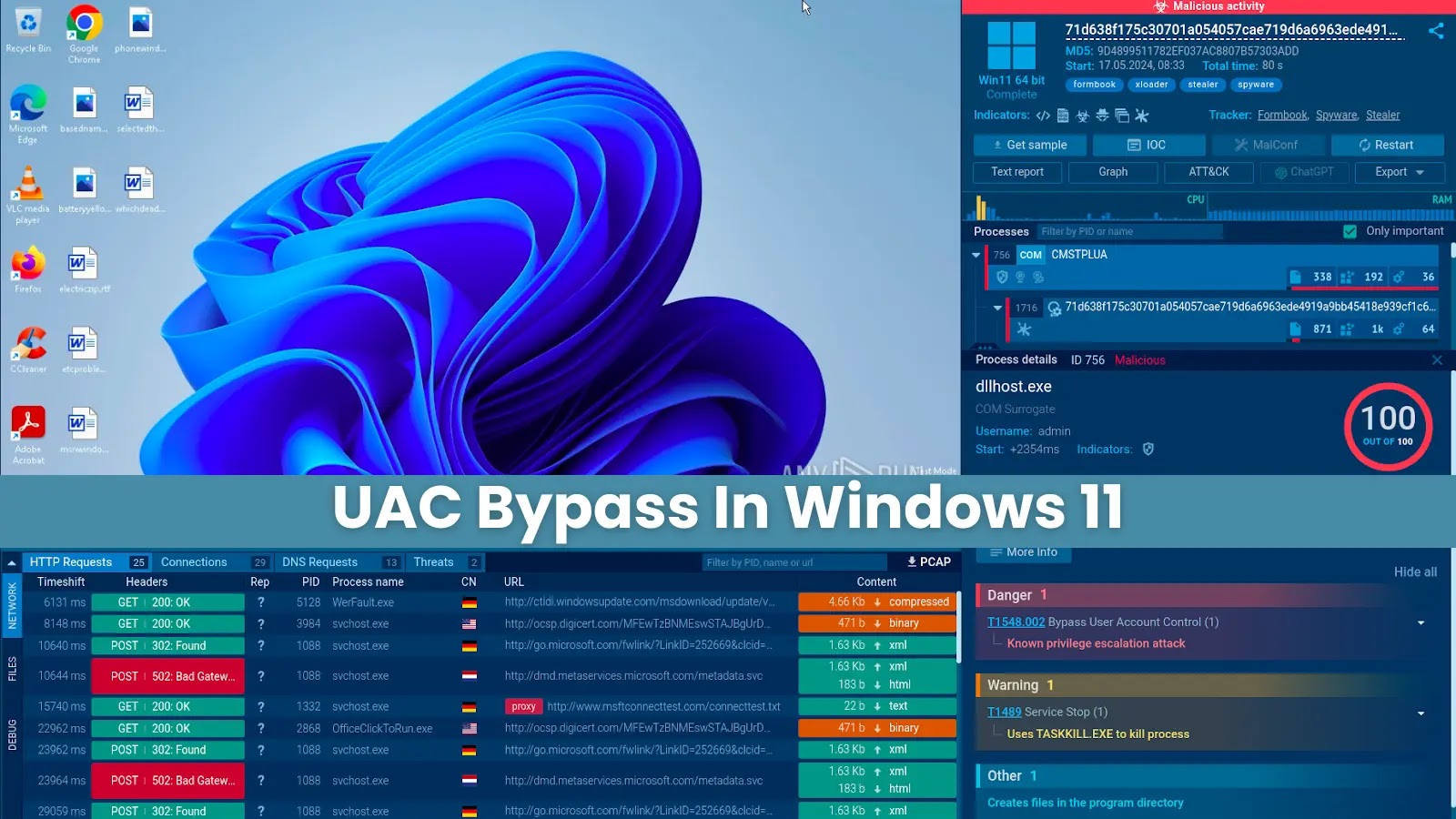
Cmstplua.with enabled elevation
Malware can exploit COM by taking advantage of certain objects that have the “Elevation – Enable – 1” entry in the Windows registry. This entry allows the object to run with administrator privileges, bypassing the UAC prompt. This can be a serious security vulnerability, as it allows malicious software to perform actions that would normally require the user’s explicit permission.
Some of the vulnerable COM objects include:
-
cmstplua.dll
-
colorui.dll
-
wscui.cpl
Example:
To do this, we simply need to submit the following query, which includes the process’s ID related to cmstplua.dll.
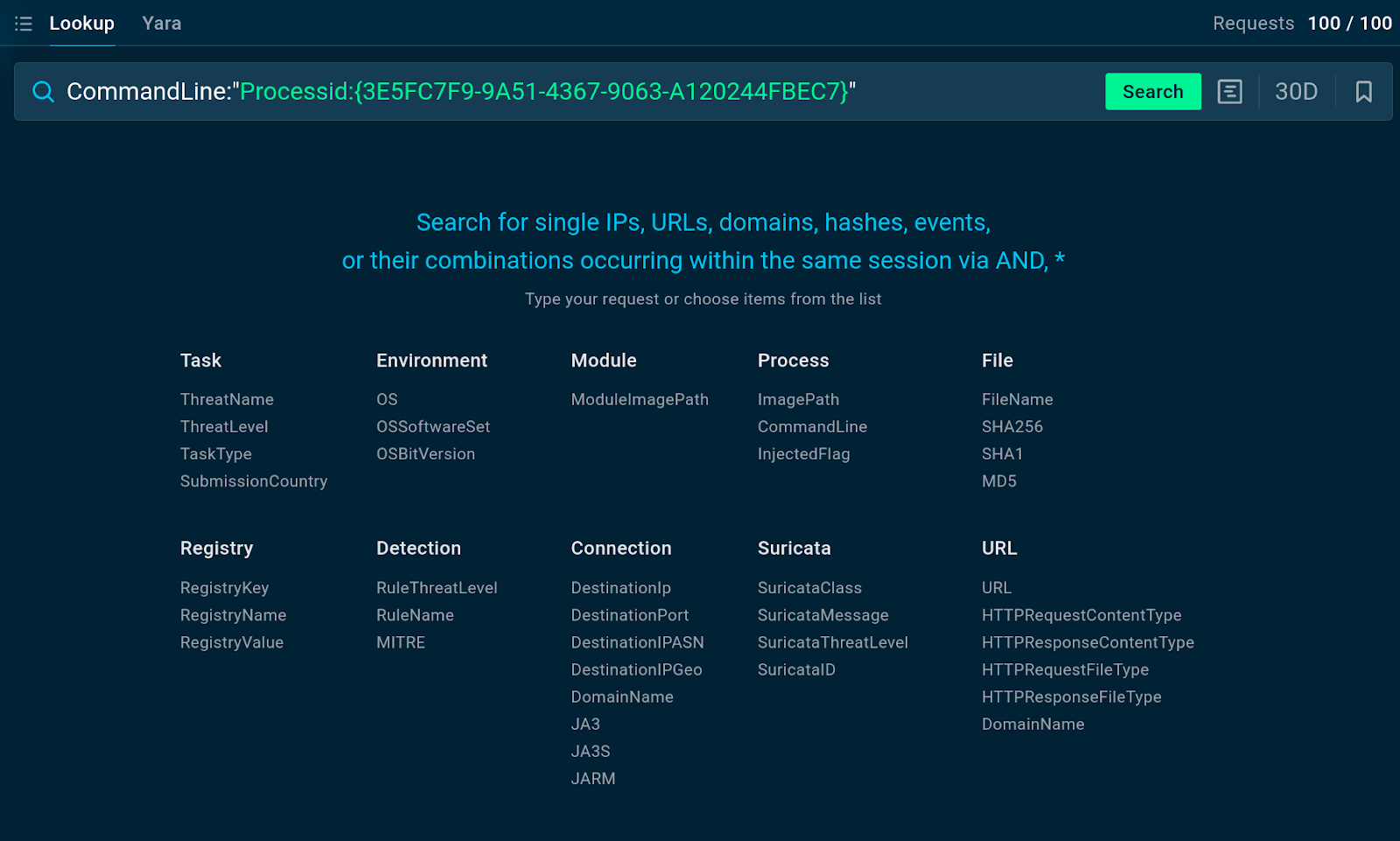
The query submitted to TI Lookup
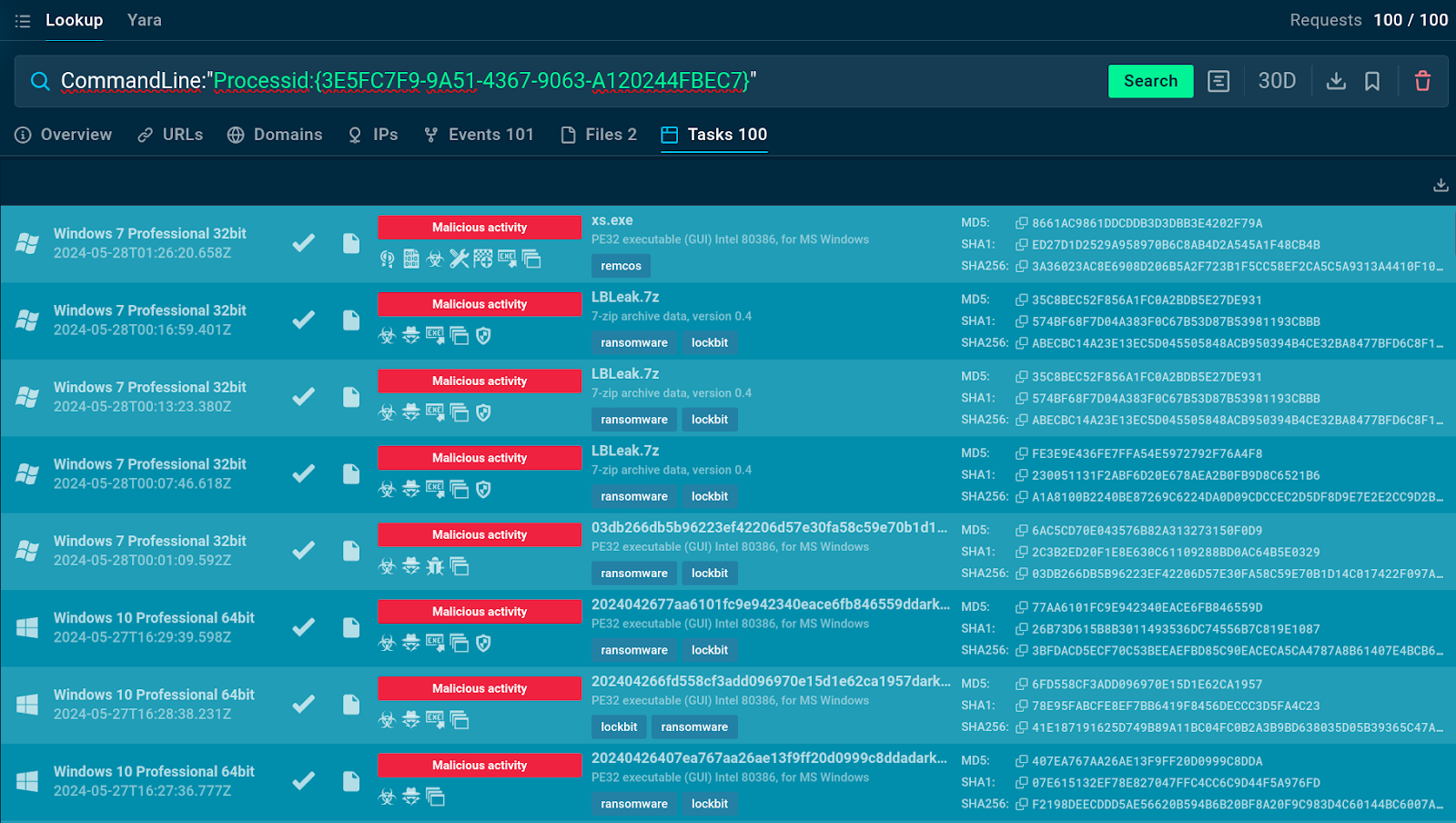
The query returns dozens of malware samples using the COM object in question
We can click on any of these sessions to study them in-depth.
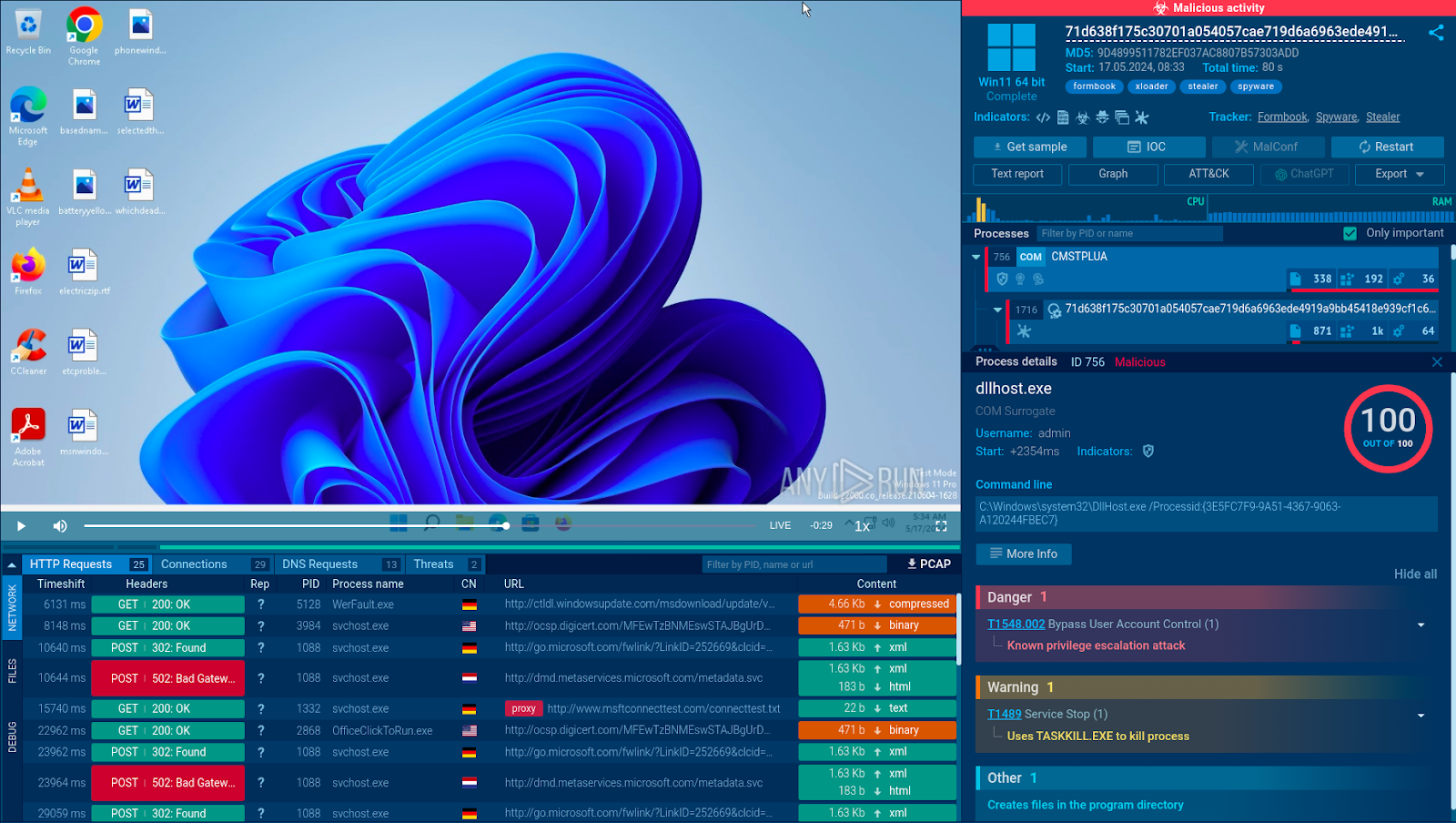
After opening the sandbox session, we can explore additional details of the attack, such as the Tactics, Techniques, and Procedures (TTPs) used by the malware and its indicators of compromise.
Registry Modification
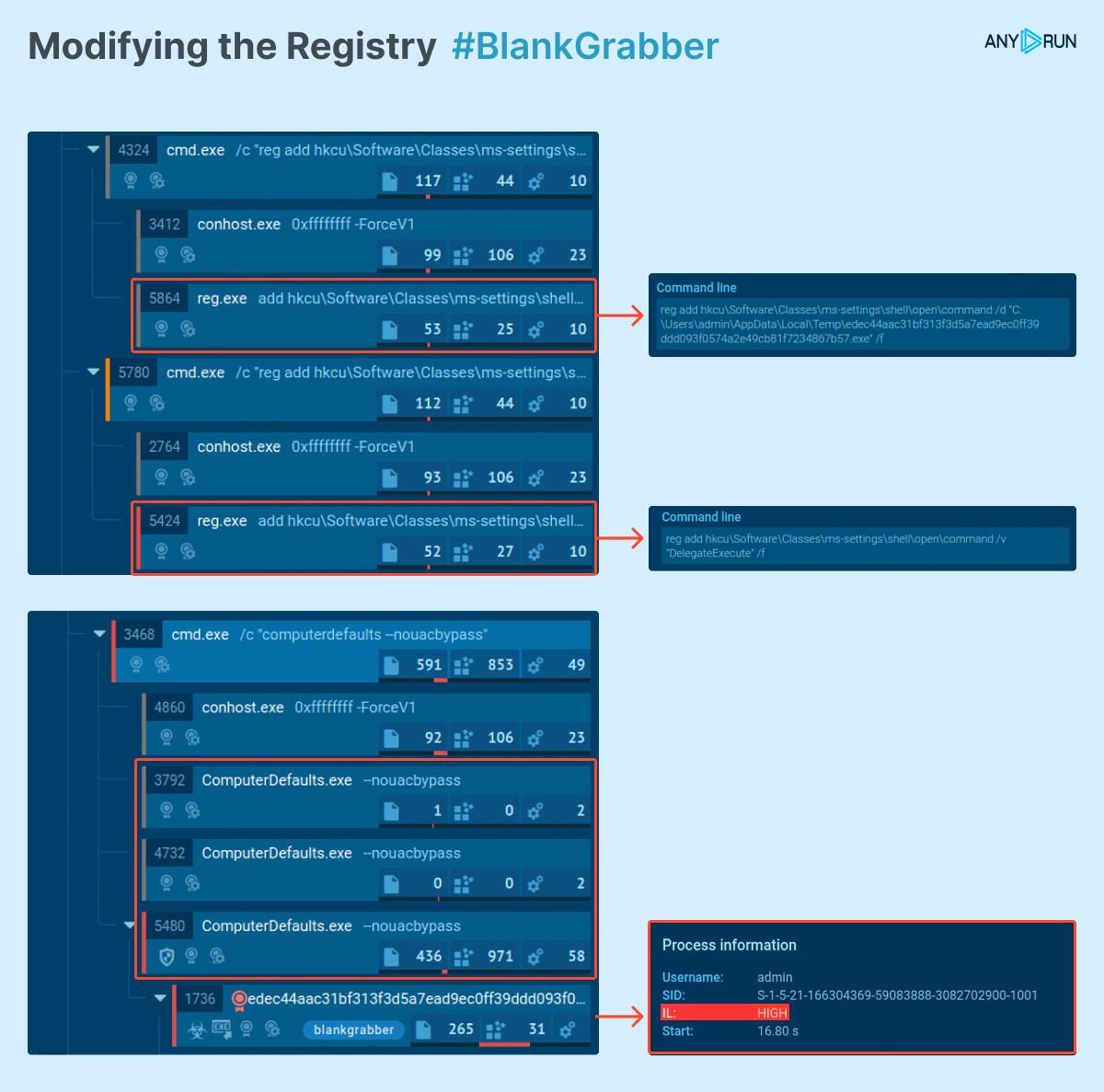
Another method for bypassing UAC relies on modifying the Windows registry’s ms-settings keys. Some programs on Windows run with elevated privileges by default. One of them is fodhelper that, when executing, at first attempts to access a non-existent registry entry, HKCU\Classes\ms-settings\shell\open\command , before passing on to the next one, HKCR\shell\open\command that does exist.
Attackers may leverage this by creating and modifying the first registry entry, which does not require administrative privileges. Thus, they can hijack the registry and ensure the malware initiates without a UAC prompt being shown to the user.
Example:
Infinite UAC Prompt Loop
In this method, the user is shown the UAC prompt once again each time they attempt to close it. The intention here is to force the potential victim into agreeing to run the application to remove the window. Yet, as soon as they agree, the malware starts executing on their system.
Example:
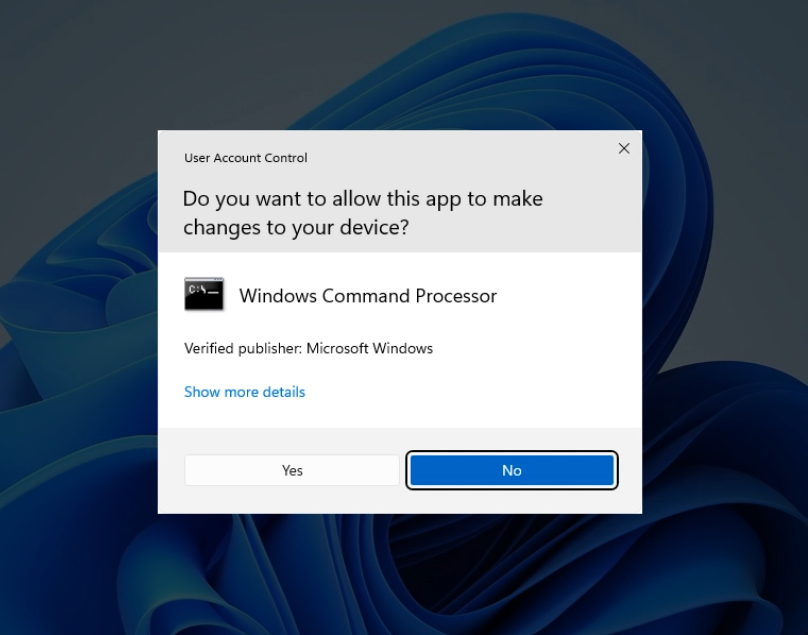
UAC prompt appearing during a Dcrat infection attempt