Armored Likho has launched a phishing campaign that uses AI-generated loaders to deploy the newly identified BusySnake Stealer.
The operation has targeted government agencies and electrical power organizations, putting sensitive public-sector data and essential services at risk.
Confirmed victims span Russia, Brazil, and Kazakhstan, showing the campaign’s reach extends across several regions.
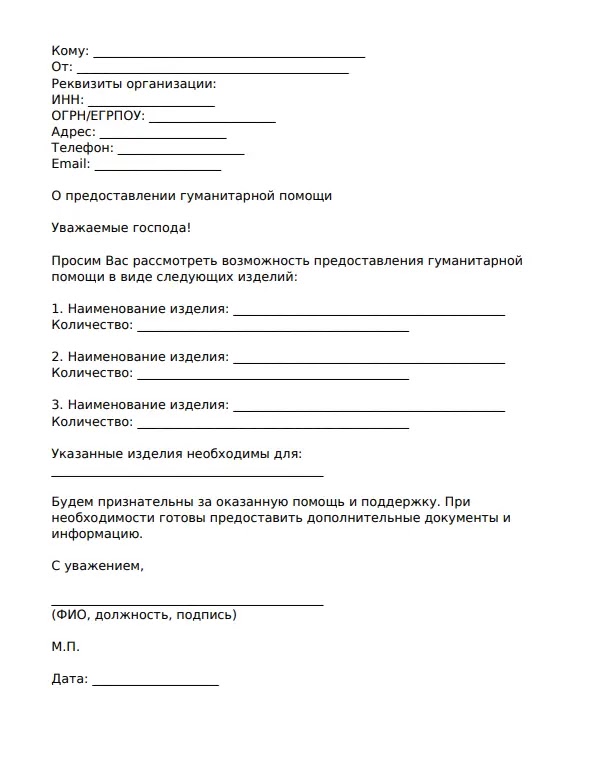
The attackers rely on spear-phishing emails that imitate official government notices, humanitarian aid requests, and social programs. These emails carry archive attachments containing malicious executables or Windows shortcut files.
Once opened, the attachments begin a staged infection chain while presenting decoy content intended to keep the victim from noticing the compromise.
Securelist said in a report shared with Cyber Security News (CSN). Analysts noted that Armored Likho, also known as Eagle Werewolf based on circumstantial evidence, combines financially motivated activity with cyber-espionage operations aimed at organizations.
The group has continued refining its tools to make analysis and detection harder.
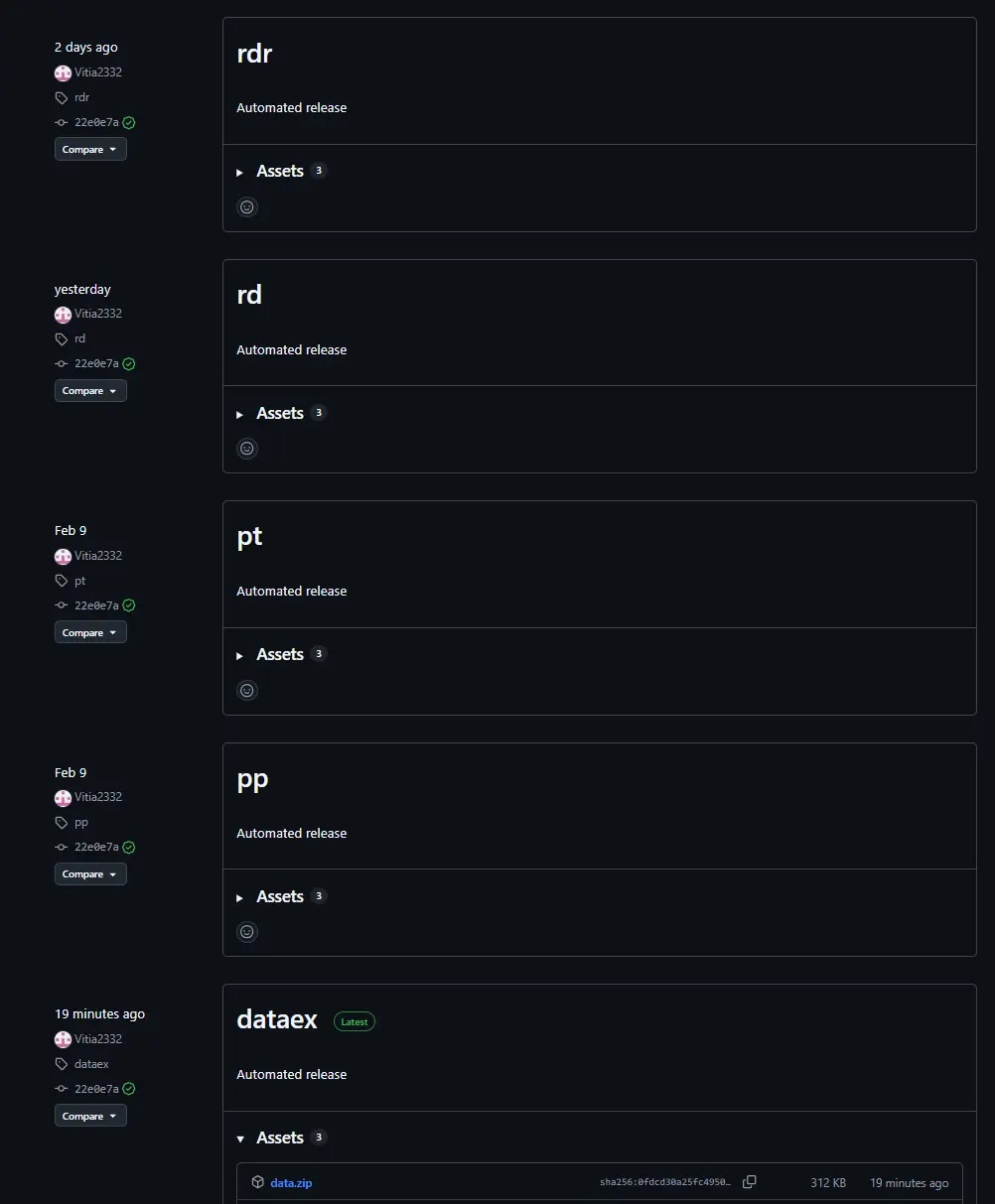
The campaign matters because BusySnake can steal browser credentials, cookies, clipboard data, local documents, screenshots, cryptocurrency-related data, and Telegram session files.
It can also accept commands from its operators, creating a serious risk of long-term surveillance and data theft after an initial phishing email succeeds.
Armored Likho APT Uses AI-Generated Loaders
In one infection path, a victim opens an archive containing a file disguised as a psychological test. The executable launches a fake survey, then injects malicious code into another process and retrieves additional payloads from online repositories.
The downloaded files are unpacked into the user’s AppData directory, where the attack continues quietly.
A second path uses a malicious LNK shortcut that hides its command-line activity through spaces and line breaks.
The shortcut launches an obfuscated command and PowerShell process to download a loader, Python components, and the BusySnake payload. A decoy document may open during this step, making the activity appear legitimate to the user.
Researchers found unusually verbose comments and bullet-point emojis in the loaders’ source code, features that are uncommon in malware written entirely by human developers.
This suggests the actors used large language models to generate first-stage tools, helping them vary their delivery code and make attribution more difficult.
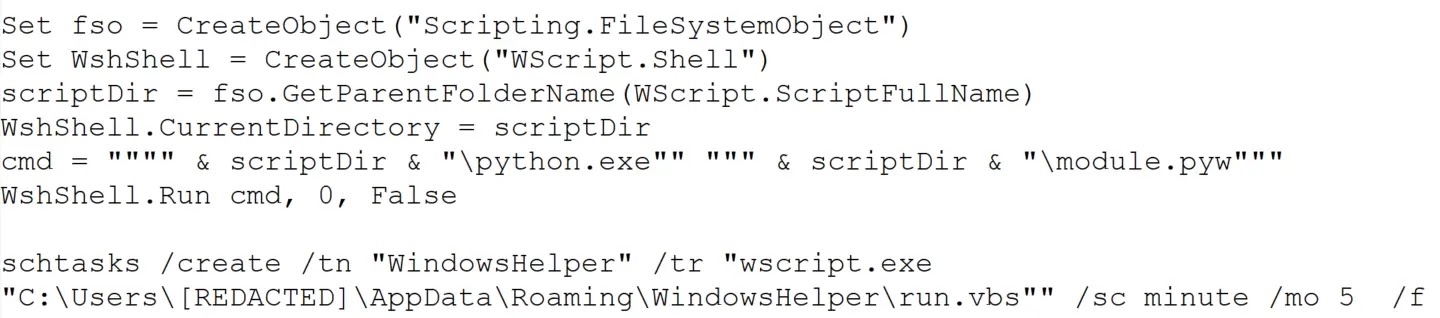
BusySnake is protected with code obfuscation and encryption that only decrypts functions when needed. It runs without opening a visible console window and uses scheduled tasks to remain active.
In newer samples, the malware creates scheduled tasks through Windows component interfaces instead of directly calling standard task commands, a change intended to reduce detection.
Data Theft and Defensive Focus
After execution, BusySnake inventories files, watches the clipboard, searches for long hexadecimal keys, and collects documents from Desktop, Documents, and Downloads folders.
It skips some system files and large files, likely to limit noise and speed up collection. Stolen data is sent to the attackers’ command-and-control infrastructure.
The stealer can also decrypt saved passwords from Chromium-based browsers and Firefox profiles, extract browser cookies, capture screenshots, and monitor for one-time password secrets.
Its remote-control features include reverse SSH tunneling, which can give operators a route back into a compromised system even after the initial theft activity.
Organizations should treat unexpected archives, executable attachments, and LNK files as high-risk, particularly when they use government or humanitarian themes.
Security teams should monitor for suspicious PowerShell execution, rundll32 activity, new scheduled tasks, and unusual downloads of Python components. Users should verify unexpected requests through a separate trusted channel before opening attachments.
Indicators of compromise (IoCs):-
Note: IP addresses and domains are intentionally defanged (e.g., [.]) to prevent accidental resolution or hyperlinking. Re-fang only within controlled threat intelligence platforms such as MISP, VirusTotal, or your SIEM.