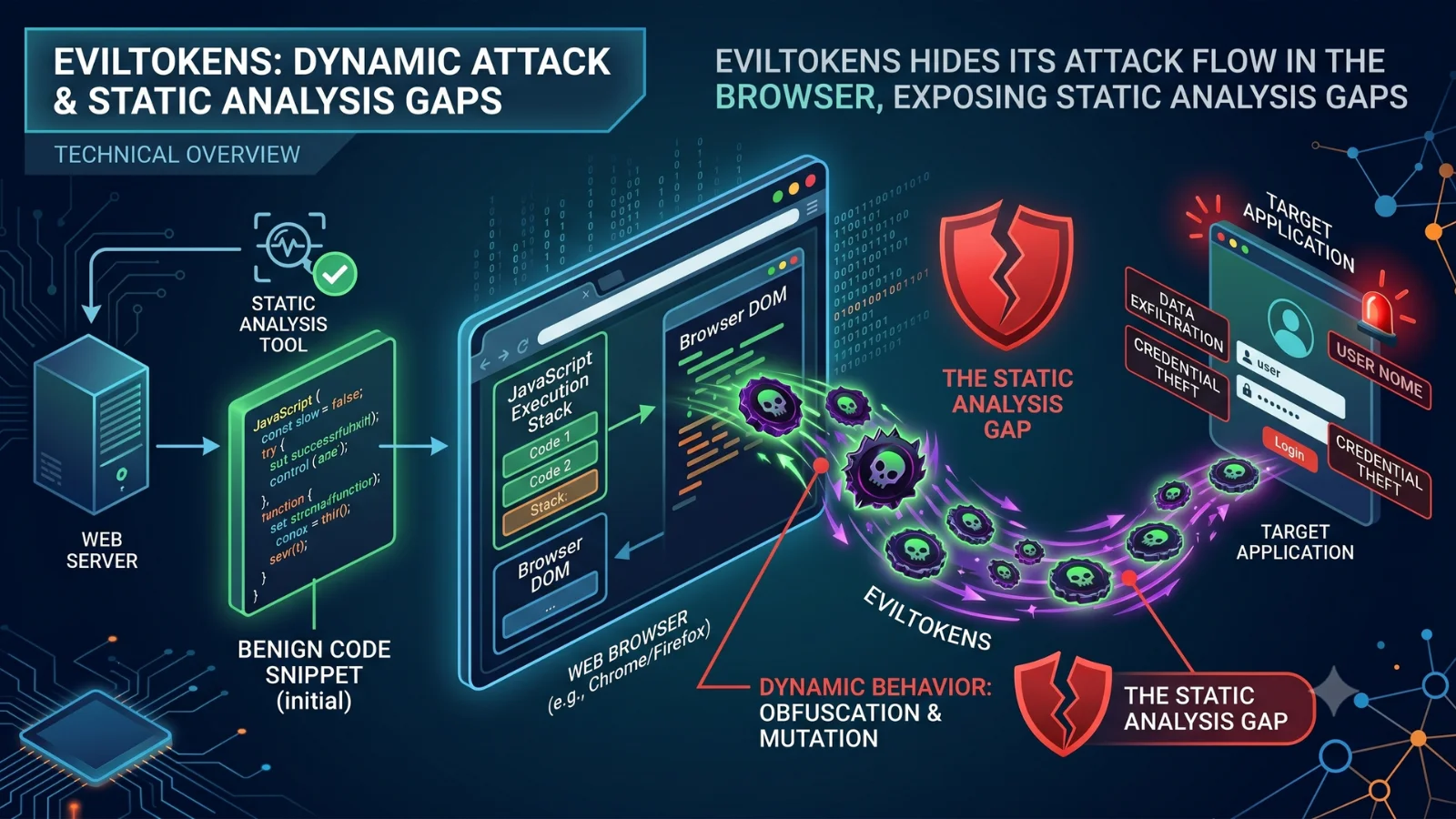
EvilTokens is drawing attention in phishing investigations for abusing Microsoft Device Code authentication and hiding key parts of its attack flow from static URL analysis.
In a recent analysis, the phishing page was found encrypted in the initial HTML response and appeared only after browser-side decryption rendered it in the DOM. The case shows why analysts need browser-level visibility to confirm dynamic phishing behavior, extract evidence, and move faster from triage to response.
How EvilTokens Hides Its Phishing Page
Device-code phishing campaigns powered by EvilTokens have already been linked to compromises across multiple organizations. The danger is not only the phishing kit itself but the visibility gap it creates during investigations. Analysts may review a suspicious URL and find little evidence of malicious activity, while the actual phishing workflow remains hidden.
The reason is that the phishing page is not immediately available in the server’s response. Instead, EvilTokens delivers an AES-GCM encrypted payload that is decrypted only after browser-side JavaScript executes. The phishing content is then rendered directly into the DOM, revealing the Microsoft-branded authentication page, user code, and instructions shown to the victim.
For analysts, this creates a significant blind spot. Static URL analysis may show the page source, network requests, and reputation data, but miss the content that appears only after execution. As phishing kits increasingly rely on dynamic browser behavior, understanding what happens inside the browser becomes critical for confirming malicious activity and making confident triage decisions.
This visibility gap can lead to:
- Slower phishing triage because the real page is not visible at first glance
- Delayed confirmation of account takeover risk
- More manual work to reconstruct the attack flow
- Unclear evidence for escalation to Tier 2 or IR teams
- Missed IOCs that could support hunting and detection
- Longer time between first alert and response action
Browser-Level Visibility Closes the Gap: Exposing the Full Attack Chain
Rather than switching between multiple tools and data sources, the Browser Data tab consolidates the evidence needed to understand the attack, validate malicious activity, and support triage decisions. This includes page modifications, infrastructure information, browser-generated requests, and other artifacts collected during execution.
In this EvilTokens session, for example, analysts can see:
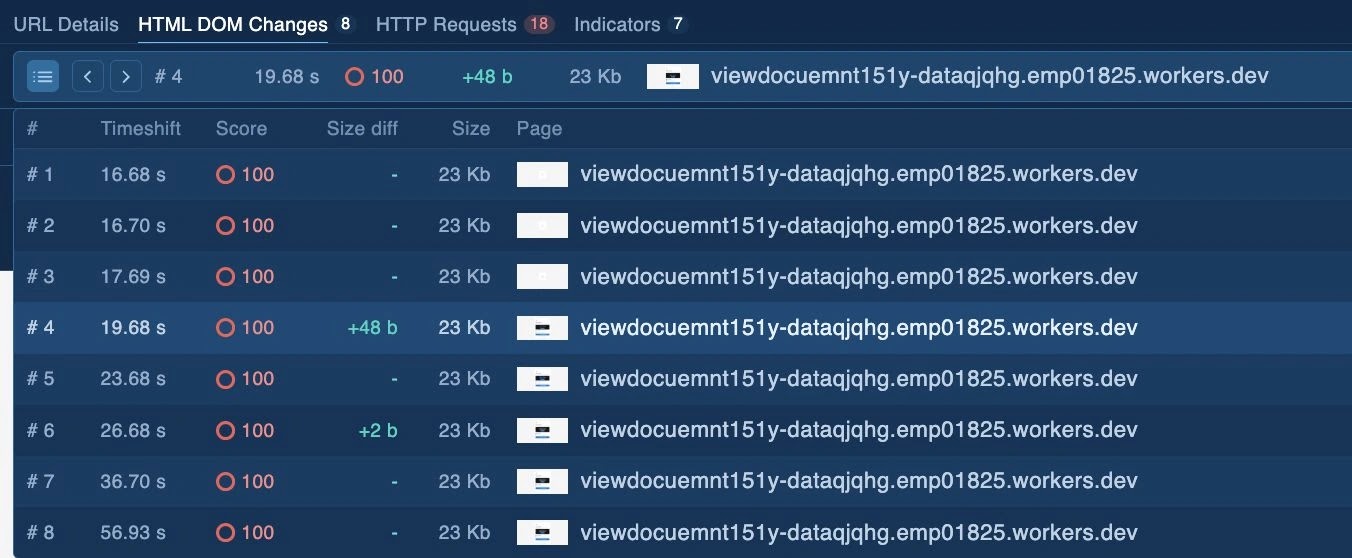
HTML DOM Changes
The DOM timeline shows when the encrypted payload is decrypted and the phishing content appears on the page. This exposes the device code and other artifacts that were not visible in the initial response.
URL Details
The URL Details view brings together the final URL, domain information, SSL certificate, DNS records, request statistics, and triggered signatures. This helps analysts assess the infrastructure behind the phishing page without moving between separate tools.
HTTP Requests
The HTTP Requests show browser-generated traffic across HTML, JavaScript, Fetch/XHR, scripts, static files, binaries, archives, and other categories. In this sample, requests to /api/device/start and /api/device/status/<sessionId> help confirm how the device-code phishing workflow operates.

Expanding the Investigation Through Threat Intelligence
In this session, URL Details shows a triggered Microsoft OAuth device-code phishing signature based on code found in the DOM. Analysts can use this signature to find other phishing resources with similar code patterns, including campaigns beyond EvilTokens.
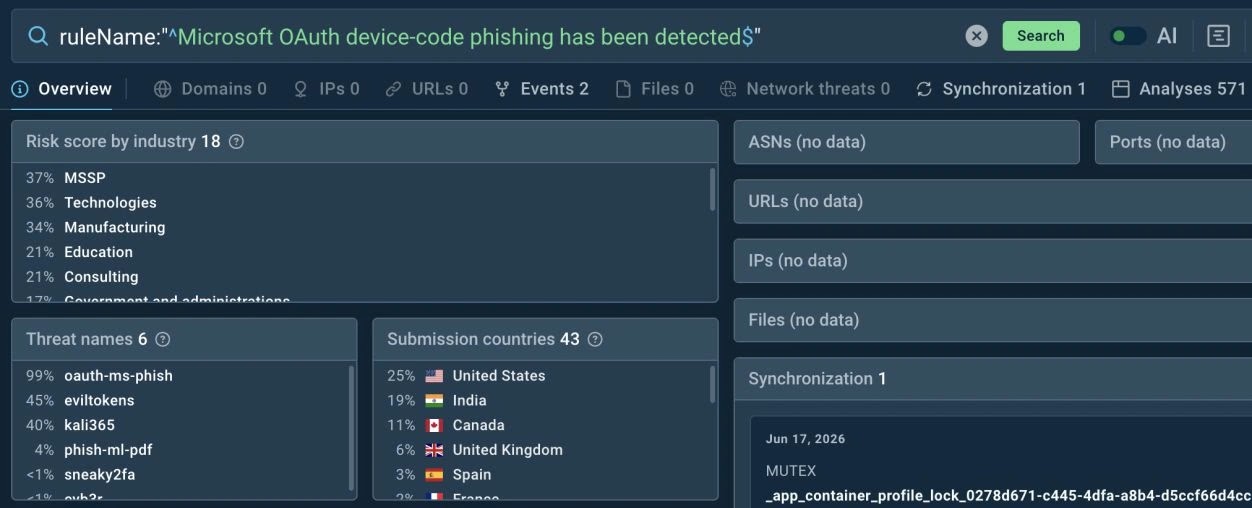
Threat Intelligence also helps review related EvilTokens activity by threat name and geography. In this case, the activity appears mainly tied to the U.S. and Europe.
Finally, the Indicators tab helps decide which artifacts are useful for detection. Broad infrastructure, such as a CloudflareNet IP, may be too noisy, while a specific domain, URI, or hash can be stronger candidates for hunting and rule creation.
Faster Phishing URL Investigations with Full Browser Visibility
As phishing kits increasingly rely on browser-side execution, analysts need faster ways to uncover hidden content, validate malicious behavior, and collect evidence for response. EvilTokens is a clear example of how important artifacts can remain invisible until the page executes, creating delays in triage and investigation.